en – Original instructions
33
7.4.2 Parameters menu visualization
This menu allows the selection of all drive’s parameters (see par. 7.5) and the access (see par.
7.2) to the Parameters Editing/Visualization for each of them.
Power on
After power on, accessing to Parameters Menu Visualization, if parameter P23 = ON, the
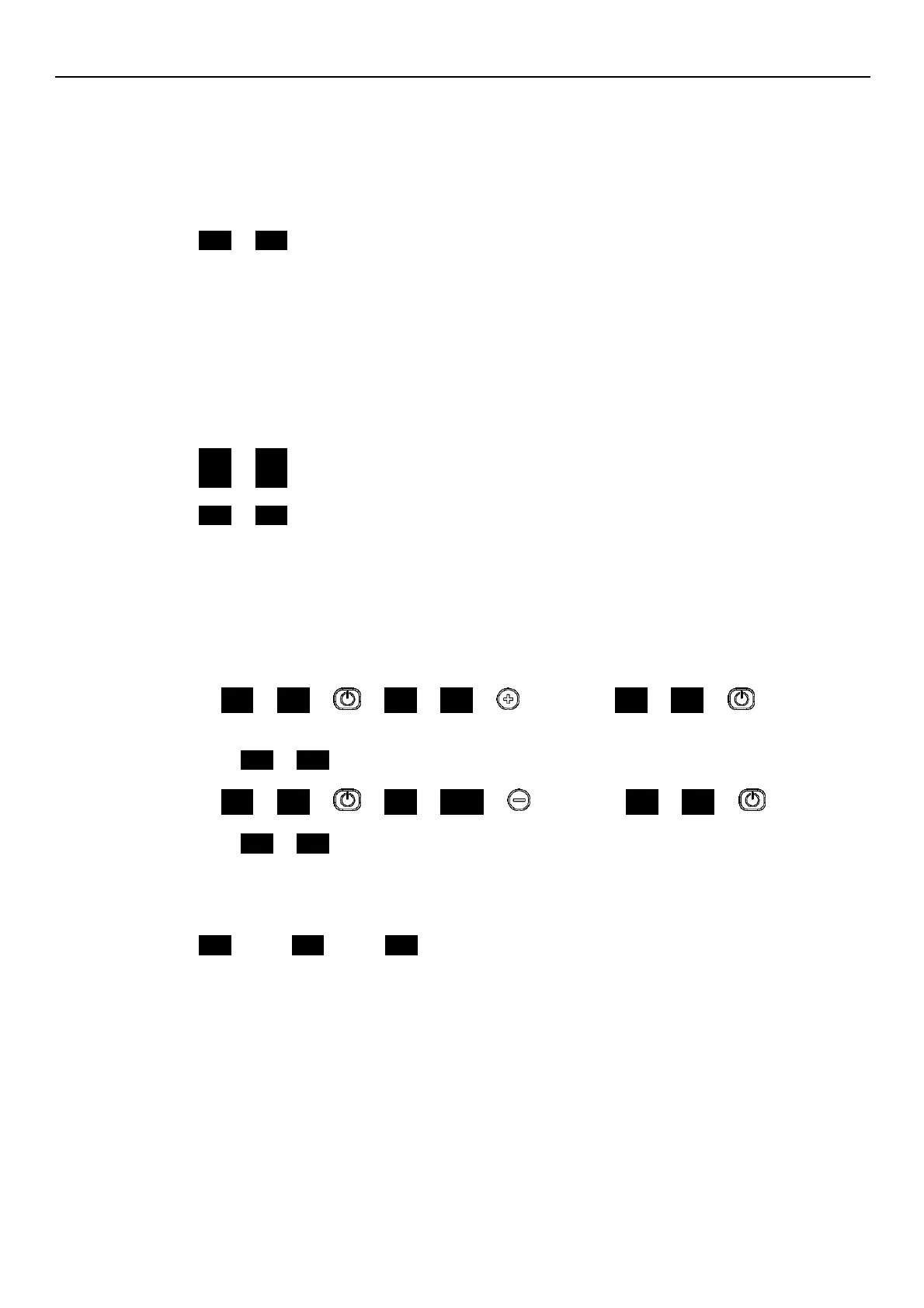
Numeric display [6] shows P20 blinking as follow (see par. 7.2 and par. 7.5.1):
P20 P20
Input password is required to unlock parameters visualization and editing.
Password timeout
If P23 = ON and no buttons are pressed for more than 10 minutes after last Parameters Menu
Visualization accessing (see par. 7.2), the parameters visualization and editing will be locked.
Still input password is required to unlock parameters visualization and editing.
Parameters Menu
If P23 = OFF or after inputs correct password (P20), parameters visualization and editing will be
unlocked.
Accessing to the Parameters Men, the Numeric display [6] shows:
P01 P01
P02 P02
...
P69 P69
Parameter’s index blinks to indicate the possibility of parameter selection.
Parameters Editing / Visualization
Accessing to a parameter’s value, If the parameter is both readable and writable, its value can be
changed using the push buttons or trough communication protocol (Modbus or BACnet).
Going back to Parameters Menu, the index of visualized parameter is automatically increased.
For a detailed description of each parameter, refers to par. 7.5.
Some examples of Parameters Editing/Visualization, are reported below:
Example 1 (P20) from 000 to 066:
P20 P20 000 000 … until … 066 066 sets the
desired value
P21 P21
Example 2 (P26) from 360 to 300:
P26 P26 360 360 … until … 300 300 sets the
desired value
P26 P26.
7.4.3 Multiple pumps priority visualization
Accessing (see par. 7.2) to Multiple Pump Priority Visualization the Numeric display [6] shows the
following information:
Pr1 (Pr1) .. Pr3 (Pr3) or Pr0 (Pr0).
Pr1 .. Pr3, indicate that the pump is communicating with others pumps and its priority order, is
equal to the visualized number.
If Pr0 is visualized, it means that the pump doesn’t detect communication with other pumps and it
considers to be alone in the multi pumps bus.
The Multiple Pumps Priority Visualization is accessible also through P63.




 To Next Page