12
Power on your Y-cam
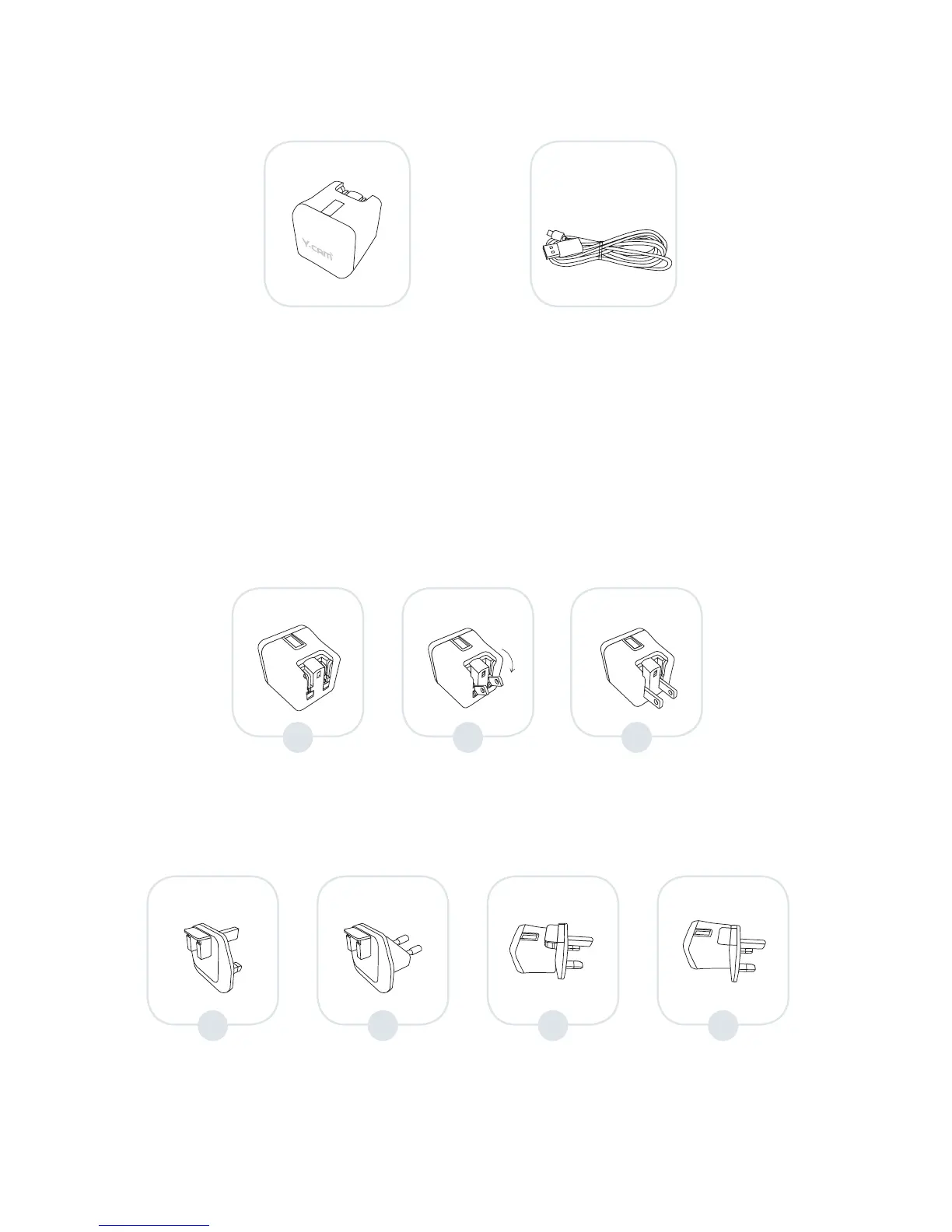
Only use the supplied USB power adapter and cable provided.
Using unauthorised equipment will invalidate your warranty.
The maximum power output for the power adapter is 5V = 2A.
1a 1b 2 3
+
USB power adapter Screw & wall plugs
• Ensure the Micro USB cable is plugged into the rear of your Y-cam.
• Select your region.
USA
1 2 3
UK / EU
Pull pins down untill fully horizontal
UK / EU - choose appropriate tting Insert tting from the top
and push down
When fully inserted you
will hear a click
• Plug the other end of the USB cable into the power adapter.
• Plug the power adapter into socket and switch power on.
• You should now see a solid blue light on camera status LED.


 To Next Page