7
Shelf Mounting
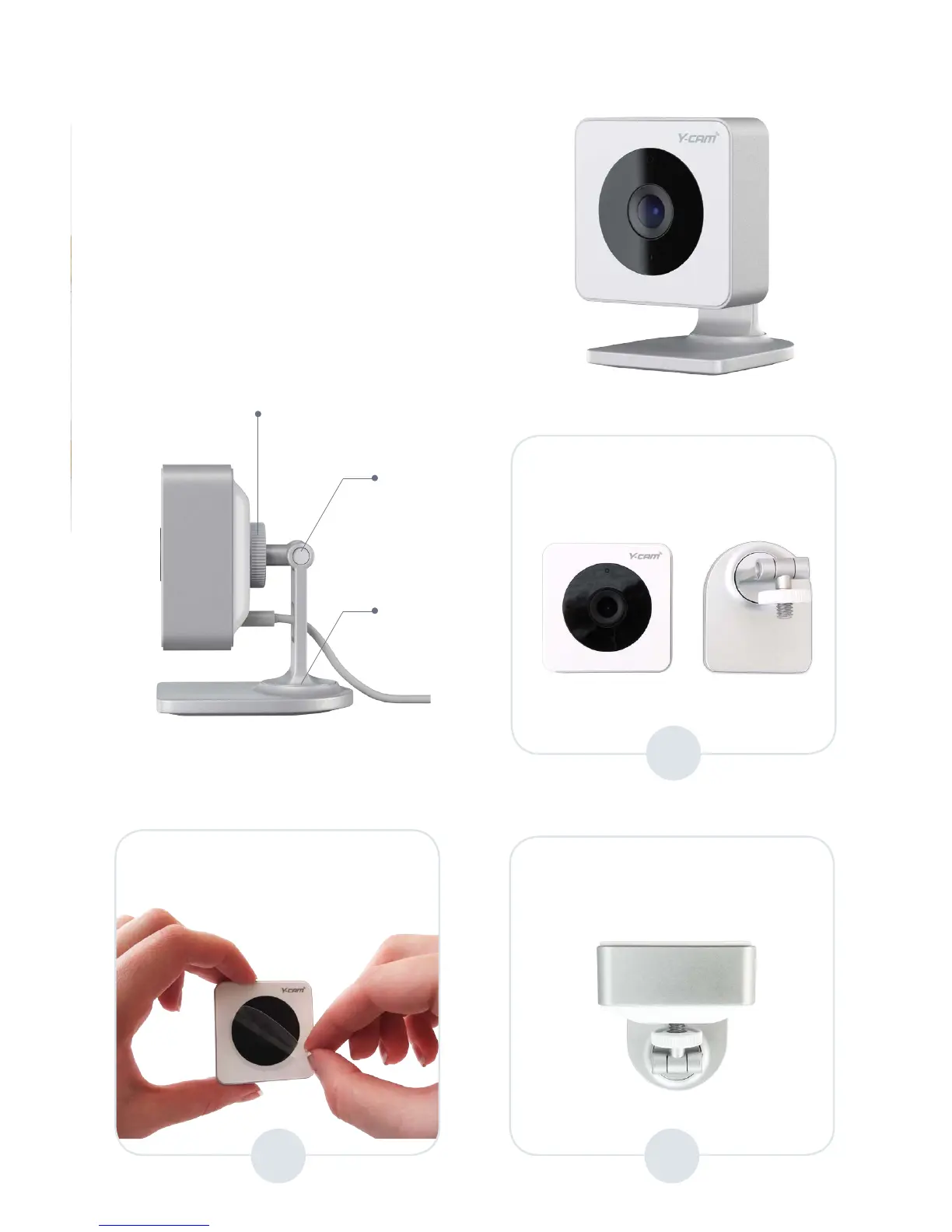
Before placing camera on a shelf,
attach it to the stand provided.
1
3a
Remove camera and stand
from the packaging.
Screw the stand to the stand
mount located at the rear of the
camera until fully secure.
Stand disc
Pivot A
Pivot B
2
Remove the protective
transparent sticker from the
camera lense.


 To Next Page