25
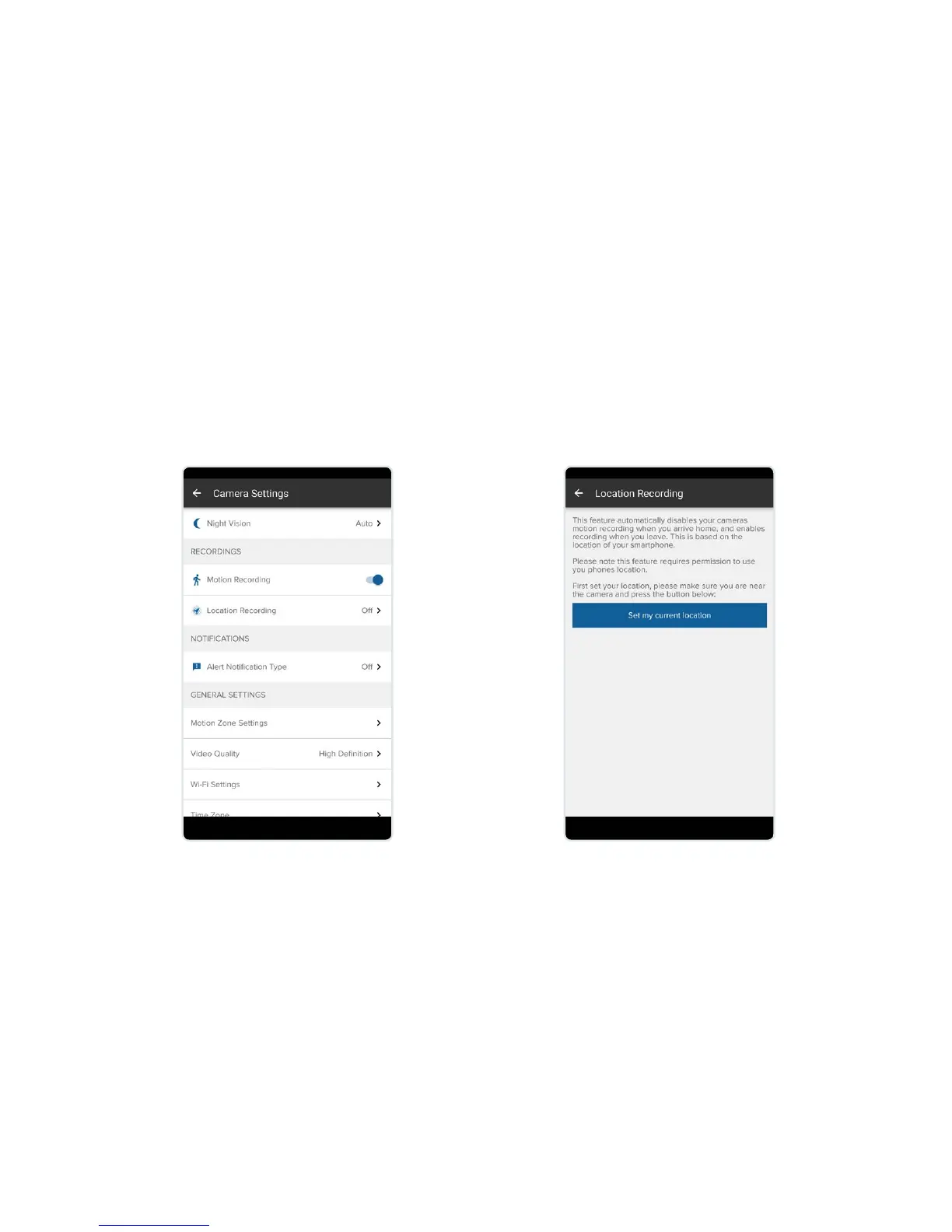
Location Recording
Automatically disables your camera’s motion recording when you arrive
home and enables recording when you leave, based on the
location of your smartphone.
Set Location Recording:
Select Location Recording from the
recordings menu. As default this
is set to o. Please note if Motion
Recording is set to o, this option
will not be displayed.
Save your current location.
This will be the location used to
automatically enable and disable
Location Recording.


 To Next Page