24
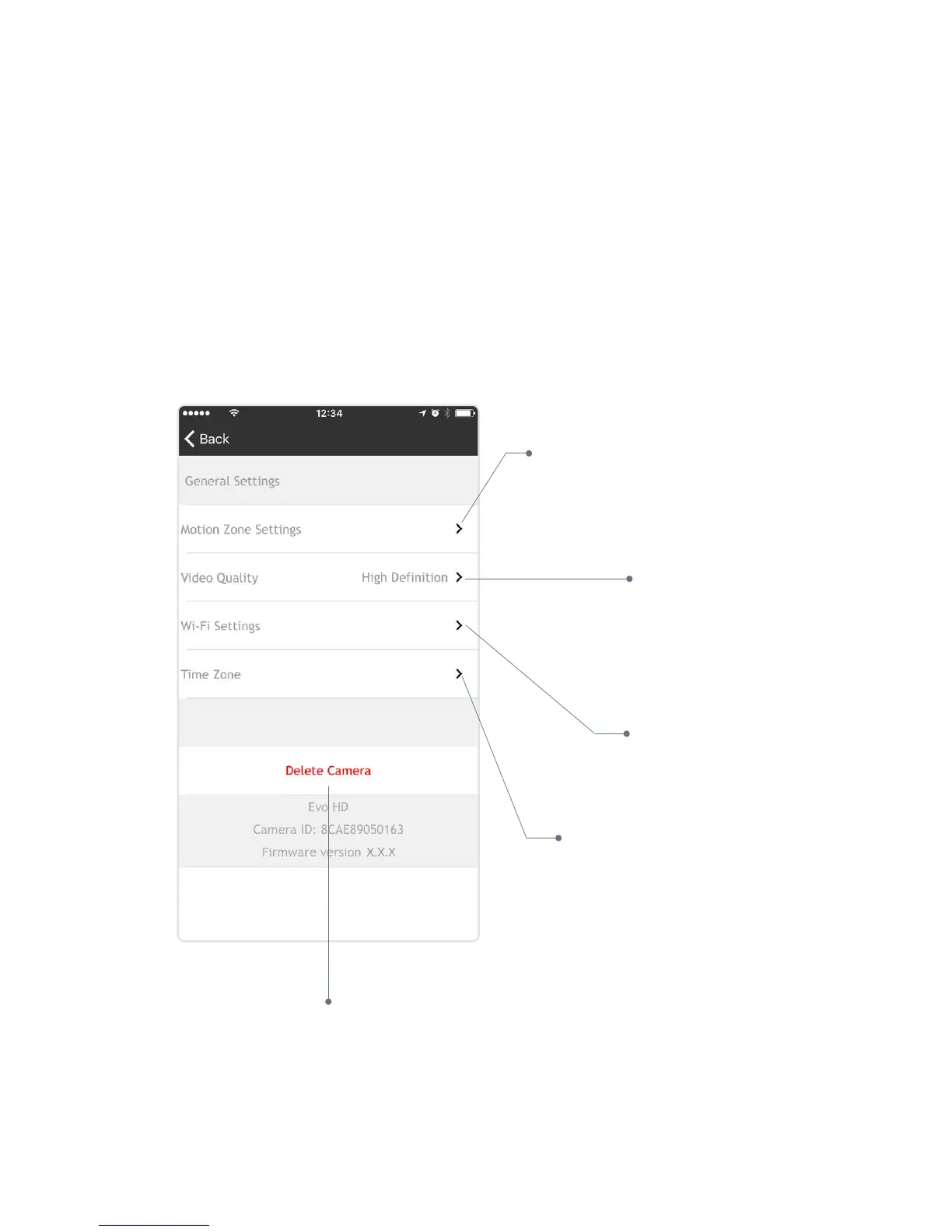
Camera Settings
If you move the camera
to a new location, this is
where you can change the
Wi-Fi settings to connect
to a new Wi-Fi signal
Delete the camera from your
account (this will remove all videos
including favourites. Ensure you
download any videos you wish to
keep before deleting your camera)
Set and manage
motion zones
Select Video Quality:
High Denition or Standard
Denition
Set & manage camera
Time Zone


 To Next Page