28
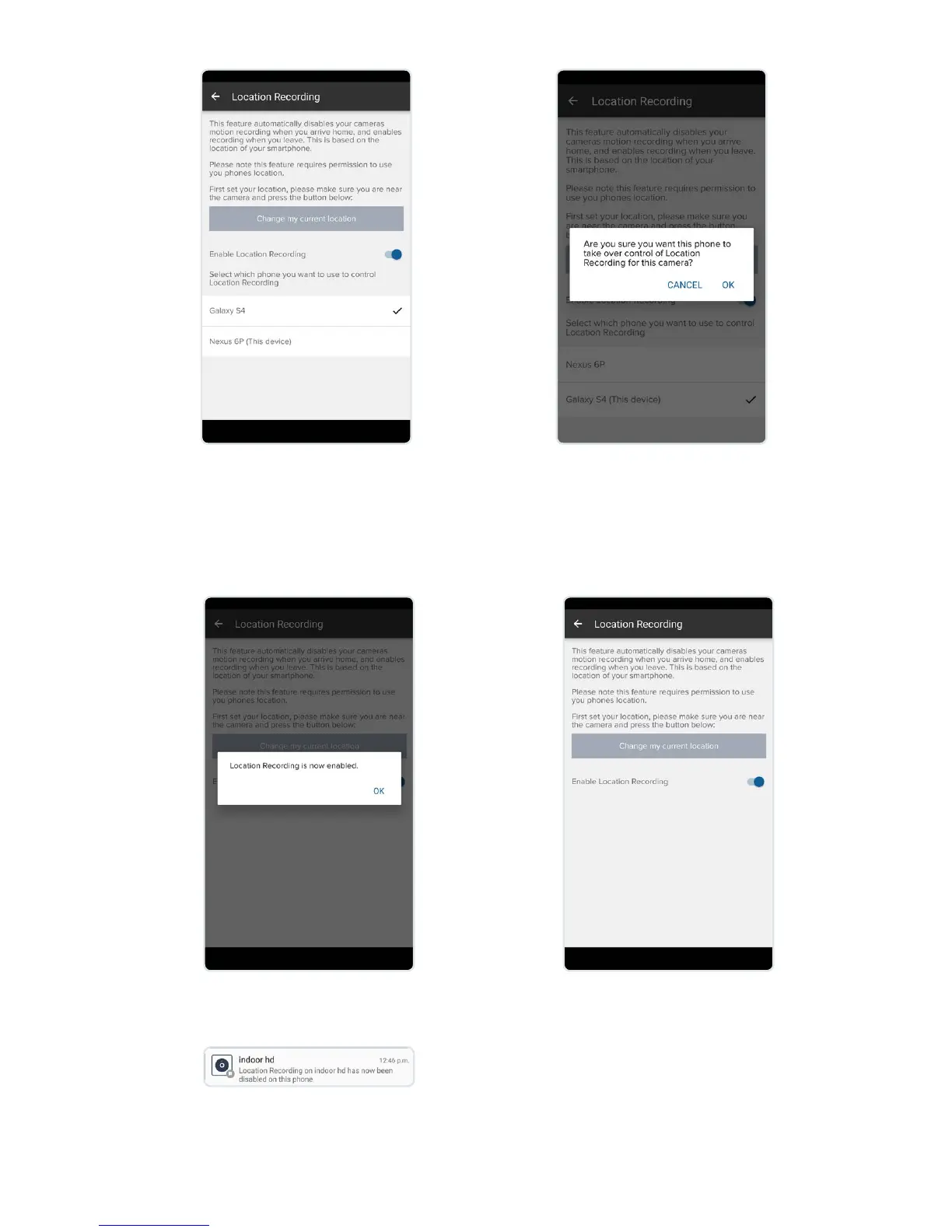
Once the location is saved, please
select your device from the device
list. The device used to set up
Location Recording originaly will
be ticked.
Please conrm you would like to
take over Location Recording on
your device.
Location recording is now
enabled.
You have now taken over
Location Recording.
The original user will get a notication
to tell them they no longer control
Location Recording on this camera.


 To Next Page