15
5.The display of your iOS mobile device will be projected to the wall/screen via
wifi after a successful connection.
3.1.iOS Cast (for iOS Devices)
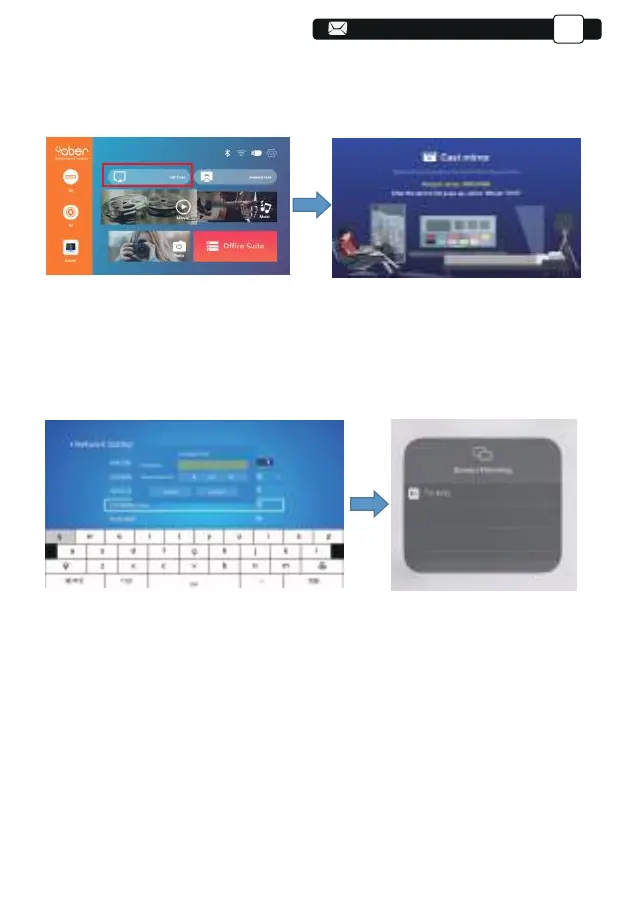
1.Turn on the projector, select IOS CAST as the input source to enter the
interface of Screen Mirroring for iOS system.
2. Go to the setting of your projector and connect it to your home wifi. Select
your home WIFI to make sure that the projector connect to the same wifi to
your phone. Press the "∧" and "∨" on the operation panel to select the
correct WiFi. Press the "OK" key to enter the password page.
3. Get back to the Wi- Fi setting of your iOS mobile device, then connect it to
the same router's Wi-Fi.
4.Swipe up the screen of your iOS mobile device and tap Screen Mirroring to
search for the projector, then select MCast-XXXX from the searching results
to connect.
Support@yabertech.com
EN



 To Next Page