When an alpha-numeric Tag is shown in place of the
memory channel operating frequency display, the display
will automatically revert to display the operating frequen
-
cy along with the “tun” indication. It is not necessary to
enter the Menu and change from the alpha-numeric Tag
display to the operating frequency display.
3. Press the [▲] or [▼] key to tune to the desired frequency.
4. To return to the original memory frequency, just press the [#BAND] key.
The display will revert to a display of the alpha-numeric Tag (if any) that
may have originally appeared on the LCD.
To store the new frequency while using Memory Offset Tun-
ing, press and hold the [ V/M] key (per the normal memory
storage procedure). The next-available clear memory location
will be displayed. Then press and hold the [
V/M] key again
to save the new frequency the available memory channel.
Deleting Memories
All excerpt the Memory Channel “001” and the Home Channels may be easi-
ly deleted.
Once deleted, the channel data cannot be recovered, so
make a note of the information (Memory Channel settings,
etc), before deleting the memories.
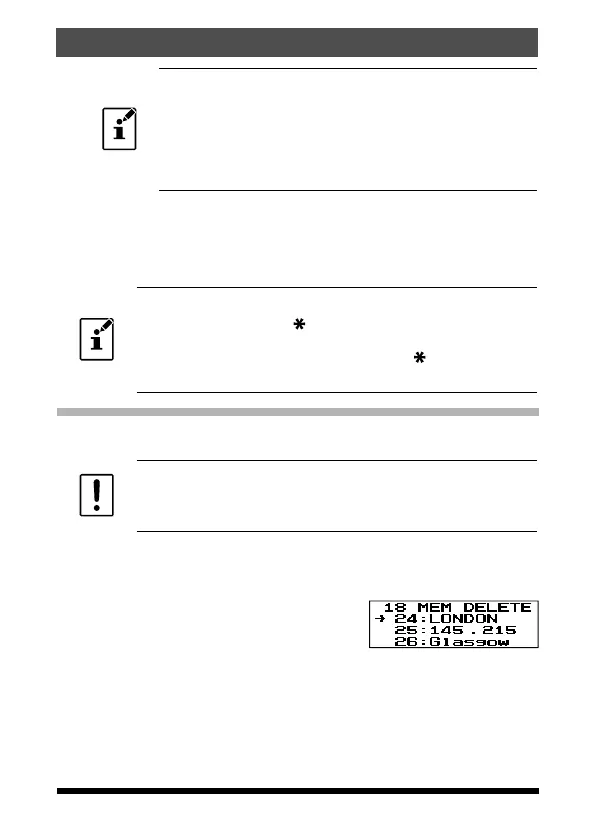
1. Press and hold the F key to enter the Set Mode.
2. Press the [▲] or [▼] key to select Set Mode item “18 MEM DEL”.
3. Press the F key to enable adjustment of this Item.
4. Press the [▲] or [▼] key to select the memo-
ry channel to be “deleted”.
5. Press the F key to delete the selected mem-
ory channel.
6. Press the PTT switch to return to normal operation.
33
Memory Mode
FT-65R/FT-65E Operating Manual



 To Next Page