Scanning
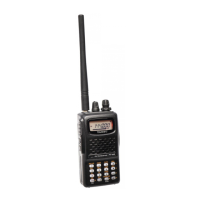
The FT-65R/E makes available scanning of the stored memory channels, or
scanning of the entire operating band, or scanning of a programmable sub
band portion. Scanning will halt when signals are encountered, and commu
-
nication may be initiated on that frequency.
Operation is basically the same in each of the above scanning modes. Be
-
fore beginning, take a moment to select the way the scanning will resume
after it halts on a signal.
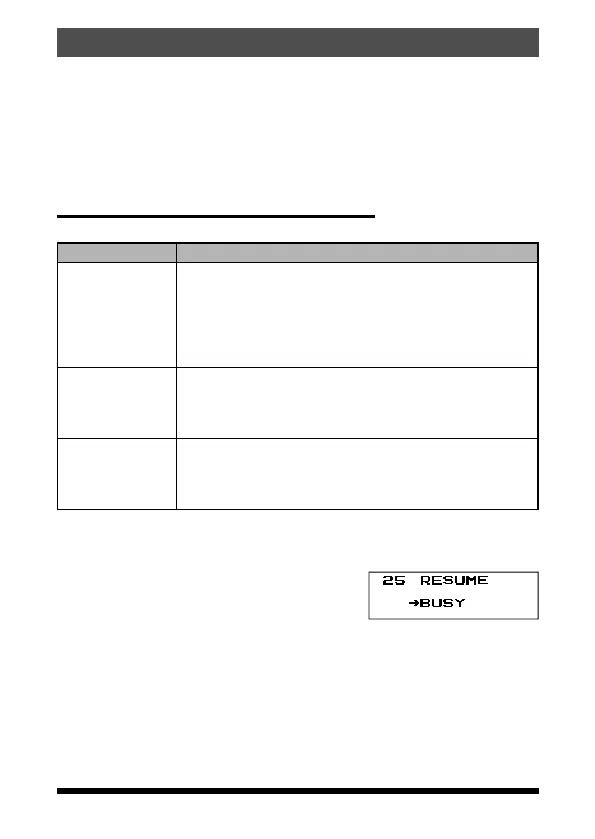
Setting the Scan-Resume Technique
Three options for the Scan-Resume mode are available:
Display Description
BUSY
(default setting)
In BUSY mode, the scanner will halt on a signal it en
-
counters. Scanning will resume one second after the
other station signal ceases transmitting. In the case
of constant-carrier signals like Weather Station broad
-
casts, the scanner will likely remain on this frequency
indefinitely.
HOLD
In HOLD mode, the scanner will halt on a signal it en
-
counters.
Scanning will only resume when it is manually re-initiat
-
ed.
TIME
In TIME mode, the scanner will halt on a signal it en
-
counters, scanning will resume after five seconds even
if a signal is still on the frequency. To cancel scanning,
press the the PTT switch, [▲] or [▼] key.
1. Press and hold the F key to enter the Set mode.
2. Press the [▲] or [▼] key to select Set Mode Item “25 RESUME”.
3. Press the F key to enable adjustment of this Set Mode Items.
4. Press the [▲] or [▼] key to select the desired
scan-resume mode.
5. Press the PTT switch to save the setting and
exit to normal operation.
35FT-65R/FT-65E Operating Manual



 To Next Page