Instruction #1035998F - Page 3 of 14
21
3
4
4X
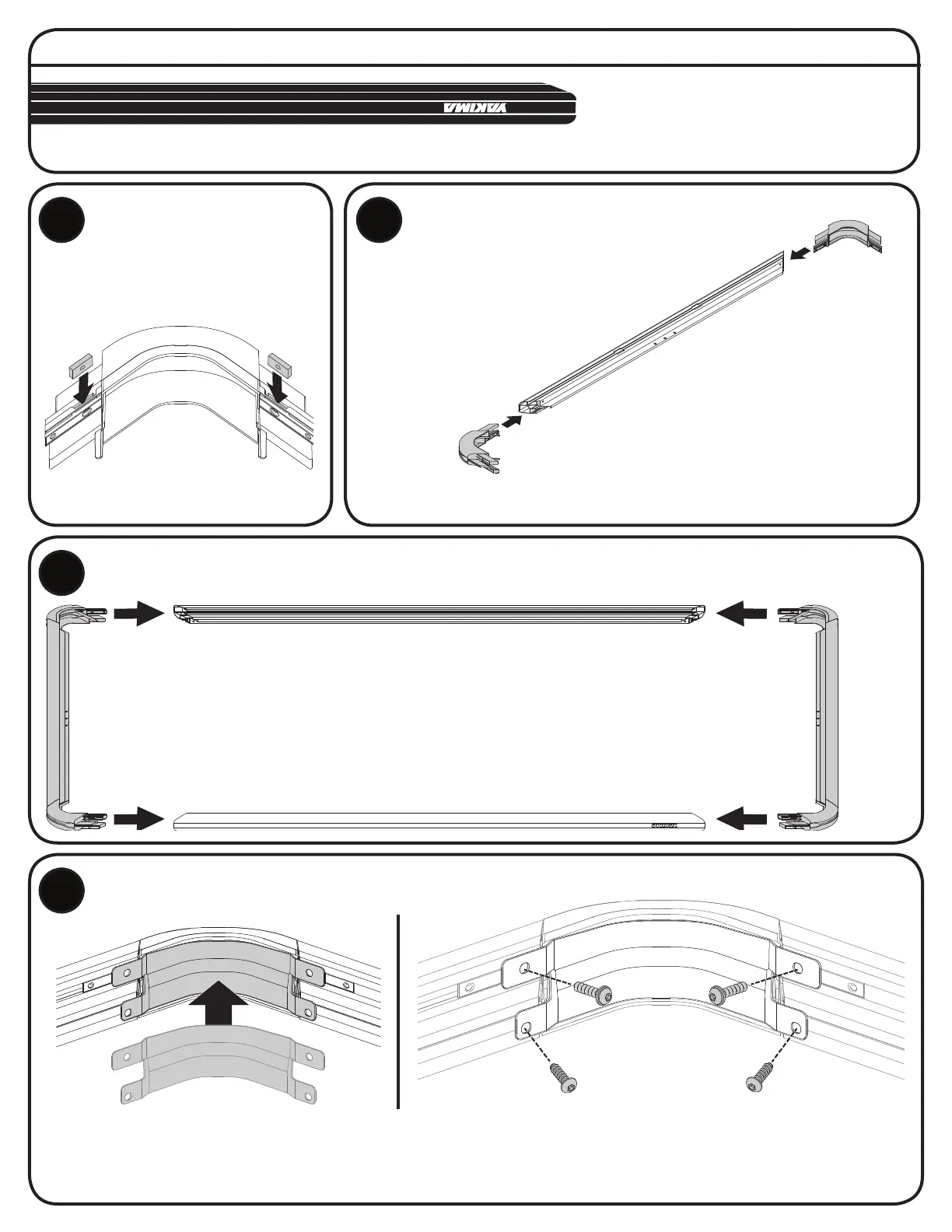
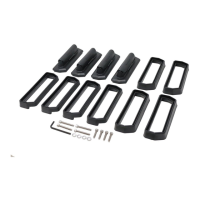
Remove the corner braces.
Insert two M6 square nuts into
each corner piece as shown.
INSERT NUTS INTO
PLATFORM CORNERS.
2X
4X
Clear a work area that will be large
enough for the Platform when fully
assembled and place Platform ends
and sides upside down in this work
space (use logos as reference).
TIP: To prevent scratching, place a blanket (or the
Platform’s carton, lattened out) over the work area.
ASSEMBLE PLATFORM ENDS AND SIDES.
Install the Platform end assemblies
created in Step 2 to the Platform sides.
Push irmly until fully inserted.
INSTALL CORNER BRACES.
Install the corner braces to the corner pieces using two M6 x 25 mm capscrews with washers
and two M6 x 20 mm Capscrews as shown. Tighten all screws to 4 Nm with a 4 mm hex or
torque wrench. TIP: Press irmly and angle the M6 x 20 mm screws towards the hole opening.
ASSEMBLE PLATFORM ENDS.
2X
Insert Platform
corners into Platform
ends. Push irmly
until fully inserted.
NOTE: Having the Platform ends
upside down prevents the corner’s
square nuts from falling out.
ASSEMBLY • ASSEMBLAGE • ENSAMBLAJE





 To Next Page