Automix Library 151
02R96 Version 2—Owner’s Manual
Automix Library
Up to 16 Automixes can be stored in the Automix library. See page 170 for information on
using Automix.
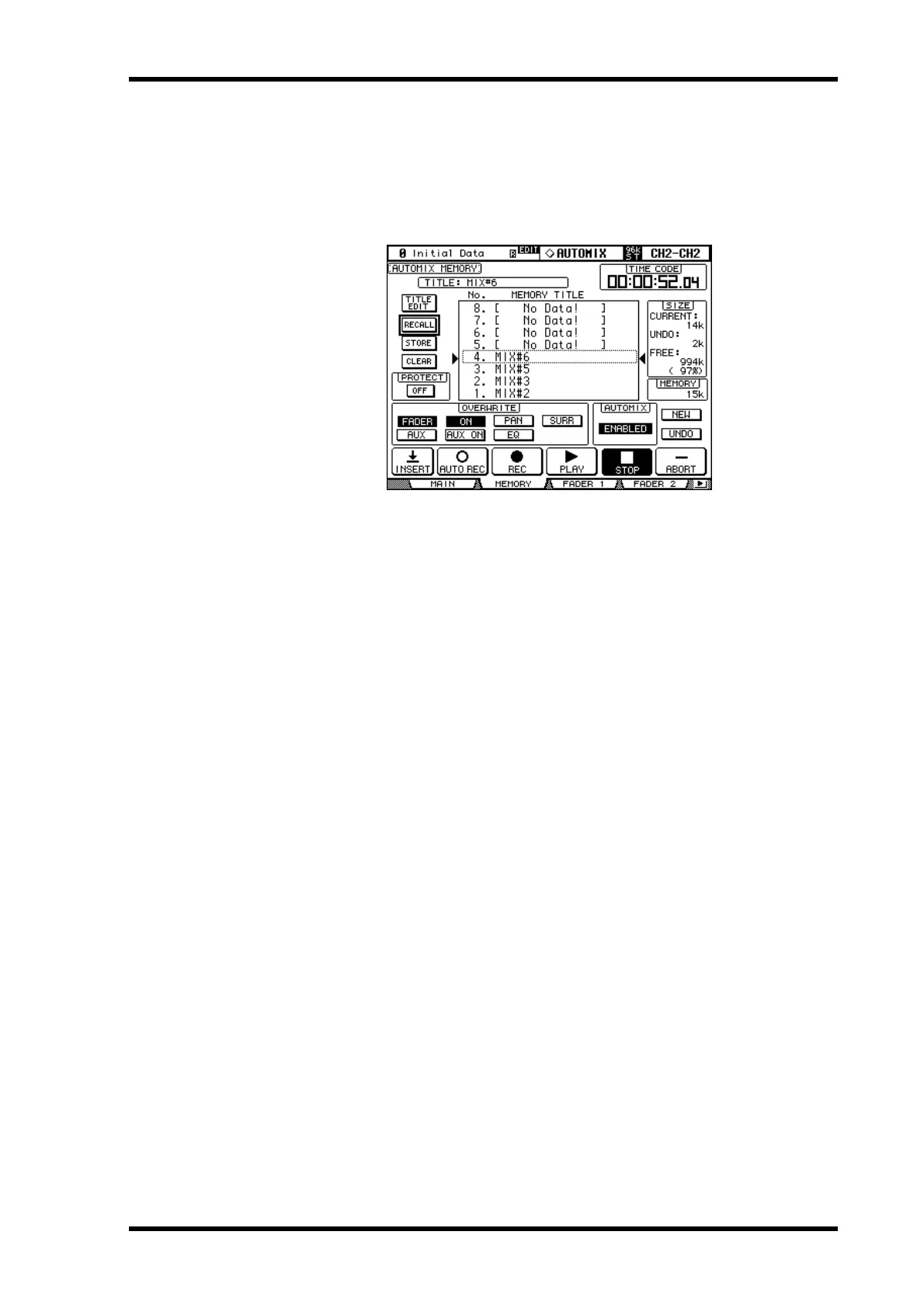
1 Use the DISPLAY ACCESS [AUTOMIX] button to select the Automix Memory
page.
When storing, the current Automix is stored to the selected memory.
TITLE: This is the title of the current Automix.
CURRENT: This is the size of the current Automix.
UNDO: This is the size of the Automix data in the current Undo buffer.
FREE: This is the amount of free memory for storing the current Automix.
MEMORY: This is the size of the selected Automix memory.
PROTECT: To protect the contents of the selected memory, select this and press [ENTER].
A padlock icon appears next to the titles of memories that are write-protected. Automixes
cannot be stored to write-protected memories.
For details on the Store, Recall, Title Edit, and Clear functions, see “General Library Oper-
ation” on page 143.



 To Next Page