Instrument and control functions
4-4
4
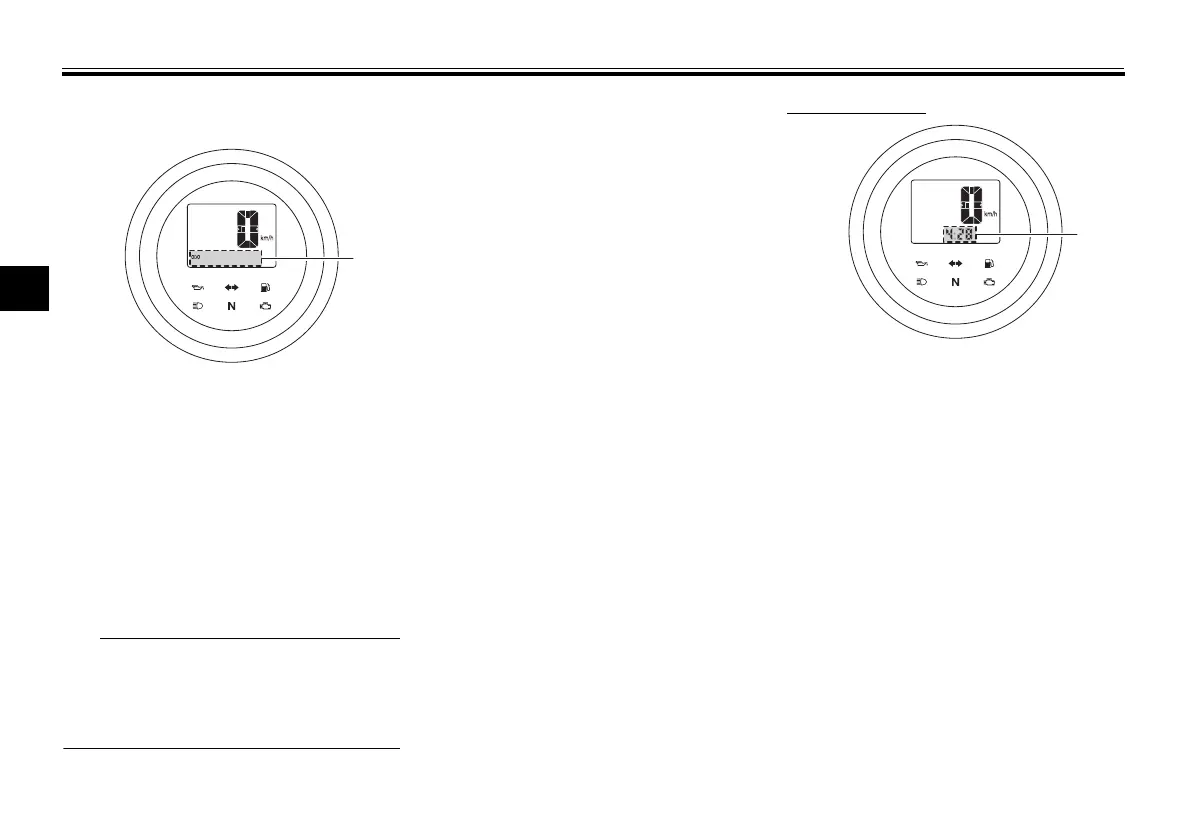
Odometer, tripmeters, fuel reserve
tripmeter and clock
The odometer shows the total distance
traveled by the vehicle.
The tripmeters show the distance trav-
eled since they were last reset.
The fuel reserve tripmeter shows the
distance traveled on the fuel reserve.
The clock displays time in 12-hour for-
mat.
The odometer will lock at 999999.
The tripmeters will reset and con-
tinue counting after 999.9 is
reached.
Push the “SELECT” switch to change
the display between the odometer
“ODO”, tripmeters 1 and 2 “TRIP 1”
and “TRIP 2”, and the clock in the fol-
lowing order:
ODO → TRIP 1 → TRIP 2 → clock →
ODO
If the fuel level warning light comes on
(see page 4-1), the display will change
to the fuel reserve tripmeter “TRIP F”
and start counting the distance trav-
eled from that point. In this case, push
the “SELECT” switch to change the
display in the following order:
TRIP F → TRIP 1 → TRIP 2 → clock →
ODO → TRIP F
To reset a tripmeter, use the “SELECT”
switch to change the display to the de-
sired tripmeter and then push the “RE-
SET” switch for one second.
The fuel reserve tripmeter can be reset
manually, or after refueling and travel-
ing 5 km (3 mi) it will reset automatically
and disappear from the display.
To set the clock
1. Push the “SELECT” and “RESET”
switches for three seconds. The
hour digits will start flashing.
2. Use the “SELECT” switch to set
the hours.
3. Push the “RESET” switch. The mi-
nute digits will start flashing.
4. Use the “SELECT” switch to set
the minutes.
5. Push the “RESET” switch for two
seconds to confirm settings and
start the clock.
1. Odometer/tripmeters/fuel reserve tripme-
ter/clock
1. Clock
UBP670E0.book Page 4 Monday, July 11, 2016 11:29 AM



 To Next Page