10
En
Notes
● The text information may not be displayed with some CD-TEXT discs.
● This unit can only shows alphanumeric characters.
Notes
● Some information of ID3 tags may not be displayed with some discs.
● This unit can only shows alphanumeric characters.
TIME/INFO
MP3
MP3
MP3
MP3
MP3
MP3
MP3
MP3
MP3
CD
CD
CD
CD
CD
CD
CD
TIME/INFO
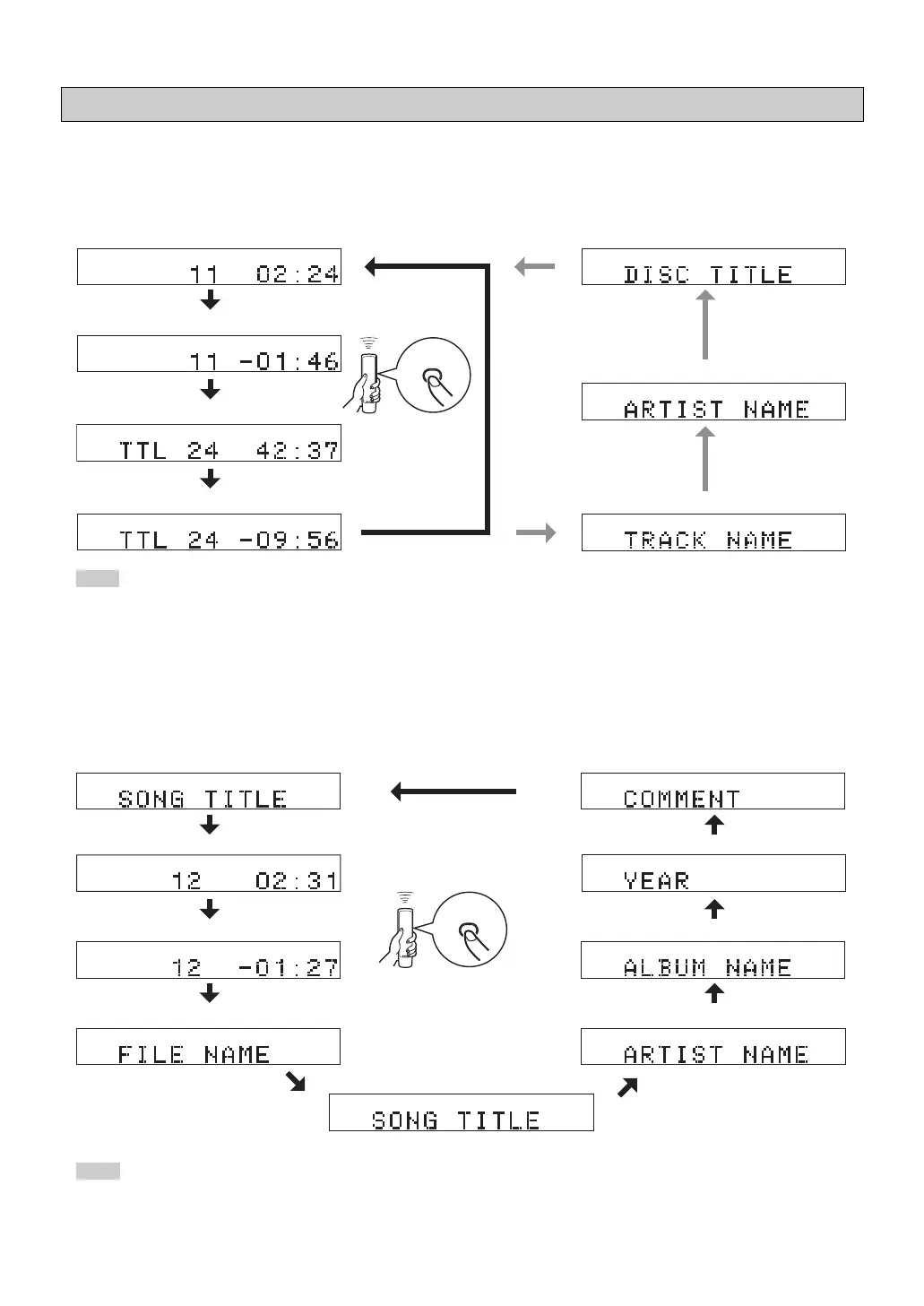
You can select the following displays (1 - 4) by pressing TIME/INFO. When you play back a CD-TEXT disc, the disc title,
artist name, and track name (5 – 7) are also displayed.
1 Elapsed time of the current track (Default)
2 Remaining time of the current track
3 Total recorded time of the disc
4 Remaining time of the disc
Changing display
You can select the following displays (1 - 9) by pressing TIME/INFO.
*
Scrolling display shows the song title, artist name and album name of the selected item.
1 Scrolling display (Default)
*
2 Elapsed time of the current file
8 Year
9 Comment
7 Album name
5 Song title
4 File name
3 Remaining time of the current file
7 Disc title
6 Artist name
5 Track name
■ When playing back an Audio CD
■ When playing back an MP3 or WMA
6 Artist name
01_En_02_BOD_CDX-397_497_G.pm 4/27/06, 3:06 PM10


 To Next Page