20
En
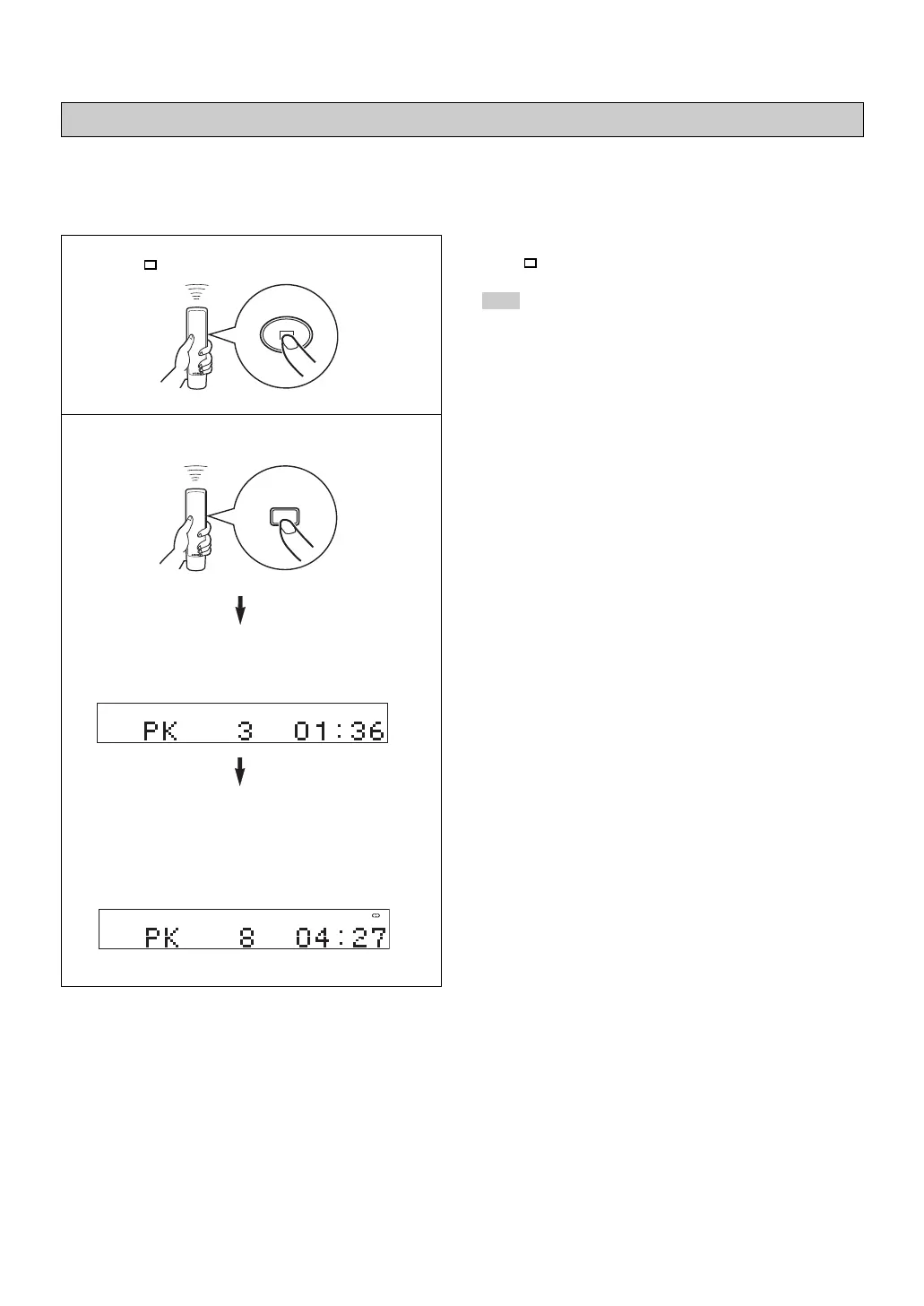
To cancel the peak level search function
Press .
Note
Even if the peak level search is performed several times on the
same disc, the same part may not be always selected. That is
because the unit searches for the peak level among parts of the
disc that are randomly selected by the internal microcomputer.
1 Press to stop the playback.
2 Press PEAK.
“PK” lights up on the display, and the peak level
search is performed on the disc.
It takes a few minutes to search for the peak level.
After searching, this unit plays back the part around
the peak level for about 4 seconds repeatedly.
According to the peak level, adjust the recording
level on your tape deck. (For details, refer to the
owner's manual of the tape deck.)
This unit automatically searches for the peak level of the disc, and play back the part repeatedly. When recording to tape, this
feature is very helpful for adjusting the recording level on the tape deck.
Automatic searching for the peak level on a disc (for Audio CD)
PEAK
CD
CD
01_En_02_BOD_CDX-397_497_G.pm 4/27/06, 3:06 PM20


 To Next Page