EasyManua.ls Logo

Yamaha DS55 - Bottom Panel

Yamaha DS55
39 pages
Print Icon
To Next Page IconTo Next Page
To Previous Page IconTo Previous Page
Loading...
connecting
both
output
jacks
to
the
corresponding
inputs
of
a
stereo
or
two-channel!
sound
system
in
order
to
get
the
best
possible
sound.
If
this
is
not
possible,
connect
only
the
LIMONO
OUTPUT
jack
to
the
amplification
equipment
used.
@
SUSTAIN
Jack
This
jack
accepts
an
optional
YAMAHA
FC-4
or
FC-
5
footswitch
which
functions
as
a
sustain
pedal
when
connected.
The
sustain
pedal
functions
in
the
same
way
as
a
damper
pedal
on
an
acoustic
piano
when
the
pedal
is
pressed
notes
played
have
a
long
sustain.
Releasing
the
pedal
immedi-
ately
stops
(damps)
any
sustained
notes.
FOOT
VOLUME
Jack
e
The
FOOT
VOLUME
jack
accepts
an
optional
YAMAHA
FC-7 Foot
Controller
which
permits
foot
volume
control
for
extra
expressive
capability.
BOTTOM
PANEL
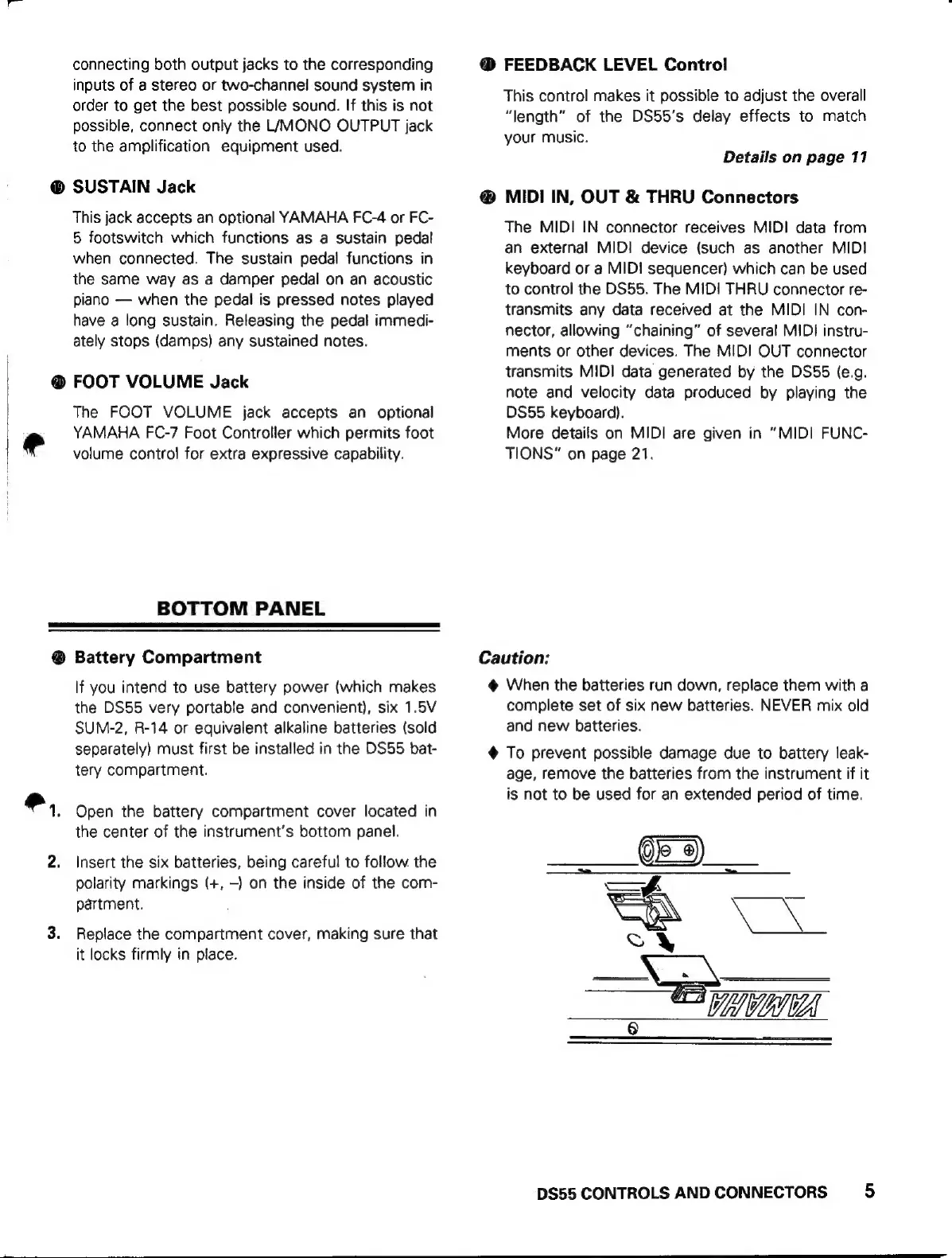
Q
Battery
Compartment
If
you
intend
to
use
battery
power
(which
makes
the
DS55
very
portable
and
convenient),
six
1.5V
SUM-2,
R-14
or
equivalent
alkaline
batteries
(sold
separately)
must
first
be
installed
in
the
DS55
bat-
tery
compartment.
Open
the
battery
compartment
cover
located
in
the
center
of
the
instrument's
bottom
panel.
Insert
the
six
batteries,
being
careful
to
follow
the
polarity
markings
(+,
-)
on
the
inside
of
the
com-
partment.
Replace
the
compartment
cover,
making
sure
that
it
locks
firmly
in
place.
@
FEEDBACK
LEVEL
Control
This
control
makes
it
possible
to
adjust
the
overall
“length”
of
the
DS55’s
delay
effects
to
match
your
music.
Details
on
page
11
MIDI
IN,
OUT
&
THRU
Connectors
The
MIDI
IN
connector
receives
MIDI
data
from
an
external
MIDI
device
(such
as
another
MIDI
keyboard
or
a
MIDI
sequencer)
which
can
be
used
to
control
the
DS55.
The
MIDI
THRU
connector
re-
transmits
any
data
received
at
the
MIDI
IN
con-
nector,
allowing
“chaining”
of
several
MIDI
instru-
ments
or
other
devices.
The
MIDI
OUT
connector
transmits
MIDI
data
generated
by
the
DS55
(e.g.
note
and
velocity
data
produced
by
playing
the
DS55
keyboard).
More
details
on
MIDI
are
given
in
“MIDI
FUNC-
TIONS”
on
page
21.
Caution:
@
When
the
batteries
run
down,
replace
them
with
a
complete
set
of
six
new
batteries.
NEVER
mix
old
and
new
batteries.
4
To
prevent
possible
damage
due
to
battery
leak-
age,
remove
the
batteries
from
the
instrument
if
it
is
not
to
be
used
for
an
extended
period
of
time.
“aaa
8
DS55
CONTROLS
AND
CONNECTORS
5