EasyManua.ls Logo

Yamaha DS55 - Master Tune

Yamaha DS55
39 pages
Print Icon
To Next Page IconTo Next Page
To Previous Page IconTo Previous Page
Loading...
10
MASTER
TUNE
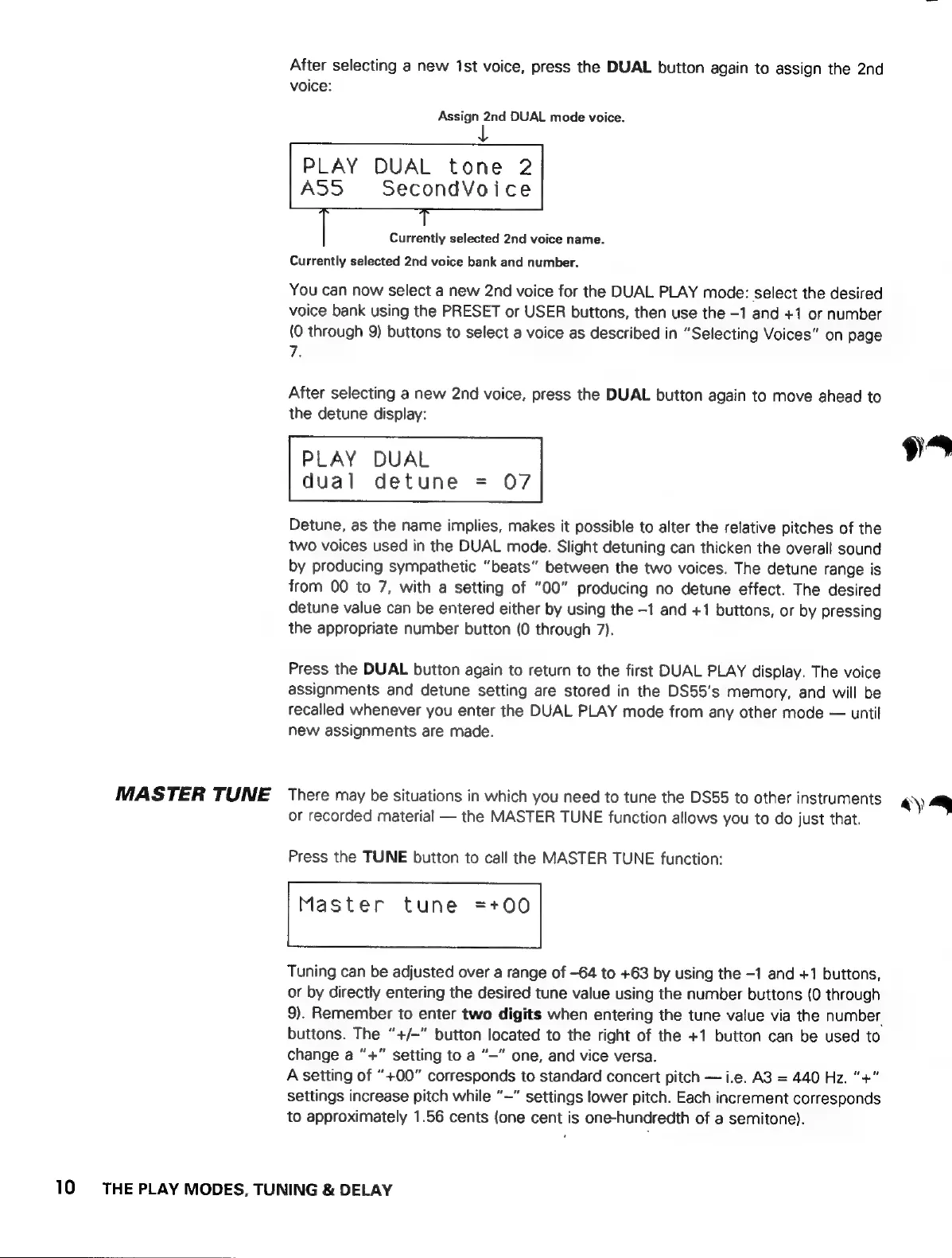
After
selecting
a
new
ist
voice,
press
the
DUAL
button
again
to
assign
the
2nd
voice:
Assign
2nd
DUAL
mode
voice.
PLAY
DUAL
tone
2
A
SecondVoice
Currently
selected
2nd
voice
name.
Currently
selected
2nd
voice
bank
and
number.
You
can
now
select
a
new
2nd
voice
for
the
DUAL
PLAY
mode:
select
the
desired
voice
bank
using
the
PRESET
or
USER
buttons,
then
use
the
-1
and
+1
or
number
(0
through
9)
buttons
to
select
a
voice
as
described
in
“Selecting
Voices”
on
page
7.
After
selecting
a
new
2nd
voice,
press
the
DUAL
button
again
to
move
ahead
to
the
detune
display:
PLAY
DUAL
dual
detune
=
07
Detune,
as
the
name
implies,
makes
it
possible
to
alter
the
relative
pitches
of
the
two
voices
used
in
the
DUAL
mode.
Slight
detuning
can
thicken
the
overall
sound
by
producing
sympathetic
“beats”
between
the
two
voices.
The
detune
range
is
from
00
to
7,
with
a
setting
of
“00”
producing
no
detune
effect.
The
desired
detune
value
can
be
entered
either
by
using
the
-1
and
+1
buttons,
or
by
pressing
the
appropriate
number
button
(0
through
7).
Press
the
DUAL
button
again
to
return
to
the
first
DUAL
PLAY
display.
The
voice
assignments
and
detune
setting
are
stored
in
the
DS55’s
memory,
and
will
be
recalled
whenever
you
enter
the
DUAL
PLAY
mode
from
any
other
mode
—
until
new
assignments
are
made.
There
may
be
situations
in
which
you
need
to
tune
the
DS55
to
other
instruments
or
recorded
material
—
the
MASTER
TUNE
function
allows
you
to
do
just
that.
Press
the
TUNE
button
to
call
the
MASTER
TUNE
function:
Master
tune
=+00
Tuning
can
be
adjusted
over
a
range
of
-64
to
+63
by
using
the
-1
and
+1
buttons,
or
by
directly
entering
the
desired
tune
value
using
the
number
buttons
(0
through
9).
Remember
to
enter
two
digits
when
entering
the
tune
value
via
the
number
buttons.
The
”+/-"
button
located
to
the
right
of
the
+1
button
can
be
used
to
change
a
“+”
setting
to
a
'—'
one,
and
vice
versa.
A
setting
of
“+00”
corresponds
to
standard
concert
pitch
—
i.e.
A3
=
440
Hz.
“+”
settings
increase
pitch
while
'—'
settings
lower
pitch.
Each
increment
corresponds
to
approximately
1.56
cents
(one
cent
is
one-hundredth
of
a
semitone).
THE
PLAY
MODES,
TUNING
&
DELAY
4)