9
DSP-A5
● Selection by using the remote control unit
The remote control codes in the menu list (see right column
on page 8) correspond to the DSP program, test and effect keys.
See the figure on the right.
3. OPERATION AND DISPLAY WHEN STARTING DIAGNOSIS FUNCTION
(1) Selection of diagnostic menu
The diagnostic menu and the sub-menu can be selected by using the front panel keys of the main unit or the remote
control unit.
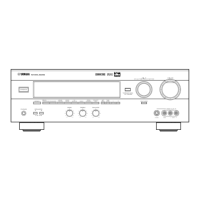
● Selection by using the front panel keys of the main unit
The main menu can be changed cyclically by using the "SET MENU –/+" keys, and the sub-menu, by using the
"PROGRAM / " keys. The " " key will increase the main or sub-menu number.
(2) Other functions available while diagnosis function is active
Listed below are the other functions available while the diagnosis function is active.
• Selection of the input (include TAPE MONITOR/EXTERNAL DECODER)
• Effect level control (CENTER, REAR, SUBWOOFER)
• Master volume control
• Muting on/off
• Power on/off
(3) Diagnosis default status
When not otherwise specified, default settings and values in each menu are as follows:
• SPEAKERS : All "LARGE"
• Electronic Volumes : All "0dB"
• DYNAMIC RANGE : MAX
• LFE LEVEL : 0dB (–10dB in AC-3(DOLBY DIGITAL))
• CENTER DELAY : 0ms
FRONT PANEL
Main menu Sub-menu
Reverse Forward Reverse Forward
D
V
D
/
L
D
DSP INPUT
MOVIE
THTR 1
MONO MOVIE
TV SPORTS
DISCO
ROCK HALL
EXT.DEC. INDEX
EFFECT
/DTS
SUR.
MOVIE
THTR 2
2
TUNER
3
TAPE/MD
1
CD
5
D-TV
6
VCR
4
DVD/LD
8
CBL/SAT
9
V-AUX
7
PHONO
ENTER >10
0
A/B/C/D/E
5691
12
90
8F
8D
8C
8A
89
8E
8B
88
7A
w
w
w
.
x
i
a
o
y
u
1
6
3
.
c
o
m
Q
Q
3
7
6
3
1
5
1
5
0
9
9
2
8
9
4
2
9
8
T
E
L
1
3
9
4
2
2
9
6
5
1
3
9
9
2
8
9
4
2
9
8
0
5
1
5
1
3
6
7
3
Q
Q
TEL 13942296513 QQ 376315150 892498299
TEL 13942296513 QQ 376315150 892498299
http://www.xiaoyu163.com
http://www.xiaoyu163.com


 To Next Page
 Loading...