IntroductionPreparationsBasic Operation
Advanced
Operation
Additional
Information
Appendix
16
Hookups
Connecting Subwoofers
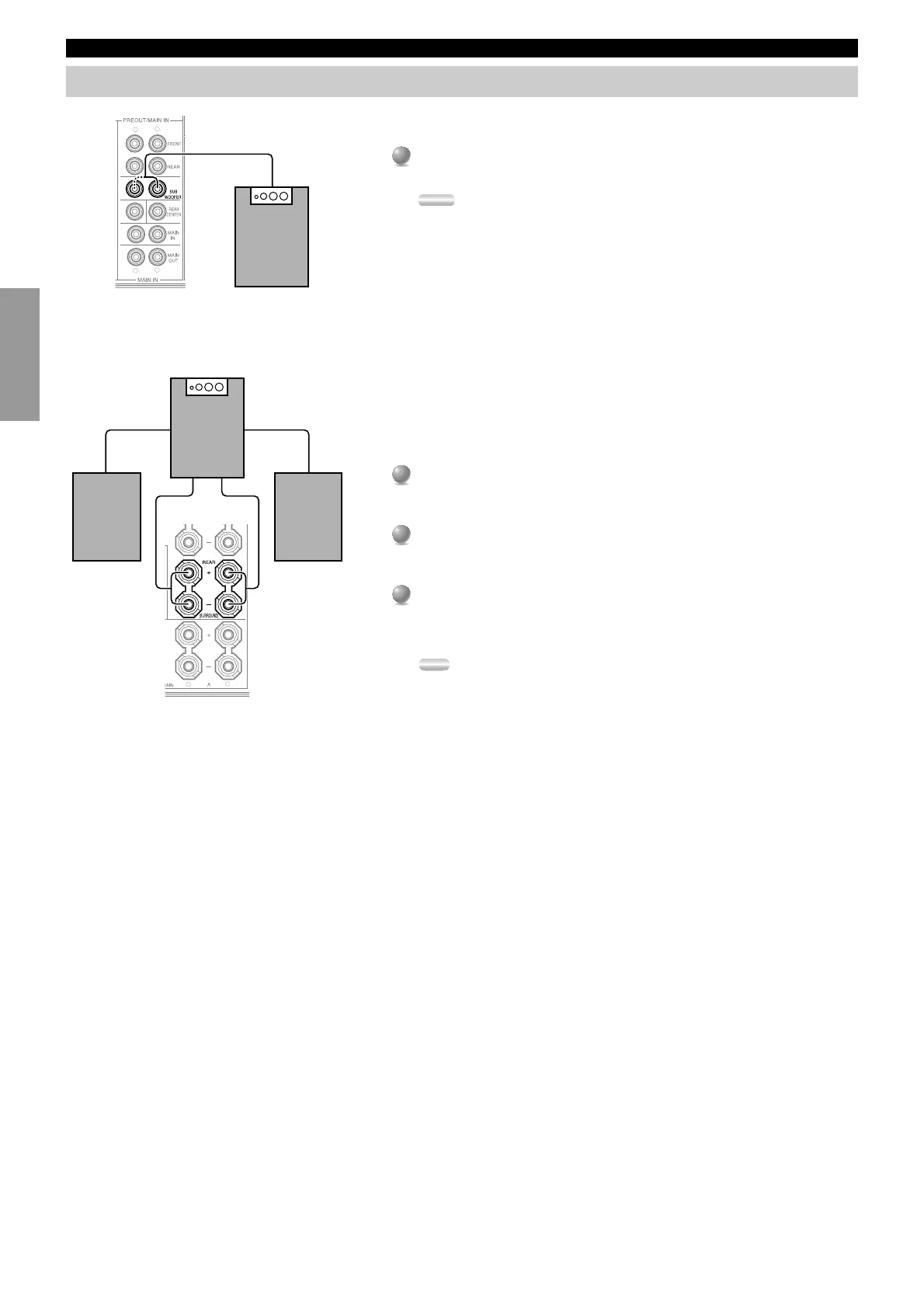
■ Connecting a front subwoofer
Connect the signal input jack on your subwoofer to one of the PRE OUT/
MAIN IN SUBWOOFER jacks.
Notes:
• The SUBWOOFER jacks (output) have a built-in high cut-off filter (90 Hz). When
using a powered subwoofer, set the high cut-off frequency to “MAX” on your
Subwoofer.
• Both SUBWOOFER jacks output the same signal.
■ Connecting a rear subwoofer
By using both Front and Rear Subwoofers, the CINEMA-DSP sound field
programs can produce realistic movie effects with powerful, dynamic sound. To
take advantage of this dynamic sound, be sure to set the 1C. REAR L/R SP item in
the SET MENU to “LARGE”, and connect your Rear speakers and Subwoofer as
described below.
1
1
Connect the right + input terminal on your Subwoofer to the REAR R +
terminal, and the right – input terminal on your Subwoofer to the REAR R –
terminal with speaker cords.
2
2
Connect the left + input terminal on your Subwoofer to the REAR L +
terminal, and the left – input terminal on your Subwoofer to the REAR L –
terminal with speaker cords.
3
3
Connect your Rear speakers to the output terminals on the Rear Subwoofer.
Be sure to connect the Rear speakers to the Subwoofer with the correct
polarity.
Note:
• Adjust the speaker volume for the Subwoofer with the controls on the Subwoofers,
not on this unit.
R
L
CENTER
R
L
Subwoofer system
R
L
Subwoofer system
Right Rear
Speaker
Left Rear
Speaker


 To Next Page
 Loading...