SYSTEM CONNECTIONS
18
■ Connecting the DVD receiver and
the subwoofer
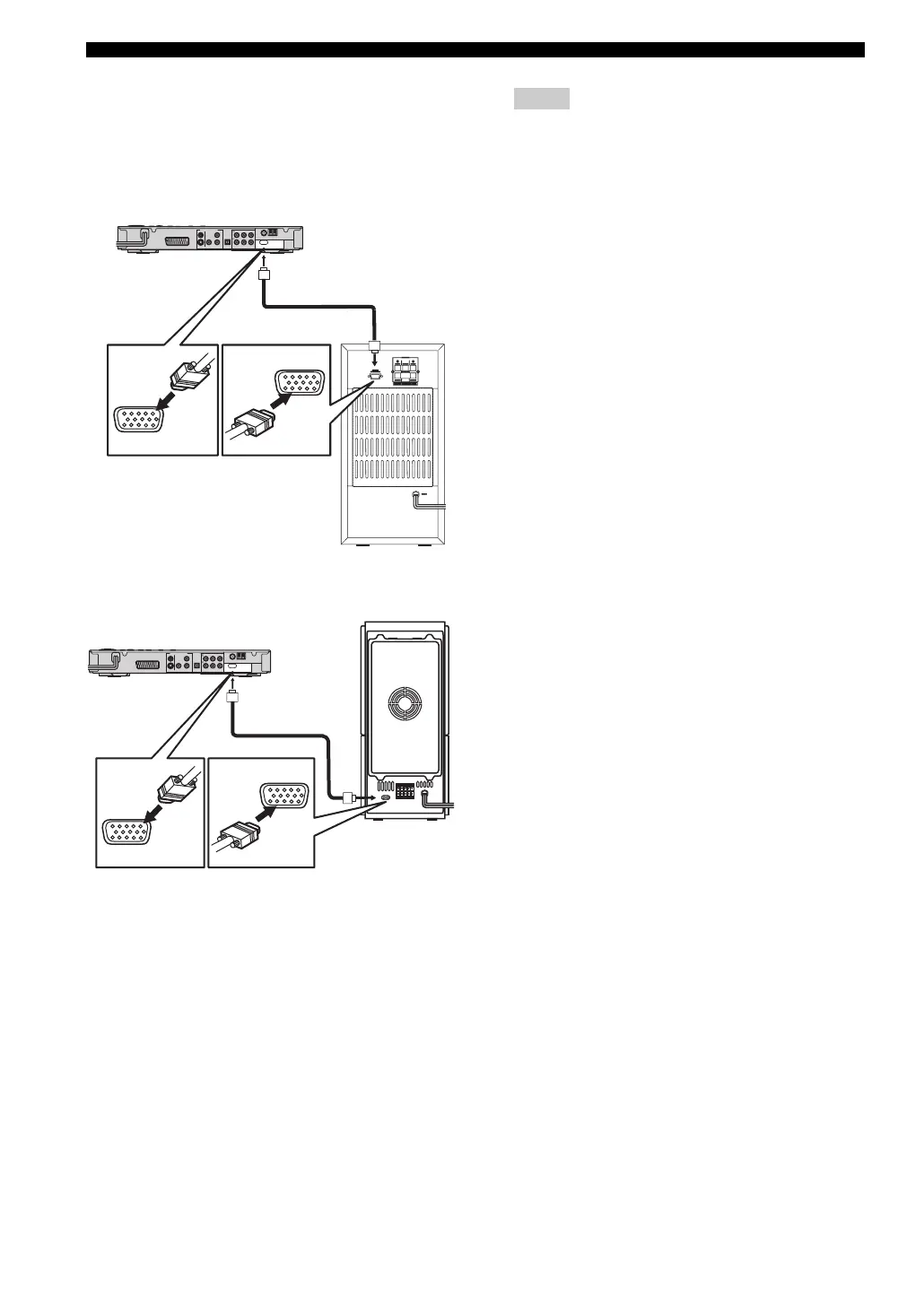
Connect the subwoofer to the DVD receiver using the
system control cable. Attach one end to the subwoofer and
the other to the SYSTEM CONNECTOR terminal at the
rear of the DVD receiver.
– After inserting the system control cable, be sure to
tighten the cable screws.
– Ensure that the speaker cables are correctly
connected. Improper connections may damage the
system due to a short-circuit.
– When connecting the speakers, fix the speaker
cables in place so that cables do not loosen. If your
foot or hand accidentally gets caught on a loose
speaker cable, the speaker may fall.
– To prevent unwanted noise, do not place the
subwoofer too close to the DVD receiver, AC
power adaptor, TV or other sources of radiation.
SYSTEM
CONNECTOR
TO NX-SW300
L
R
SYSTEM
CONNECTOR
SYSTEM
CONNECTOR
NX-SW301
SYSTEM
CONNECTOR
TO SUBWOOFER
L
R
SYSTEM
CONNECTOR
SYSTEM
CONNECTOR
NX-SW300
Notes










 To Next Page