OTHER CONNECTIONS
22
■ Connecting digital audio components
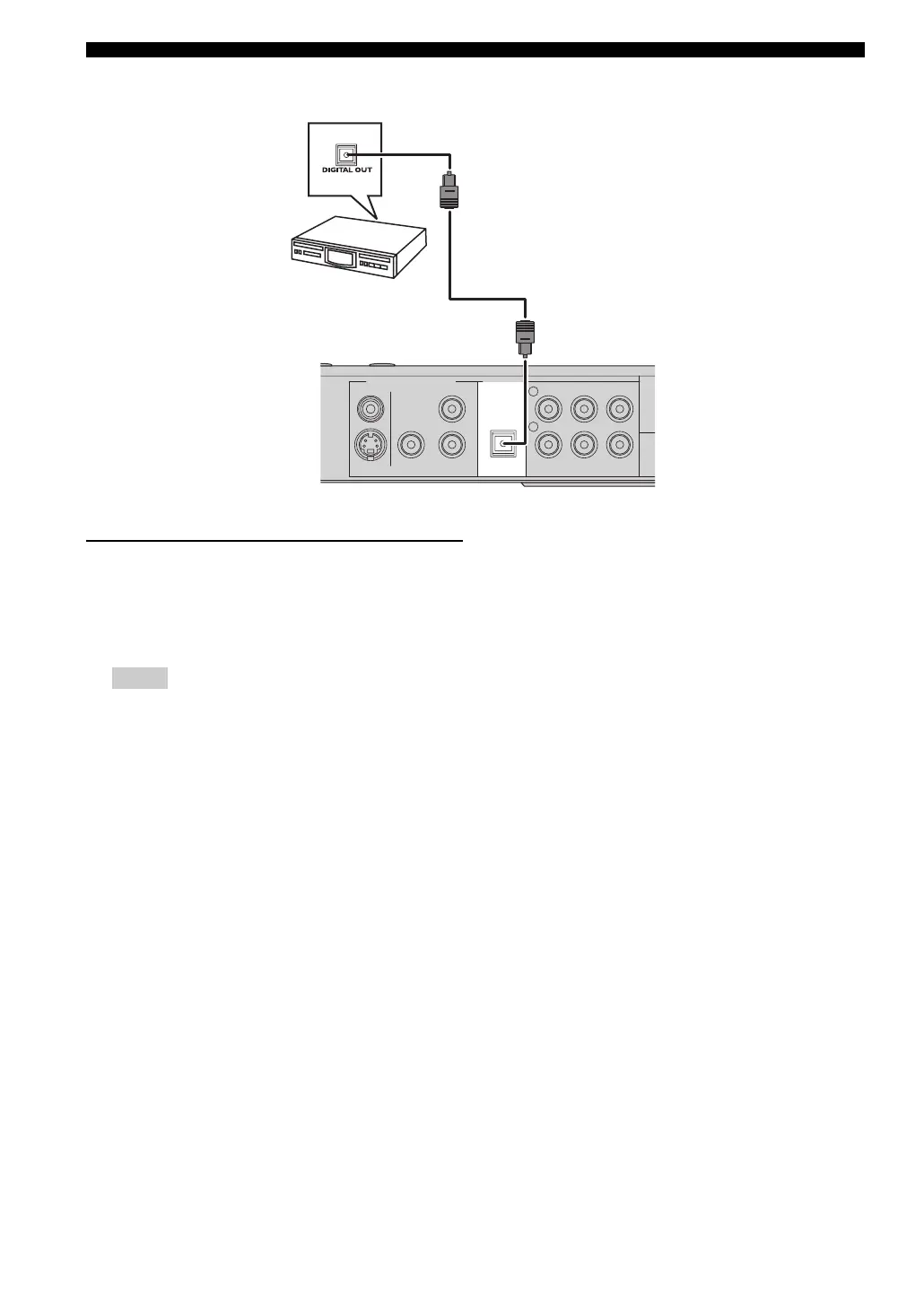
Listening to playback
Connect the DVD receiver’s DIGITAL IN jack to the
DIGITAL OUT jack on a digital audio component.
Before starting operation, press AUX repeatedly to select
“
AUX DIGITAL” in order to activate the input source.
– You cannot hear or record the Super Audio-CD or
MP3-CD playback if you use a digital connection.
– For playback through a digital connection, set the
digital output of that player to PCM format.
– Always refer to the owner’s manual of the
connected component for complete connection and
usage details.
AUX INTV INLINE OUT
S VIDEO
VIDEO
OPTICAL
COMPONENT
Y
P
R PB
PCM/DTS
q
DIGITAL
DIGITAL INVIDEO OUT (DVD ONLY)
L
R
Digital audio
component
DVD receiver
Notes


 To Next Page
 Loading...