EasyManua.ls Logo

Yamaha HTR-3063 - Service Manual

Yamaha HTR-3063
105 pages
Print Icon
To Next Page IconTo Next Page
Loading...
101167
SERVICE MANUAL
IMPORTANT NOTICE
This manual has been provided for the use of authorized YAMAHA Retailers and their service personnel.
It has been assumed that basic service procedures inherent to the industry, and more speci cally YAMAHA Products, are already known
and understood by the users, and have therefore not been restated.
WARNING:
Failure to follow appropriate service and safety procedures when servicing this product may result in personal injury,
destruction of expensive components, and failure of the product to perform as speci ed. For these reasons, we advise
all YAMAHA product owners that any service required should be performed by an authorized YAMAHA Retailer or
the appointed service representative.
IMPORTANT:
The presentation or sale of this manual to any individual or rm does not constitute authorization, certi cation or
recognition of any applicable technical capabilities, or establish a principle-agent relationship of any form.
The data provided is believed to be accurate and applicable to the unit(s) indicated on the cover. The research, engineering, and service
departments of YAMAHA are continually striving to improve YAMAHA products. Modifications are, therefore, inevitable and
speci cations are subject to change without notice or obligation to retro t. Should any discrepancy appear to exist, please contact the
distributor's Service Division.
WARNING:
Static discharges can destroy expensive components. Discharge any static electricity your body may have
accumulated by grounding yourself to the ground buss in the unit (heavy gauge black wires connect to this buss).
IMPORTANT:
Turn the unit OFF during disassembly and part replacement. Recheck all work before you apply power to the unit.
CONTENTS
TO SERVICE PERSONNEL ............................................2
FRONT PANELS .........................................................3–4
REAR PANELS ......................................................... 5–10
REMOTE CONTROL PANELS ..................................... 11
SPECIFICATIONS ................................................... 12–16
INTERNAL VIEW ..........................................................17
DISASSEMBLY PROCEDURES ............................. 18–20
UPDATING FIRMWARE ..........................................21–23
SELF-DIAGNOSTIC FUNCTION ...........................24–48
DISPLAY DATA .......................................................49–50
IC DATA ...................................................................51–62
BLOCK DIAGRAM ........................................................63
PRINTED CIRCUIT BOARDS .................................64–77
PIN CONNECTION DIAGRAMS ...................................78
SCHEMATIC DIAGRAMS .......................................79–87
REPLACEMENT PARTS LIST ................................89–97
REMOTE CONTROL ............................................. 98–102
ADVANCED SETUP ............................................ 103–104
AV RECEIVER
'10.03
RX-V367/HTR-3063
Copyright © 2010 All rights reserved.
This manual is copyrighted by YAMAHA and may not be copied or
redistributed either in print or electronically without permission.
When the following parts are replaced, the model name and the destination MUST be written to the back-up IC
(EEPROM: IC222 of the DIGITAL P.C.B.) to have proper operation. (See No. 22 SOFT SWITCH menu of the self-
diagnostic function.)
EEPROM (IC222) of DIGITAL P.C.B.
• DIGITAL P.C.B.
P.O.Box 1, Hamamatsu, Japan
RX-V367/HTR-3063

Table of Contents

Other manuals for Yamaha HTR-3063

Question and Answer IconNeed help?

Do you have a question about the Yamaha HTR-3063 and is the answer not in the manual?

Summary

Important Notice

To Service Personnel

Critical Components Information

Identifies and explains critical components requiring specific replacement parts.

Leakage Current Measurement

Procedure for verifying insulation after service, specific to 120V models.

Front Panels

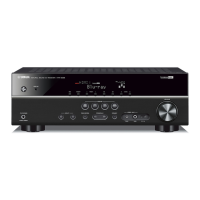
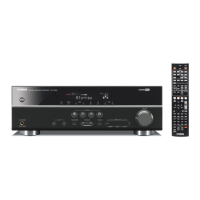
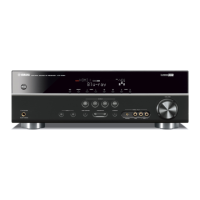
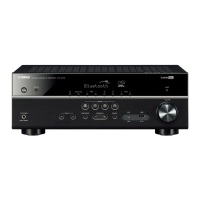
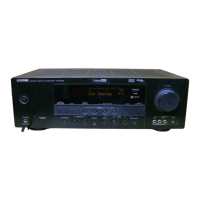
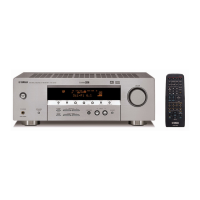
RX-V367 Front Views

Illustrates front panel configurations for different RX-V367 model variations.

HTR-3063 Front Views

Illustrates front panel configurations for different HTR-3063 model variations.

Rear Panels

RX-V367 Rear Panels

Details rear panel layouts for U, C, and R model RX-V367 units.

HTR-3063 Rear Panels

Details rear panel layouts for C, R, and T model HTR-3063 units.

Remote Control Panels

Remote Control Models

Shows layouts for RAV331, RAV332, and RAV333 remote controls.

Specifications

Audio Section Specifications

Details output power, sensitivity, distortion, and frequency response of the audio section.

Video Section Specifications

Outlines specifications for video signal levels and signal-to-noise ratio.

FM Section Specifications

Lists tuning range, sensitivity, and distortion for FM reception.

AM Section Specifications

Lists tuning range for AM reception.

General Specifications

Covers power supply, consumption, dimensions, weight, and finishes.

Internal View

Disassembly Procedures

Removal of Top Cover

Details steps to remove the unit's top cover.

Removal of Front Panel Unit

Details steps to remove the front panel assembly.

Removal of DIGITAL P.C.B.

Instructions for removing the main digital circuit board.

Removal of OPERATION (4) P.C.B.

Instructions for removing a specific operation circuit board.

Updating Firmware

Confirmation of Firmware Version

How to check firmware version and checksum before and after updates.

Initializing the Back-up IC

Steps to initialize the EEPROM after firmware updates for proper memory operation.

Required Tools for Firmware Update

Lists necessary equipment for performing firmware updates.

Self-Diagnostic Function

BYPASS Menu Item

Analyzes analog audio signal output in DIRECT mode for diagnostic purposes.

RAM THROUGH Menu Item

Tests memory margin or full bit output for audio signal diagnostics.

HDMI AUDIO Menu Item

Selects and outputs audio signals input via HDMI for diagnostic checks.

SPEAKER SET Menu Item

Configures analog switch settings for speaker output in diagnostic mode.

PROTECTION HISTORY Menu Item

Displays the history of protection function activations for troubleshooting.

SOFT SWITCH Menu Item

Allows writing model name and destination to the back-up IC.

FACTORY PRESET Menu Item

Reserves or inhibits initialization of the back-up IC for user settings.

ROM VER;SUM;PORT Menu Item

Displays firmware version, checksums, model name, and destination.

Display Data

PIN CONNECTION Diagram

Details pin assignments for the Operation P.C.B. connector.

GRID ASSIGNMENT

Shows the layout and assignment of display grid segments.

ANODE CONNECTION Details

Provides anode connection mapping for display segments across different groups.

IC Data

IC21 R2 A15220 FP Details

Describes the function of the 8-channel electronic volume IC.

Block Diagram

Printed Circuit Boards

DIGITAL P.C.B. Layouts

Shows the physical layout of the digital circuit board (Side A and B).

OPERATION P.C.B. Layouts

Displays layouts for Operation circuit boards (1 through 9, Side A and B).

MAIN P.C.B. Layouts

Illustrates the physical layout of the main circuit boards (1 through 4, Side A and B).

Pin Connection Diagrams

IC Pinouts

Diagrams showing pin configurations for various integrated circuits.

Diode Pinouts

Pin connection diagrams for different types of diodes.

Transistor Pinouts

Pin connection diagrams for various transistors.

Schematic Diagrams

DIGITAL Circuit Schematics

Illustrates the electronic circuits for the digital section.

OPERATION Circuit Schematics

Shows the electronic circuits for the operation sections.

MAIN Circuit Schematics

Displays the electronic circuits for the main sections.

Replacement Parts List

P.C.B. DIGITAL Parts

Lists replacement parts specifically for the digital circuit board.

P.C.B. OPERATION Parts

Lists replacement parts for the operation circuit boards.

P.C.B. MAIN Parts

Lists replacement parts for the main circuit boards.

Overall Assembly

Remote Control

Remote Control Panels

Diagrams showing the layout of the RAV331, RAV332, and RAV333 remote controls.

Remote Control Schematic Diagrams

Circuit schematics for the RAV331 and RAV332 remote controls.

Advanced Setup

U, C Models Advanced Setup

Setup procedures specific to U and C model units.

R, T, K, A, B, G, F, L Models Advanced Setup

Setup procedures specific to R, T, K, A, B, G, F, L model units.

Summary

Important Notice

To Service Personnel

Critical Components Information

Identifies and explains critical components requiring specific replacement parts.

Leakage Current Measurement

Procedure for verifying insulation after service, specific to 120V models.

Front Panels

RX-V367 Front Views

Illustrates front panel configurations for different RX-V367 model variations.

HTR-3063 Front Views

Illustrates front panel configurations for different HTR-3063 model variations.

Rear Panels

RX-V367 Rear Panels

Details rear panel layouts for U, C, and R model RX-V367 units.

HTR-3063 Rear Panels

Details rear panel layouts for C, R, and T model HTR-3063 units.

Remote Control Panels

Remote Control Models

Shows layouts for RAV331, RAV332, and RAV333 remote controls.

Specifications

Audio Section Specifications

Details output power, sensitivity, distortion, and frequency response of the audio section.

Video Section Specifications

Outlines specifications for video signal levels and signal-to-noise ratio.

FM Section Specifications

Lists tuning range, sensitivity, and distortion for FM reception.

AM Section Specifications

Lists tuning range for AM reception.

General Specifications

Covers power supply, consumption, dimensions, weight, and finishes.

Internal View

Disassembly Procedures

Removal of Top Cover

Details steps to remove the unit's top cover.

Removal of Front Panel Unit

Details steps to remove the front panel assembly.

Removal of DIGITAL P.C.B.

Instructions for removing the main digital circuit board.

Removal of OPERATION (4) P.C.B.

Instructions for removing a specific operation circuit board.

Updating Firmware

Confirmation of Firmware Version

How to check firmware version and checksum before and after updates.

Initializing the Back-up IC

Steps to initialize the EEPROM after firmware updates for proper memory operation.

Required Tools for Firmware Update

Lists necessary equipment for performing firmware updates.

Self-Diagnostic Function

BYPASS Menu Item

Analyzes analog audio signal output in DIRECT mode for diagnostic purposes.

RAM THROUGH Menu Item

Tests memory margin or full bit output for audio signal diagnostics.

HDMI AUDIO Menu Item

Selects and outputs audio signals input via HDMI for diagnostic checks.

SPEAKER SET Menu Item

Configures analog switch settings for speaker output in diagnostic mode.

PROTECTION HISTORY Menu Item

Displays the history of protection function activations for troubleshooting.

SOFT SWITCH Menu Item

Allows writing model name and destination to the back-up IC.

FACTORY PRESET Menu Item

Reserves or inhibits initialization of the back-up IC for user settings.

ROM VER;SUM;PORT Menu Item

Displays firmware version, checksums, model name, and destination.

Display Data

PIN CONNECTION Diagram

Details pin assignments for the Operation P.C.B. connector.

GRID ASSIGNMENT

Shows the layout and assignment of display grid segments.

ANODE CONNECTION Details

Provides anode connection mapping for display segments across different groups.

IC Data

IC21 R2 A15220 FP Details

Describes the function of the 8-channel electronic volume IC.

Block Diagram

Printed Circuit Boards

DIGITAL P.C.B. Layouts

Shows the physical layout of the digital circuit board (Side A and B).

OPERATION P.C.B. Layouts

Displays layouts for Operation circuit boards (1 through 9, Side A and B).

MAIN P.C.B. Layouts

Illustrates the physical layout of the main circuit boards (1 through 4, Side A and B).

Pin Connection Diagrams

IC Pinouts

Diagrams showing pin configurations for various integrated circuits.

Diode Pinouts

Pin connection diagrams for different types of diodes.

Transistor Pinouts

Pin connection diagrams for various transistors.

Schematic Diagrams

DIGITAL Circuit Schematics

Illustrates the electronic circuits for the digital section.

OPERATION Circuit Schematics

Shows the electronic circuits for the operation sections.

MAIN Circuit Schematics

Displays the electronic circuits for the main sections.

Replacement Parts List

P.C.B. DIGITAL Parts

Lists replacement parts specifically for the digital circuit board.

P.C.B. OPERATION Parts

Lists replacement parts for the operation circuit boards.

P.C.B. MAIN Parts

Lists replacement parts for the main circuit boards.

Overall Assembly

Remote Control

Remote Control Panels

Diagrams showing the layout of the RAV331, RAV332, and RAV333 remote controls.

Remote Control Schematic Diagrams

Circuit schematics for the RAV331 and RAV332 remote controls.

Advanced Setup

U, C Models Advanced Setup

Setup procedures specific to U and C model units.

R, T, K, A, B, G, F, L Models Advanced Setup

Setup procedures specific to R, T, K, A, B, G, F, L model units.

Yamaha HTR-3063 Specifications

General IconGeneral
Channels5.1
HDMI Inputs4
HDMI Outputs1
Dolby DigitalYes
DTSYes
YPAOYes
BluetoothNo
USB PortNo
Network ConnectivityNo
Dimensions435 x 151 x 315 mm
Weight7.5 kg
Audio DecodingDolby Digital, DTS
Supported Audio FormatsMP3, WMA

Related product manuals