EasyManua.ls Logo

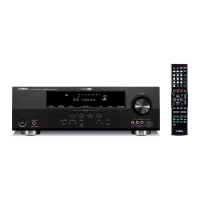
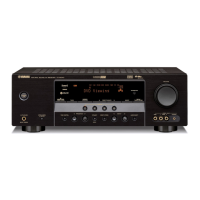
Yamaha HTR-6280 - User Manual

Yamaha HTR-6280
102 pages
Print Icon
To Next Page IconTo Next Page
Loading...
© 2009 Yamaha Corporation All rights reserved.
Printed in Malaysia WR37660
HTR-6280
AV R e c e i ve r
OWNER’S MANUAL
U
00_HTR-6280_U_cv.fm Page 1 Tuesday, March 31, 2009 10:52 AM
Black process 45.0° 240.0 LPI

Table of Contents

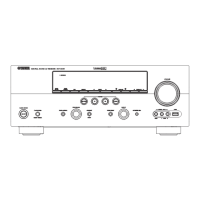
Other manuals for Yamaha HTR-6280

Question and Answer IconNeed help?

Do you have a question about the Yamaha HTR-6280 and is the answer not in the manual?

Summary

IMPORTANT SAFETY INSTRUCTIONS

Graphical Symbols and Safety Information

Explains graphical symbols and FCC compliance for safe operation.

Features

Part Identification

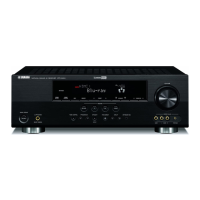
Front Panel Layout

Identifies and describes front panel controls and indicators.

Rear Panel Connections

Details all input and output terminals on the rear panel.

Remote Control Layout

Identifies and describes buttons on the remote control.

Quick Start Guide

Preparing remote control

Placing speakers

Connecting speakers

Optimizing the speaker setting for your listening room (YPAO)

Using Auto Setup

Guides for the automatic speaker setup procedure using YPAO.

Playback

Sound Field Programs

Selecting Sound Fields

How to select sound field programs via front panel or remote control.

Tuner Operation (FM;AM)

HD Radio Features

XM Satellite Radio Operation

XM Tuner Connection and Activation

Connects and activates XM Mini-Tuner for satellite radio service.

SIRIUS Satellite Radio Operation

SIRIUS Tuner Connection and Activation

Connects and activates SIRIUS Satellite Radio tuner.

iPod Operation

Controlling iPod

Operates iPod via remote control or GUI screen.

Bluetooth Operation

Pairing Bluetooth Devices

Establishes connection between Bluetooth devices and receiver.

USB Storage Operation

USB Device Playback

Plays audio files from USB storage devices.

Setting the option menu for each input source (Option menu)

Editing surround decoders;sound field programs

Setting Sound Field Parameters

Adjusts parameters for sound field programs and decoders.

Operating various settings for this unit (Setup menu)

Speaker Setup Menu

Configures speaker settings including Auto/Manual setup and configuration.

Sound Setup Menu

Adjusts sound output settings like dynamic range and equalizer.

Multi-Zone Configuration

Connecting Zone2

Sets up a second audio zone for independent listening.

Controlling Other Components

Remote Control Code Settings

Assigns and manages remote control codes for external components.

Advanced Setup

Troubleshooting

General Operation Issues

Solves common problems like unit not operating or entering standby.

Audio and Video Output Problems

Addresses issues with no picture, sound, or specific speaker output.

Tuner and Radio Reception Issues

Solves problems with FM/AM reception and HD Radio.

Satellite Radio Issues

Troubleshooting SIRIUS and XM satellite radio reception and operation.

iPod, Bluetooth, and USB Issues

Solves issues related to iPod, Bluetooth, and USB device connectivity and playback.

Auto Setup (YPAO) Errors

Resolves errors and warnings during automatic speaker setup.

Specifications

Summary

IMPORTANT SAFETY INSTRUCTIONS

Graphical Symbols and Safety Information

Explains graphical symbols and FCC compliance for safe operation.

Features

Part Identification

Front Panel Layout

Identifies and describes front panel controls and indicators.

Rear Panel Connections

Details all input and output terminals on the rear panel.

Remote Control Layout

Identifies and describes buttons on the remote control.

Quick Start Guide

Preparing remote control

Placing speakers

Connecting speakers

Optimizing the speaker setting for your listening room (YPAO)

Using Auto Setup

Guides for the automatic speaker setup procedure using YPAO.

Playback

Sound Field Programs

Selecting Sound Fields

How to select sound field programs via front panel or remote control.

Tuner Operation (FM;AM)

HD Radio Features

XM Satellite Radio Operation

XM Tuner Connection and Activation

Connects and activates XM Mini-Tuner for satellite radio service.

SIRIUS Satellite Radio Operation

SIRIUS Tuner Connection and Activation

Connects and activates SIRIUS Satellite Radio tuner.

iPod Operation

Controlling iPod

Operates iPod via remote control or GUI screen.

Bluetooth Operation

Pairing Bluetooth Devices

Establishes connection between Bluetooth devices and receiver.

USB Storage Operation

USB Device Playback

Plays audio files from USB storage devices.

Setting the option menu for each input source (Option menu)

Editing surround decoders;sound field programs

Setting Sound Field Parameters

Adjusts parameters for sound field programs and decoders.

Operating various settings for this unit (Setup menu)

Speaker Setup Menu

Configures speaker settings including Auto/Manual setup and configuration.

Sound Setup Menu

Adjusts sound output settings like dynamic range and equalizer.

Multi-Zone Configuration

Connecting Zone2

Sets up a second audio zone for independent listening.

Controlling Other Components

Remote Control Code Settings

Assigns and manages remote control codes for external components.

Advanced Setup

Troubleshooting

General Operation Issues

Solves common problems like unit not operating or entering standby.

Audio and Video Output Problems

Addresses issues with no picture, sound, or specific speaker output.

Tuner and Radio Reception Issues

Solves problems with FM/AM reception and HD Radio.

Satellite Radio Issues

Troubleshooting SIRIUS and XM satellite radio reception and operation.

iPod, Bluetooth, and USB Issues

Solves issues related to iPod, Bluetooth, and USB device connectivity and playback.

Auto Setup (YPAO) Errors

Resolves errors and warnings during automatic speaker setup.

Specifications

Yamaha HTR-6280 Specifications

General IconGeneral
Channels7.1
Input Impedance47 k ohms
HDMI Inputs4
HDMI Outputs1
Component Video Inputs3
Component Video Output1
Digital Audio Inputs (Optical)2
Input Sensitivity/Impedance200 mV/47 k ohms
Signal-to-Noise Ratio100 dB
Frequency Response10 Hz-100 kHz (+0, -3dB)
Surround SoundDolby Digital, DTS

Related product manuals