7MCP1 Installation Manual
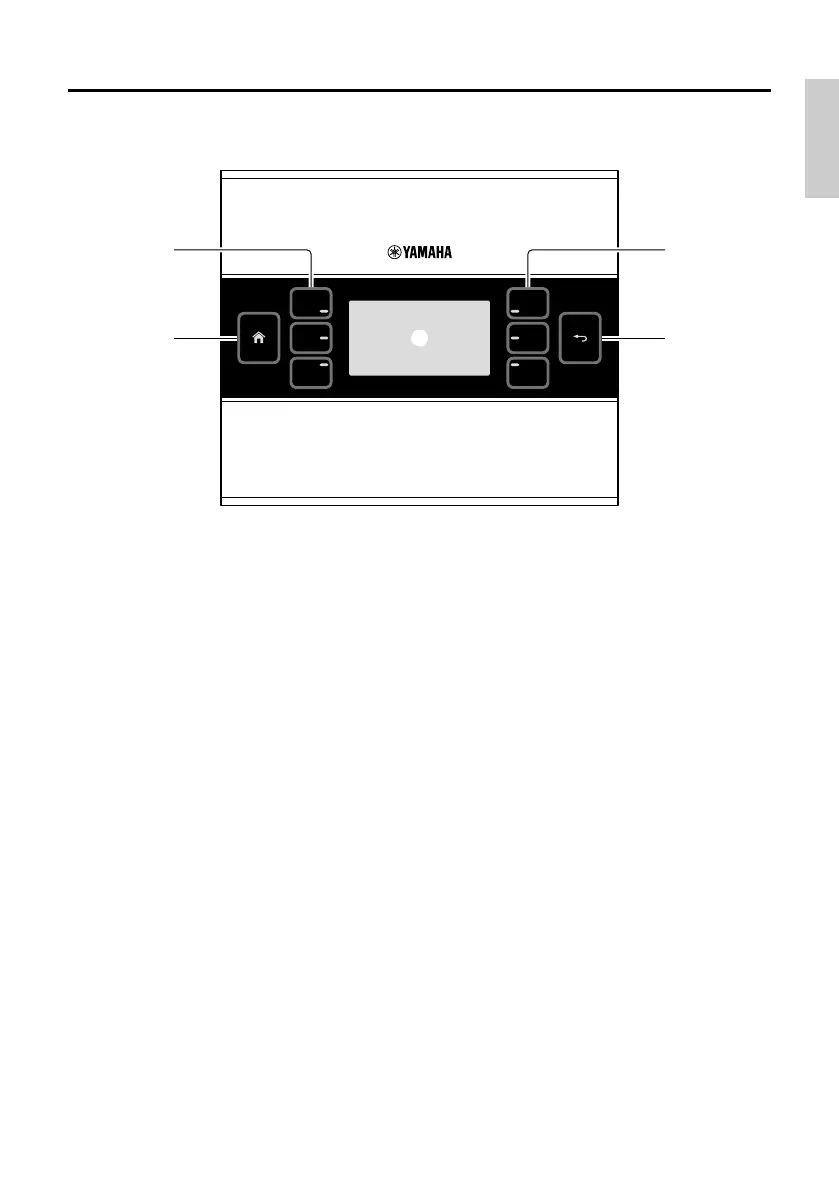
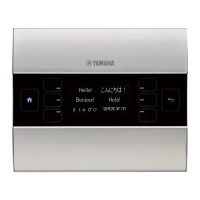
Controls and Connectors
Front Panel
q Home switch
Touch this to return to the home page.
If you long-touch (more than two seconds) when the home page or another page is dis-
played, you’ll move to the utility page. If you long-press this while the display is locked or
sleeping, the lock or sleep state is defeated.
w L1/2/3 and R1/2/3 switches
Use these switches to move from the home page to another page, or to operate parameters.
Use MTX-MRX Editor to specify the pages or parameters.
e Display
This shows parameters and other information. Use MTX-MRX Editor to create the data that
will be shown.
r Return switch
After setting a parameter, touch this switch to confirm and return to the page or to move to a
confirmation screen.


 To Next Page