Front Connectors 15
MD8—Owner’s Manual
M PHANTOM POWER ON/OFF switch
This switch is used to turn on and off the phantom power for the XLR-type MIC/LINE (BAL)
inputs on channels 1 and 2. Phantom power is used to power condenser microphones. It
should be turned off when devices other than condenser microphones are connected to these
inputs.
Front Connectors
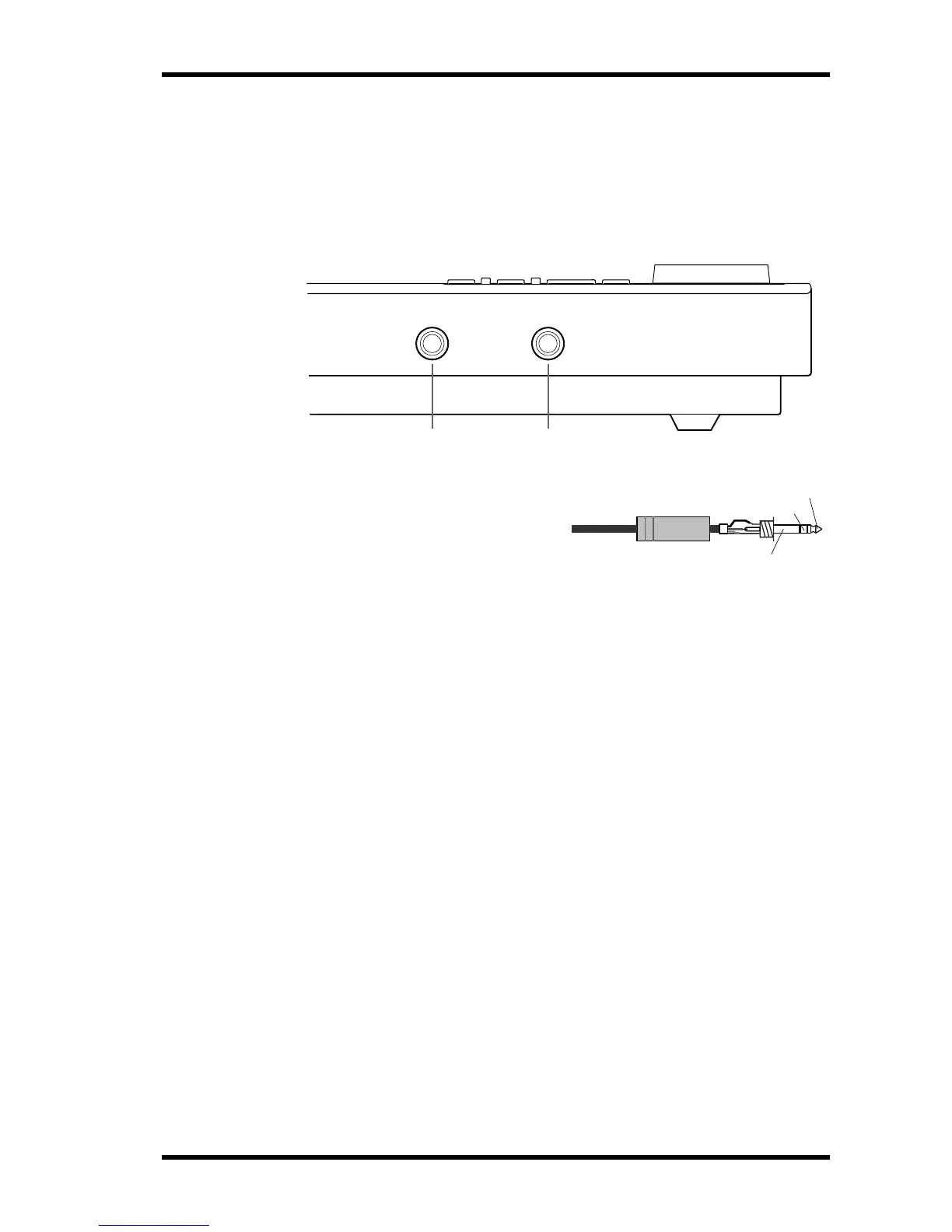
A PHONES
A pair of stereo headphones can be con-
nected here for monitoring. The head-
phone signal is the same as the MONITOR
OUT signal.
B PUNCH I/O
An optional footswitch, such as the Yamaha FC5, can be connected here for foot-controlled
playback, rehearsal, recording, or punch in/out.
1 2
1/4" TRS phone plug
Tip (left)
Ring (right)
Sleeve (ground)


 To Next Page