40 Recording & Mixing Techniques
MD8—Owner’s Manual
Setting the Pre-Roll & Post-Roll Times
Pre-Roll and Post-Roll are used in conjunction with the Auto Punch In/Out function.
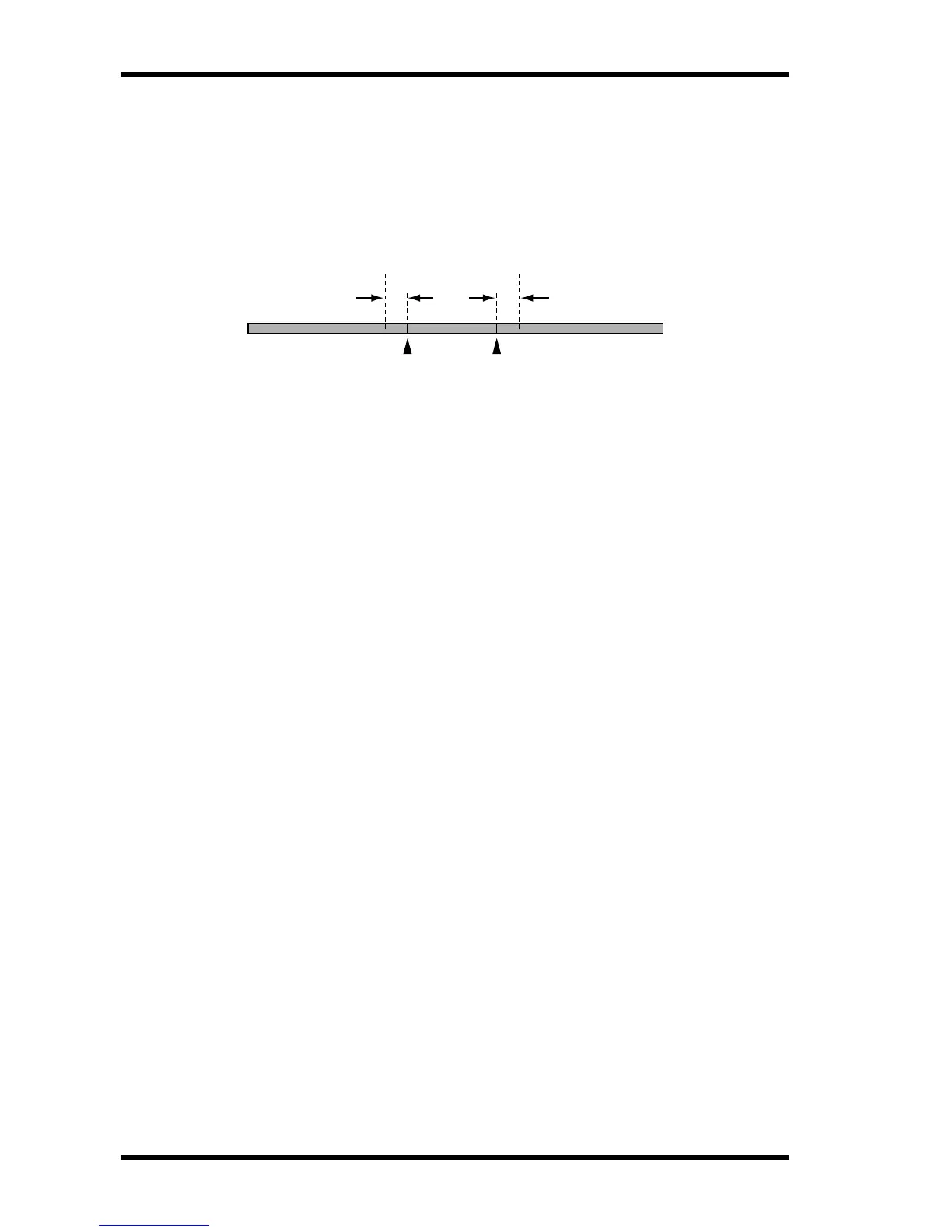
Pre-Roll refers to the time before the IN point at which playback starts. Post-Roll refers to
the time after the OUT point at which playback stops. The default time for both Pre-Roll
and Post-Roll is 5 seconds. You can change the values independently using the PrePost Roll
function, as explained below. These settings are stored when MD8 is turned off.
1. Press the [UTILITY] button and use the DATA dial to select the PrePost
Roll function.
2. Press the [ENTER] button.
The display shows Pre 5sec .
3. Use the DATA dial to set the Pre-Roll time from 0 to 9 seconds.
4. Press the [ENTER] button.
The display shows Post 5sec .
5. Use the DATA dial to set the Post-Roll time from 0 to 9 seconds.
6. Press the [ENTER] button.
7. Press the [UTILITY] or [EXIT] button to leave the Utility mode.
[IN] [OUT]
Pre-Roll
Point
Pre-Roll Time Post-Roll Time
Post-Roll
Point


 To Next Page