9
Normal Mode
If FUNCTION lamp is lit, press [FUNCTION], so that the lamp is off, and Program Change Memory
is enabled.
Program Change Memory transmits MIDI channel numbers 1-16 and program change data (001-128)
that are stored in memory.
There are 128 memory allocations in which Program Change data can be saved. Also, Bank
Select data (00=MSB, 20=LSB) can be transmitted along with Program Change data.
Program Change Memory
■ Program Change Memory Control (Transmit) ..................................
STATUS
DATA/CTRL
BANK MSB/MAX
BANK LSB/MIN
TOGGLE ON-OFF
/NUMBER OF PGM
DEC
/NO
INC
/YES
MEMORY
EDIT
FC
EDIT
WRITE
/EXIT
±10
8.8.8.
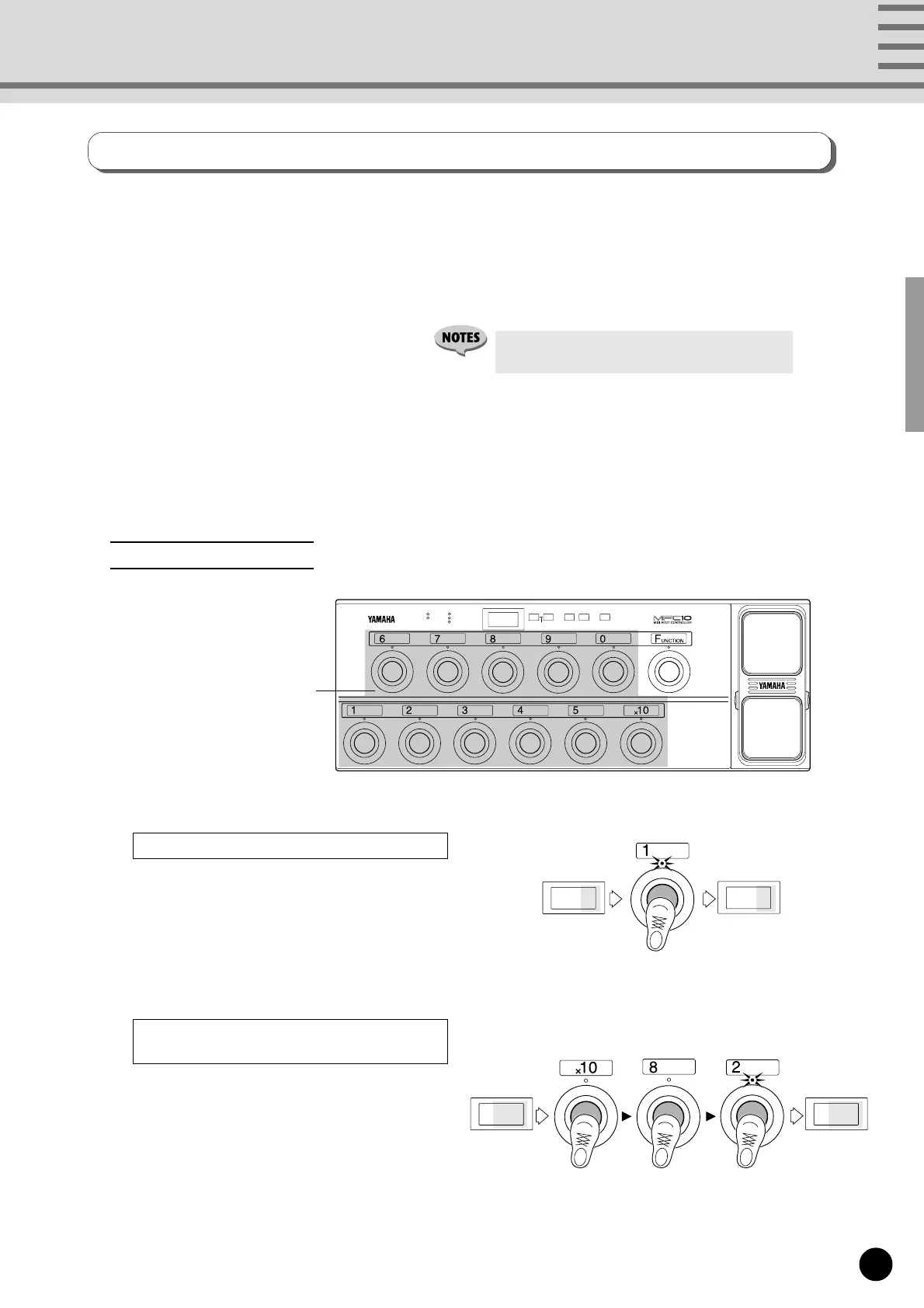
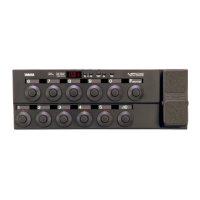
[1]-[0], [x10] foot switches
• Press [FUNCTION] to enable Function Memory
(the FUNCTION lamp lights).
084
081
Example: To change the current memory number
084 to 081 press [1] once.
To change or select the 1's digit.
To change and select both the 10's and
1's digits.
Press one of the [1]-[0] foot switches.
Press [x10]. (The 10's digit of the LED
flashes indicating input standby.) Press [1]-[0], to
select the 10's digit value. (The 1's digit flashes
indicating input standby.)
Once again press [1]-[0] to select the 1's digit
value.
Select a Memory Number
Example: To change the current Memory Number
023 to 082, press [x10], [8], and [2] in
that order.
023 082
Program changes and bank select data are transmitted when a memory number is selected with the [1]-[0]
and [x10] foot switches. A total of 128 (001-128) memory allocations are available for storing such data.


 To Next Page