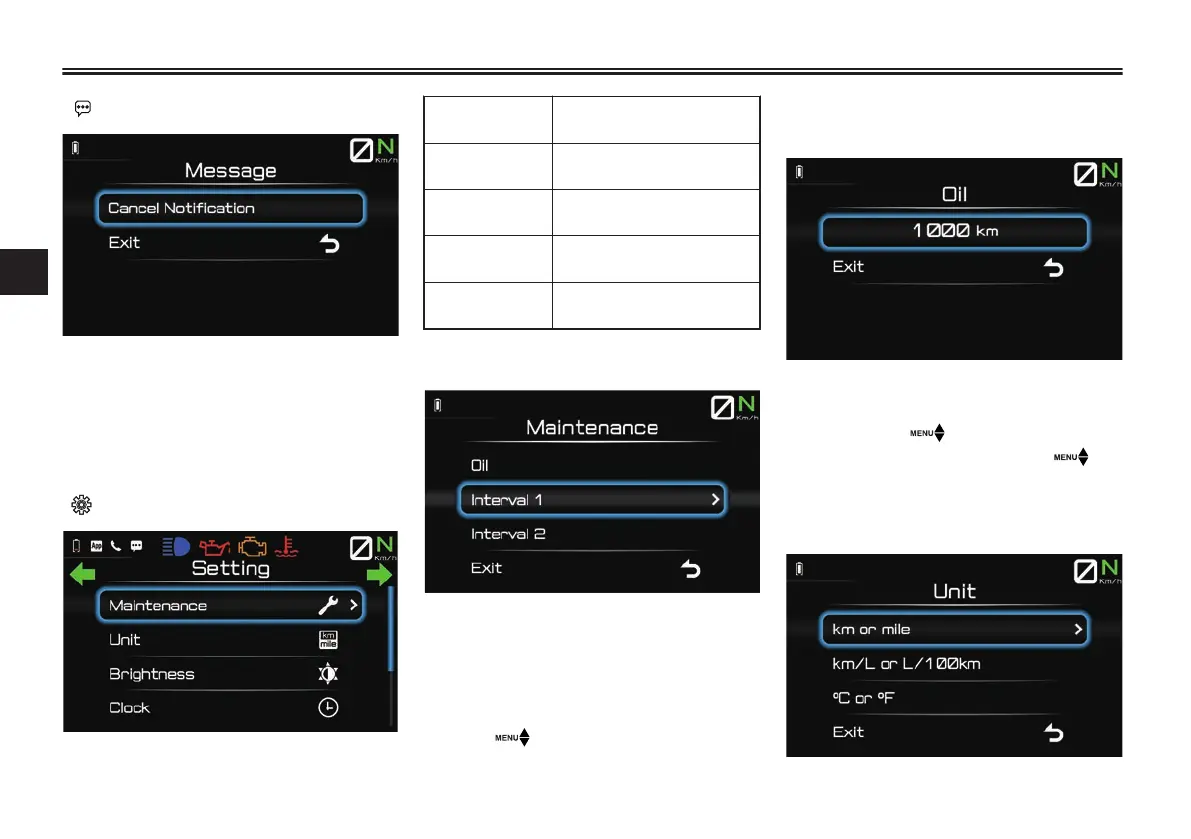
“ Message”
This module allows you to clear all stor-
ed message notifications. When “Can-
cel Notification” is selected, the
message icon will disappear from the
main screen.
“ Setting”
The s
etting m
enu is further divided into
the following modules:
“Maintenance”
Set maintenance tripme-
te
rs. (See page 4-14.)
“Unit”
Change measurement
units. (See page 4-14.)
“Brightness”
Adjust display brightness.
(See page 4-15.)
“Clock”
Set clock. (See page
4-15.)
“All Reset”
Reset system settings. (See
page 4-15.)
“Maintenance”
This module allows you to record dis-
tance traveled between engine oil
changes “Oil”, and two other mainte-
nance intervals of your choice “Interval
1”/ “Interval 2”. Short press the wheel
switch “ ” inward to enter the items
sub-module, where the current mileage
for the item can be viewed and the item
ca
n be reset.
After maintenance to one of the items
has been completed, short press the
wheel switch “ ” to select it and then
long press the wheel switch “ ” to
reset it.
“Unit”
Instrument and control functions
4-14
4



 To Next Page