8
TROUBLESHOOTING
If your MX-D1 does not appear to be working properly, look up the symptoms in the following table. If the symptoms
persist, or are not listed, set the MX-D1 to standby mode, disconnect the AC power cable from the AC outlet, and then
contact the nearest Yamaha dealer.
Symptom Cause Remedy
The MX-D1 does not turn
on when STANDBY/ON
is pressed.
The AC power cable is not connected
properly.
Make sure the AC power cable is connected
properly to the AC IN connector and a
suitable AC outlet.
The component connected to the
CONTROL IN jack is not turned on.
Turn on the component that is connected to
the CONTROL IN jack.
There is no sound. The MX-D1 is not connected properly. Check all connections and correct as
necessary.
The source component connected to the
MX-D1’s input jacks is not set correctly.
Refer to the owner’s manual of the source
component.
The wrong inputs are selected on the MX-
D1.
Use the UNBAL/BAL switch to select the
correct inputs.
The MX-D1’s protection system is active. Check the speaker cables for short circuits
and correct as necessary.
A hum can be heard. The audio pin cable connected to the
UNBALANCE jacks is not fully inserted.
Fully insert the audio pin cable.
The output sounds
unnatural, has a limited
bass range, and poor
stereo image.
The speaker polarity is wrong. Check the polarity of the speaker
connections and correct as necessary.
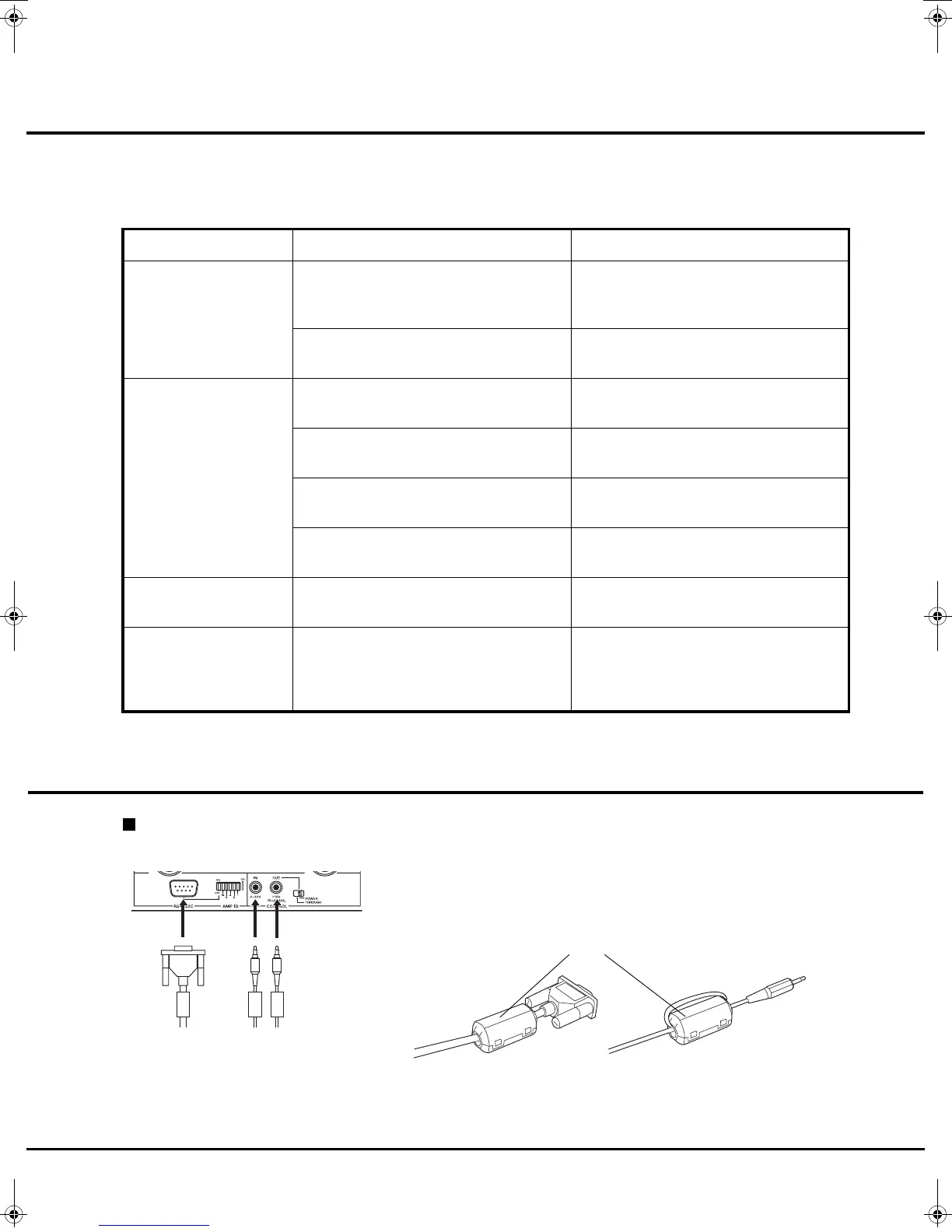
Be sure to attach the clamp filter provided. Open the cover and fit
the core onto the cables as illustrated below.
Clamp filter
When using the RS-232C interface cable or the control cable
(U.S.A. and Canada models)
01-MX-D1_GB_E.fm Page 8 Wednesday, October 22, 2003 3:28 PM



 To Next Page