EasyManua.ls Logo

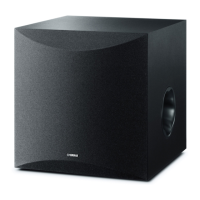
Yamaha NS-SW200 - User Manual

Yamaha NS-SW200
39 pages
Print Icon
To Next Page IconTo Next Page
Loading...
URABLH
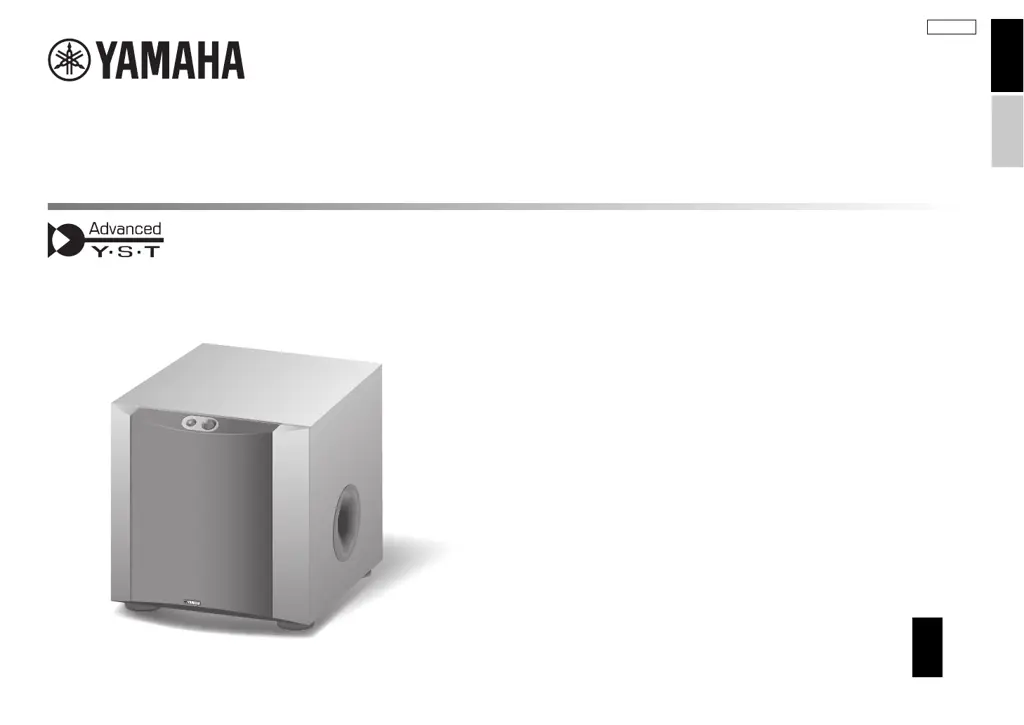
Subwoofer
NS-SW300
NS-SW200
EN
Owner’s Manual
ES
Manual de instrucciones
EnglishEspañol

Other manuals for Yamaha NS-SW200

Questions and Answers

  • D
    David BradleySep 23, 2025
    Why Yamaha NS-SW200 Subwoofer does not enter standby mode automatically?
    • A
      Ariana HuntSep 23, 2025
      If your Yamaha subwoofer does not enter standby mode automatically, noise from external appliances might be activating it. Move the subwoofer away from such appliances and/or reposition the connected speaker cables. Also, set the AUTO STANDBY switch to the HIGH or LOW position.
  • B
    Brian HartAug 23, 2025
    What to do if my Yamaha NS-SW200 Subwoofer power is not supplied?
    • J
      Jack SantosAug 23, 2025
      If your Yamaha Subwoofer isn't getting power even when the STANDBY/ON switch is ON, make sure the power plug is securely connected. If it is, check that the POWER switch is set to the ON position.
  • D
    dscottAug 25, 2025
    Why Yamaha NS-SW200 has no sound?
    • R
      Robert BrownAug 25, 2025
      If your Yamaha Subwoofer isn't producing any sound, first ensure that the volume isn't set to the minimum. If it is, increase the volume. Also, check that the speaker cables are securely connected.
  • A
    Adam PetersonAug 27, 2025
    How to fix Yamaha Subwoofer when it doesn't turn on?
    • J
      Jonathan BrownAug 27, 2025
      If your Yamaha Subwoofer isn't turning on even when the STANDBY/ON switch is in the ON position, make sure the power plug is securely connected. Also, check that the POWER switch is set to the ON position and that any connected system components are also turned on.
  • D
    Donald GatesAug 27, 2025
    Why Yamaha NS-SW200 does not turn on automatically?
    • R
      Robert MooreAug 28, 2025
      If your Yamaha Subwoofer does not turn on automatically via the system connection, ensure the system control cable is properly and securely connected. Also, verify that the POWER switch is set to ON.
  • M
    Matthew BullockSep 18, 2025
    How to fix Yamaha NS-SW200 Subwoofer when power is not supplied?
    • W
      Walter DanielsSep 18, 2025
      If your Yamaha subwoofer is not receiving power, make sure the power plug is securely connected and the POWER switch is set to the ON position.
  • D
    David MccoySep 15, 2025
    What to do if Yamaha Subwoofer unit cannot be operated?
    • C
      collinskevinSep 15, 2025
      If your Yamaha Subwoofer unit cannot be operated, an electric shock or power supply voltage drop may have caused the internal microcomputer to freeze. Try setting the POWER switch to the OFF position and then back to the ON position.
  • M
    Mathew BrownSep 16, 2025
    Why is the low range sound too soft on my Yamaha NS-SW200?
    • W
      William ValenzuelaSep 16, 2025
      If the low range sound from your Yamaha Subwoofer is too soft or not heard, ensure the speaker cables are correctly connected (L to L, R to R, “+” to “+” and “–” to “–”). Try setting the PHASE switch to the other position. If you are playing a source sound with little bass frequency content, play a source sound with bass frequencies and set the HIGH CUT control to a higher position. Relocate the subwoofer or change its positioning angle, because the sound may be influenced by standing waves. Check the bass output setting of the amplifier. Make sure that the POWER switch is set to the ON position and the STANDBY/ON switch is set to the ON position. Set the AUTO STANDBY switch to the HIGH or LOW position.
  • E
    espinozakimSep 6, 2025
    Why Yamaha Subwoofer cannot enter standby mode automatically?
    • J
      Joshua SmithSep 6, 2025
      If your Yamaha Subwoofer cannot enter standby mode automatically, it may be due to noise from external appliances activating the subwoofer. Try moving the subwoofer farther away from such appliances and/or repositioning the connected speaker cables. You can also try setting the AUTO STANDBY switch to the HIGH or LOW position.
  • S
    Sarah MelendezSep 3, 2025
    Why Yamaha Subwoofer enters standby mode unexpectedly?
    • K
      Kathleen DavidsonSep 4, 2025
      If your Yamaha Subwoofer enters standby mode unexpectedly, the level of input signal might be too low. Try setting the AUTO STANDBY switch to the HIGH position and increase the output level of the amplifier.

Summary

Important Safety Instructions

General Safety Guidelines

Covers numbered safety points (1-14) for safe operation.

Precautions and Operational Guidance

Operational Precautions

Covers power supply, installation, water, fire, and handling precautions.

Yamaha Technologies Explained

Advanced YST II Technology

Yamaha's speaker technology for high-quality bass reproduction.

Twisted Flare Port Design

Port design to reduce noise and improve sound clarity.

Connection Methods

Connecting to Amplifier Line Output

Instructions for connecting via line output (pin jack) terminals.

Connecting to Amplifier Speaker Output

Instructions for connecting via speaker output terminals.

Wiring and System Integration

Automatic Power-Switching Function

Adjusting the Balance

Balance Adjustment Procedure

Step-by-step guide to adjust volume and tone balance with front speakers.

Troubleshooting Guide

Operation and Power Issues

Troubleshooting for power, operation, and system connection problems.

Sound and Standby Issues

Troubleshooting for no sound, low bass, and unexpected standby issues.

Yamaha NS-SW200 Specifications

General IconGeneral
Subwoofer typeActive subwoofer
Subwoofer driver diameter20 mm
Subwoofer frequency range28 - 200 Hz
Subwoofer driver diameter (imperial)8 \
Power consumption (standby)0.3 W
On/off switchYes
Product colorBlack
Weight and Dimensions IconWeight and Dimensions
Subwoofer depth351 mm
Subwoofer width290 mm
Subwoofer height306 mm
Subwoofer weight11200 g

Related product manuals