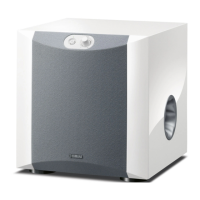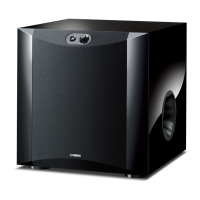
EasyManua.ls Logo

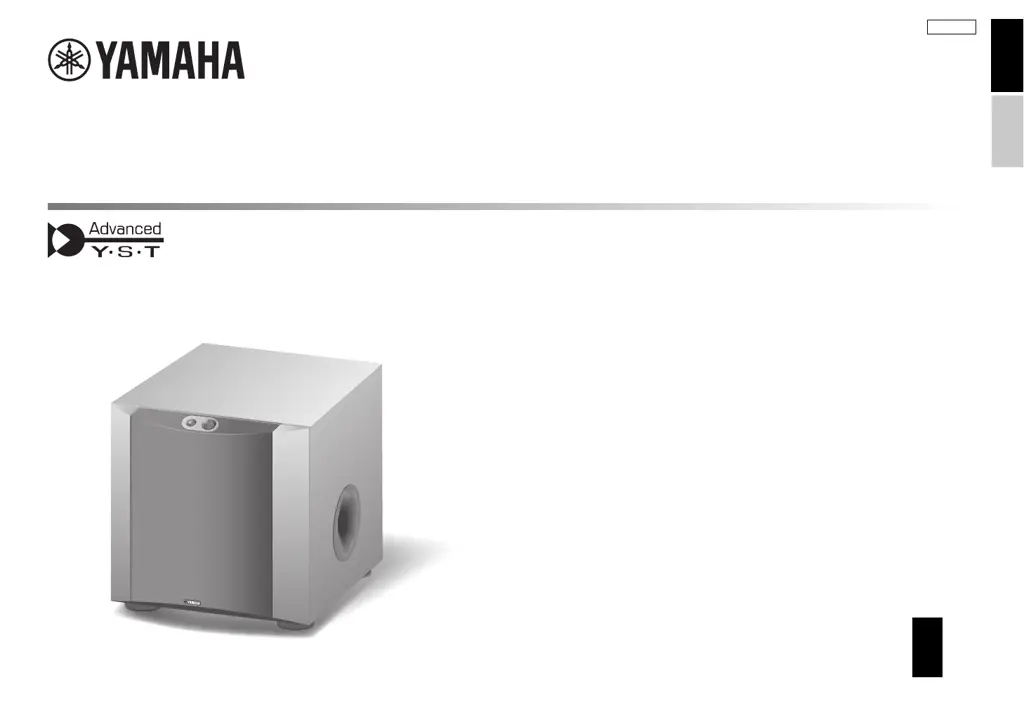
Yamaha NS-SW300 - User Manual

Yamaha NS-SW300
40 pages
Print Icon
To Next Page IconTo Next Page
Loading...
URABLH
Subwoofer
NS-SW300
NS-SW200
EN
Owner’s Manual
ES
Manual de instrucciones
EnglishEspañol

Other manuals for Yamaha NS-SW300

Questions and Answers

  • G
    grace40Aug 17, 2025
    Why is my Yamaha Subwoofer not turning on even when the STANDBY/ON switch is ON?
    • J
      John MayAug 18, 2025
      If your Yamaha Subwoofer doesn't power on even when the STANDBY/ON switch is in the ON position, check the power plug to ensure it's securely connected; if not, connect it securely. Also, verify that the POWER switch is set to the ON position; if it's OFF, switch it ON. Finally, ensure that any connected system components are also turned on.
  • M
    morrismichaelAug 20, 2025
    What to do if my Yamaha NS-SW300 Subwoofer power is not supplied?
    • C
      Charles ParkerAug 20, 2025
      If your Yamaha Subwoofer isn't getting power even when the STANDBY/ON switch is ON, make sure the power plug is securely connected. If it is, check that the POWER switch is set to the ON position.
  • C
    Chad WhiteAug 22, 2025
    What to do if my Yamaha NS-SW300 has no sound?
    • C
      Clifford HernandezAug 22, 2025
      If your Yamaha Subwoofer isn't producing any sound, first ensure that the volume isn't set to the minimum; if it is, increase the volume. Also, check the speaker cables to confirm they are securely connected. If not, connect them securely.
  • J
    Jessica CruzAug 26, 2025
    How to fix a Yamaha NS-SW300 that doesn't turn on automatically?
    • H
      Hannah CarterAug 26, 2025
      If your Yamaha Subwoofer isn't turning on automatically via the system connection, ensure the system control cable is properly and securely connected. If it is not, connect it correctly. Also, check that the POWER switch is set to ON; if it's OFF, set it to ON.
  • J
    Jacob WestAug 28, 2025
    What to do if my Yamaha NS-SW300 doesn't turn on automatically?
    • J
      Jaime RamirezAug 28, 2025
      If your Yamaha Subwoofer doesn't automatically turn on via the system connection, the system control cable might not be properly connected. Ensure it's securely connected. Also, verify that the POWER switch is set to ON.
  • Y
    yharrisAug 30, 2025
    Why won't my Yamaha NS-SW300 Subwoofer turn on?
    • S
      Susan BakerAug 30, 2025
      If your Yamaha Subwoofer isn't getting power even when the STANDBY/ON switch is in the ON position, make sure the power plug is securely connected. Also, check that the POWER switch is set to the ON position and that any connected components of the system are also turned on.
  • R
    Robert OrtizSep 1, 2025
    Why Yamaha Subwoofer does not turn on automatically via the system connection?
    • D
      Daisy WongSep 1, 2025
      If your Yamaha subwoofer isn't turning on automatically via the system connection, ensure the system control cable is properly connected and that the POWER switch is set to ON.
  • Y
    ypowellSep 4, 2025
    What to do if Yamaha NS-SW300 enters standby mode unexpectedly?
    • S
      Stephanie WalkerSep 4, 2025
      If your Yamaha subwoofer enters standby mode unexpectedly, try setting the AUTO STANDBY switch to the HIGH position and increase the output level of the amplifier.
  • O
    ogoodSep 6, 2025
    Why is the low range sound too soft on my Yamaha NS-SW300 Subwoofer?
    • K
      Kelly JamesSep 7, 2025
      If the low range sound from your Yamaha Subwoofer is too soft or not heard, ensure the speaker cables are correctly connected (L to L, R to R, “+” to “+” and “–” to “–”). Try setting the PHASE switch to the other position. If you are playing a source sound with little bass frequency content, play a source sound with bass frequencies and set the HIGH CUT control to a higher position. Relocate the subwoofer or change its positioning angle, because the sound may be influenced by standing waves. Check the bass output setting of the amplifier. Make sure that the POWER switch is set to the ON position and the STANDBY/ON switch is set to the ON position. Set the AUTO STANDBY switch to the HIGH or LOW position.
  • A
    Ann StewartSep 9, 2025
    How to fix Yamaha Subwoofer when power is not supplied?
    • A
      arthur37Sep 9, 2025
      If your Yamaha subwoofer is not receiving power, make sure the power plug is securely connected and the POWER switch is set to the ON position.

Summary

Important Safety Instructions

Precautions and Handling

Electrical and Environmental Safety

Guidelines for power safety, water, heat, fire hazards, and proper installation.

Handling, Operation, and Maintenance

Cautions for handling, operation, avoiding modifications, and safe cleaning practices.

Installation and Placement

Placement and Ventilation

Rules for placing the unit to ensure proper heat dissipation and prevent accidental falls.

Hearing Loss Prevention

Safe Listening Practices

Advice on avoiding permanent hearing loss from prolonged high-volume use.

Connections and Handling

Handling Precautions

Cautions regarding hot surfaces, port access, impact, and proper operation.

Placement

Subwoofer Orientation

Guidance on optimal subwoofer placement for single or dual unit setups.

Connections

Connecting to Line Output Terminals

Method for connecting the subwoofer using line output (pin jack) terminals.

Connecting to Speaker Output Terminals

Method for connecting the subwoofer using speaker output terminals of an amplifier.

System Connections and Automatic Power

Adjusting the Balance

Adjustment Procedure

Step-by-step guide to adjust volume, HIGH CUT, PHASE, and B.A.S.S. for optimal sound.

Troubleshooting

Common Problems and Solutions

Guides to resolve issues like no power, no sound, or unexpected turn-offs.

Specifications

Yamaha NS-SW300 Specifications

General IconGeneral
Subwoofer typeActive subwoofer
Subwoofer driver diameter25 mm
Subwoofer frequency range20 - 160 Hz
Subwoofer driver diameter (imperial)10 \
Power consumption (standby)0.3 W
Bass reflexYes
Product colorBlack
Weight and Dimensions IconWeight and Dimensions
Subwoofer depth420 mm
Subwoofer width350 mm
Subwoofer height366 mm
Subwoofer weight18000 g

Related product manuals