EasyManua.ls Logo

Yamaha NS-SW500 - User Manual

Yamaha NS-SW500
32 pages
Print Icon
To Next Page IconTo Next Page
Loading...
RTL
English Español
中文
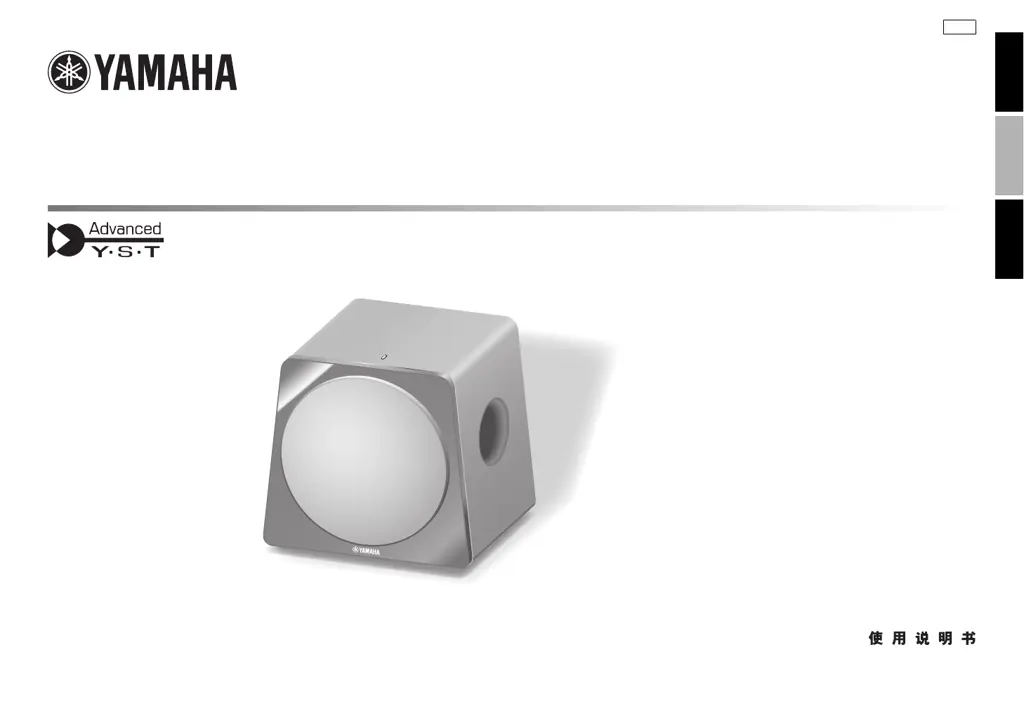
Subwoofer
NS-SW500
OWNER’S MANUAL
MANUAL DE INSTRUCCIONES

Table of Contents

Questions and Answers

  • E
    erinjohnsonJul 31, 2025
    Why does my Yamaha NS-SW500 Subwoofer turn on unexpectedly?
    • S
      Shannon HuntJul 31, 2025
      If your Yamaha Subwoofer turns on unexpectedly, it might be due to noise from nearby appliances activating it. Try moving the subwoofer away from these appliances or repositioning the connected speaker cables. If the AUTO STANDBY switch is set to HIGH, try setting it to LOW. As another option, you can set the AUTO STANDBY switch to the OFF position.
  • E
    emooreAug 11, 2025
    How to fix Yamaha NS-SW500 that does not enter standby mode automatically?
    • R
      Rita SmithAug 11, 2025
      If your Yamaha Subwoofer doesn't automatically enter standby mode, it could be due to a couple of reasons. First, noise from external appliances might be keeping it active; try moving the subwoofer away from these appliances and/or repositioning the speaker cables. Also, make sure the AUTO STANDBY switch isn't set to OFF; setting it to the HIGH or LOW position might solve the problem.
  • H
    harrischadAug 20, 2025
    What to do if my Yamaha NS-SW500 Subwoofer enters standby mode unexpectedly?
    • K
      Kelly DixonAug 20, 2025
      If your Yamaha Subwoofer enters standby mode unexpectedly, the input signal level might be too low. To fix this, set the AUTO STANDBY switch to the HIGH position and increase the output level of your amplifier.

Summary

Safety Precautions

Product Features

Placement and Orientation

Subwoofer Orientation

Details on optimal placement for single or dual subwoofer setup.

Controls and Functions Overview

Top Panel Controls

Description of indicators, ports, and input/output terminals on the top panel.

Rear Panel Controls

Explanation of switches and knobs on the rear panel for operation and settings.

Power and Standby Settings

Details on the POWER switch and AUTO STANDBY function for managing power.

Connection Methods

Connecting via Line Output

How to connect the subwoofer using the amplifier's line output (pin jack) terminals.

Connecting via Speaker Output

How to connect the subwoofer to the amplifier's speaker output terminals.

Connecting to LFE Terminal

Utilizing the LFE terminal for direct input and improved sound quality.

Speaker Cable Connection Details

Instructions for preparing speaker cables and connecting them to the subwoofer.

System Connections and Power

Plugging into AC Outlet

Steps for connecting the subwoofer to the power supply.

Setting the AUTO STANDBY Switch

Guide to setting the AUTO STANDBY switch for power management.

Adjusting Sound Balance

Volume and Tone Adjustment

Procedure for adjusting volume and tone balance with front speakers.

Phase Switch Adjustment

How to set the PHASE switch for optimal sound quality.

B.A.S.S. Switch Operation

Selecting the B.A.S.S. switch for movie or music playback.

Frequency Characteristics and Technology

Subwoofer Frequency Characteristics

Optimum control adjustments and frequency response with typical front speakers.

Advanced Yamaha Active Servo Technology II

Explanation of the technology providing powerful, high-quality bass reproduction.

Troubleshooting Common Issues

Product Specifications

Yamaha NS-SW500 Specifications

General IconGeneral
Subwoofer typeActive subwoofer
Subwoofer frequency range20 - 160 Hz
Power consumption (standby)0.3 W
Product colorBlack
Weight and Dimensions IconWeight and Dimensions
Subwoofer depth420 mm
Subwoofer width380 mm
Subwoofer height368 mm
Subwoofer weight18500 g

Related product manuals