EasyManua.ls Logo

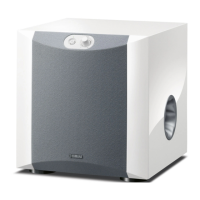
Yamaha NS-SW310 - User Manual

Yamaha NS-SW310
22 pages
Print Icon
To Next Page IconTo Next Page
Loading...
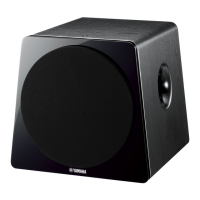
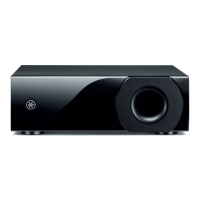
NS-SW310
Subwoofer
Caisson de grave
UCAB
OWNER’S MANUAL
MODE D’EMPLOI

Questions and Answers

  • S
    Sarah KnoxAug 15, 2025
    What to do if my Yamaha NS-SW310 has no sound?
    • P
      patricia03Aug 15, 2025
      If your Yamaha Subwoofer isn't producing any sound, there are a couple of things to check: * First, make sure the volume isn't set to the minimum. Try raising the volume. * Also, verify that the speaker cables are securely connected.
  • A
    Aaron McdonaldAug 18, 2025
    Why is the sound level too low on my Yamaha Subwoofer?
    • S
      Samantha MitchellAug 18, 2025
      If your Yamaha Subwoofer sound level is too low, consider the following: * Ensure speaker cables are correctly connected (L to L, R to R, “+” to “+” and “–” to “–”). * Try setting the PHASE switch to the opposite position. * If the source sound lacks bass, play a source with bass frequencies or increase the HIGH CUT control. * If standing waves are the issue, reposition the subwoofer or add bookshelves along the walls to disrupt parallel surfaces.
  • A
    Alexander WilsonAug 22, 2025
    What to do if Yamaha NS-SW310 Subwoofer turns on unexpectedly?
    • M
      Michael HartAug 22, 2025
      If your Yamaha Subwoofer unexpectedly turns on, it might be due to noise from nearby appliances. Try moving the subwoofer away from these appliances or repositioning the connected speaker cables. Alternatively, set the AUTO STANDBY switch to the “OFF” position.
  • J
    Jeff ThorntonAug 25, 2025
    What to do if Yamaha NS-SW310 turns into standby mode unexpectedly?
    • B
      Bonnie SanchezAug 25, 2025
      If your Yamaha Subwoofer unexpectedly enters standby mode, it could be due to a low input signal level. Try setting the AUTO STANDBY switch to the “HIGH” position.
  • Y
    yhoAug 28, 2025
    How to fix too low sound level on Yamaha NS-SW310 Subwoofer?
    • S
      Suzanne ArnoldAug 28, 2025
      If the sound level from your Yamaha Subwoofer is too low, ensure that the speaker cables are connected correctly, matching L (left) to L, R (right) to R, “+” to “+” and “–” to “–.”
  • E
    Erica WashingtonAug 31, 2025
    Why Yamaha Subwoofer does not turn on automatically?
    • J
      Joshua ChungAug 31, 2025
      If your Yamaha Subwoofer is not turning on automatically, consider the following: 1. Ensure the POWER switch is in the ON position. 2. Check that the STANDBY/ON button is set to ON. 3. Verify the AUTO STANDBY switch is set to “HIGH” or “LOW”. 4. If the input signal is too low, set the AUTO STANDBY switch to “HIGH”.
  • A
    Andre HayesSep 4, 2025
    How to fix Yamaha NS-SW310 if no power?
    • A
      adam30Sep 4, 2025
      If your Yamaha Subwoofer isn't getting power even when the STANDBY/ON button is ON, try these steps: * Make sure the power plug is securely connected. * Also, check that the POWER switch is set to the ON position.
  • J
    Jade PetersonSep 7, 2025
    Why Yamaha Subwoofer does not turn into standby mode automatically?
    • A
      Aaron GallowaySep 7, 2025
      If your Yamaha Subwoofer is not automatically entering standby mode, it could be due to external noise activating it. Move the subwoofer away from other appliances or reposition the speaker cables. As an alternative, you can set the AUTO STANDBY switch to the “OFF” position. Also, ensure the AUTO STANDBY switch is set to the “HIGH” or “LOW” position.
  • E
    Erin GibbsSep 12, 2025
    Why Yamaha NS-SW310 Subwoofer power is not supplied?
    • J
      jacob43Sep 12, 2025
      If the Yamaha Subwoofer's power isn't turning on even when the STANDBY/ON button is in the ON position, check that the power plug is securely connected. Also, verify that the POWER switch is set to the ON position.

Summary

Important Safety Instructions

Operating Precautions and Warnings

Speaker Placement Guidelines

Controls and Their Functions

Power and Standby Controls

Explanation of power switch, standby/on button, and power indicator.

Audio Adjustment Controls

Details on HIGH CUT and VOLUME controls for sound tuning.

Connecting the Subwoofer

Connecting via Amplifier Line Output

Method for connecting to amplifier's RCA line output terminals.

Advanced Connection Methods

Connecting to LFE (INPUT3) Terminal

Utilizes the LFE input for direct bass signal, bypassing HIGH CUT.

Connecting via Speaker Output Terminals

Automatic Power Switching Function

Adjusting Subwoofer for Optimal Sound

Troubleshooting Common Issues

Yamaha NS-SW310 Specifications

General IconGeneral
TypeActive subwoofer
DriverCone
Output Power100 W
Amplifier Output100 W
ColorBlack
Advanced YSTYes
QD-Bass TechnologyYes
Twisted Flare PortYes
Driver Size25 cm (10")
Frequency Response20 Hz - 160 Hz
Phase Switch0°/180°

Related product manuals