EasyManua.ls Logo

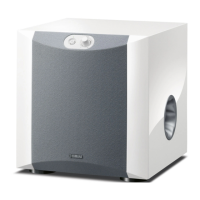
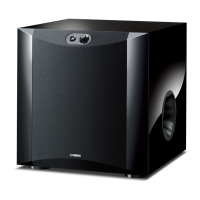
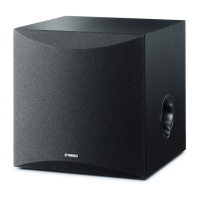
Yamaha NS-SW210 - User Manual

Yamaha NS-SW210
24 pages
Print Icon
To Next Page IconTo Next Page
Loading...
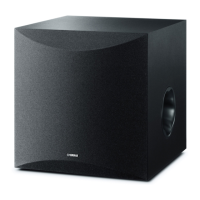
NS-SW210
Subwoofer
Caisson de grave
UCAB
OWNER’S MANUAL
MODE D’EMPLOI

Questions and Answers

  • K
    Katherine HardingJul 26, 2025
    What to do if my Yamaha NS-SW210 Subwoofer has no sound?
    • J
      jeffrey06Jul 26, 2025
      If your Yamaha Subwoofer isn't producing any sound, there might be a couple of simple reasons. First, check if the volume is set to the minimum; if it is, increase the volume. Also, ensure that the speaker cables are securely connected. Loose connections can prevent sound from being transmitted.
  • J
    Julia WernerAug 6, 2025
    Why is the sound level too low on my Yamaha NS-SW210 Subwoofer?
    • P
      pgallowayAug 6, 2025
      If the sound level from your Yamaha Subwoofer is too low, consider these potential causes: * The source material might not have enough bass frequency content. Try playing a source with more bass. * Standing waves in your room could be affecting the sound. Try repositioning the subwoofer or disrupting parallel surfaces by adding bookshelves or other items along the walls.
  • C
    Carolyn MccarthyAug 15, 2025
    What to do if my Yamaha Subwoofer is not turning on?
    • D
      deborahjohnsonAug 16, 2025
      If your Yamaha Subwoofer isn't powering on even when the power switch is ON, the most likely cause is that the power plug is not securely connected. Ensure the power plug is firmly plugged into the outlet.

Summary

Important Safety Instructions

FCC Information for US Customers

Information for Users on Collection and Disposal of Old Equipment

Operating Precautions and Warnings

Features

Supplied Accessories

Attaching Non-Skid Pads

Instructions on how to attach the non-skid pads to stabilize the subwoofer.

Placement

Controls and Functions

Power Indicator and Switch

Details the power switch and indicator light for the unit.

Input and Volume Controls

Explains the input terminal and how to adjust the volume level.

Voltage Selector Switch

Information on setting the voltage selector for different regions.

Connections

Connecting to Amplifier Line Output

How to connect the subwoofer to an amplifier using line output (pin jack) terminals.

Connecting to AC Outlet

Procedure for plugging the subwoofer into the AC power outlet.

Adjusting the Subwoofer Before Use

Before Use Adjustment

Steps to adjust subwoofer volume balance with front speakers for optimal sound.

Frequency Characteristic

Presents the frequency characteristic graph of the subwoofer.

Advanced Yamaha Active Servo Technology II

Troubleshooting

Specifications

Limited Guarantee (EEA and Switzerland)

Yamaha NS-SW210 Specifications

General IconGeneral
Impedance- Ω
Frequency range30 - 160 Hz
RMS rated power100 W
Product colorBlack
Housing material-
Recommended usageUniversal
Suitable for outdoor useNo
Speaker type1-way
Driver diameter160 mm
Number of drivers1
Speaker placementTabletop/bookshelf
Audio output channels1.0 channels
Weight and Dimensions IconWeight and Dimensions
Depth366 mm
Width166 mm
Height450 mm
Weight10000 g

Related product manuals