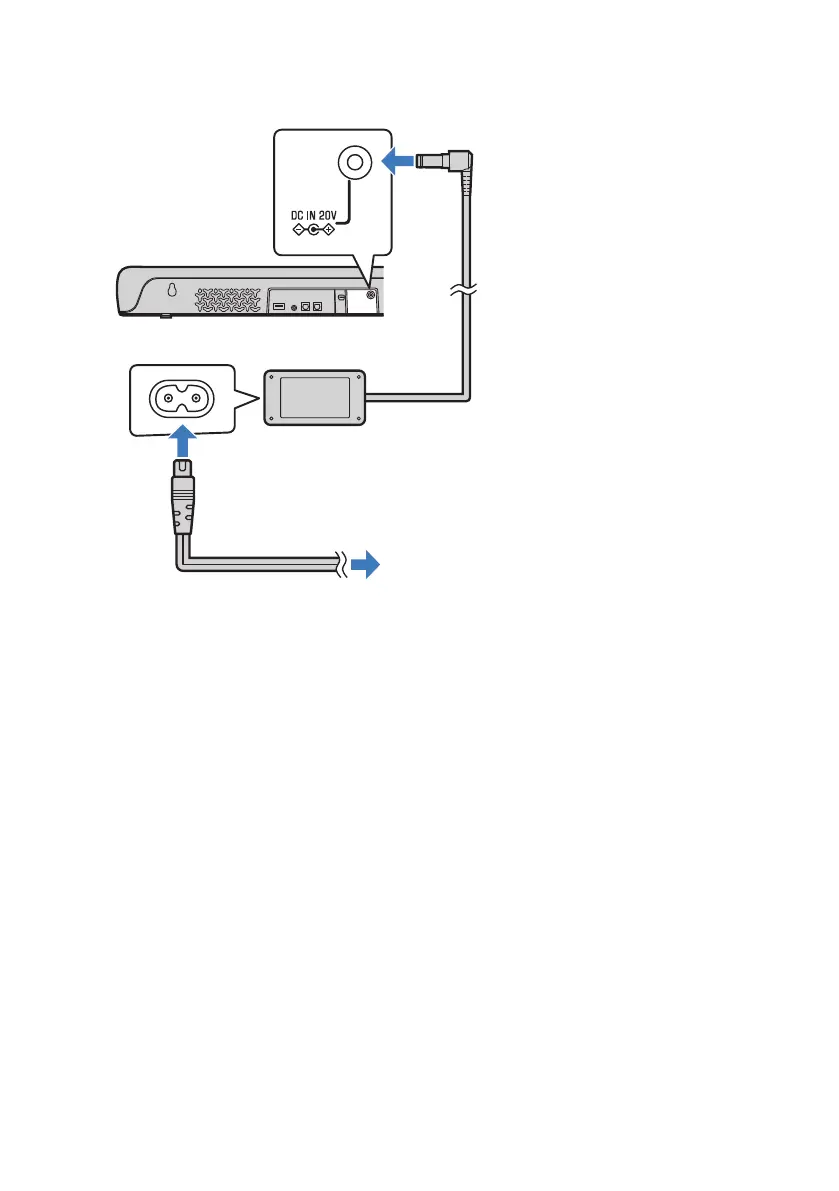
2 Connect the sound bar to power.
To an AC wall outlet
Power cord (supplied)
Sound bar (rear)
AC adaptor (supplied)
NOTE
(
To activate the Audio Return Channel (ARC), enable the HDMI Control function of the sound bar. (The function is enabled by
default.)
(
Use a 19-pin HDMI cable with the HDMI logo printed on it.
(
Use a cable that is as short as possible to prevent any degradation in signal quality.
(
Connect an AV device (such as a set top box) to the TV.
Related links
“Enabling/disabling the HDMI Control function”(p.47)
26
PREPARATION > Connecting a TV



 To Next Page