PLAYBACK
Basic control during playback
This section describes the basic control operations available during playback.
n
Selecting an input source
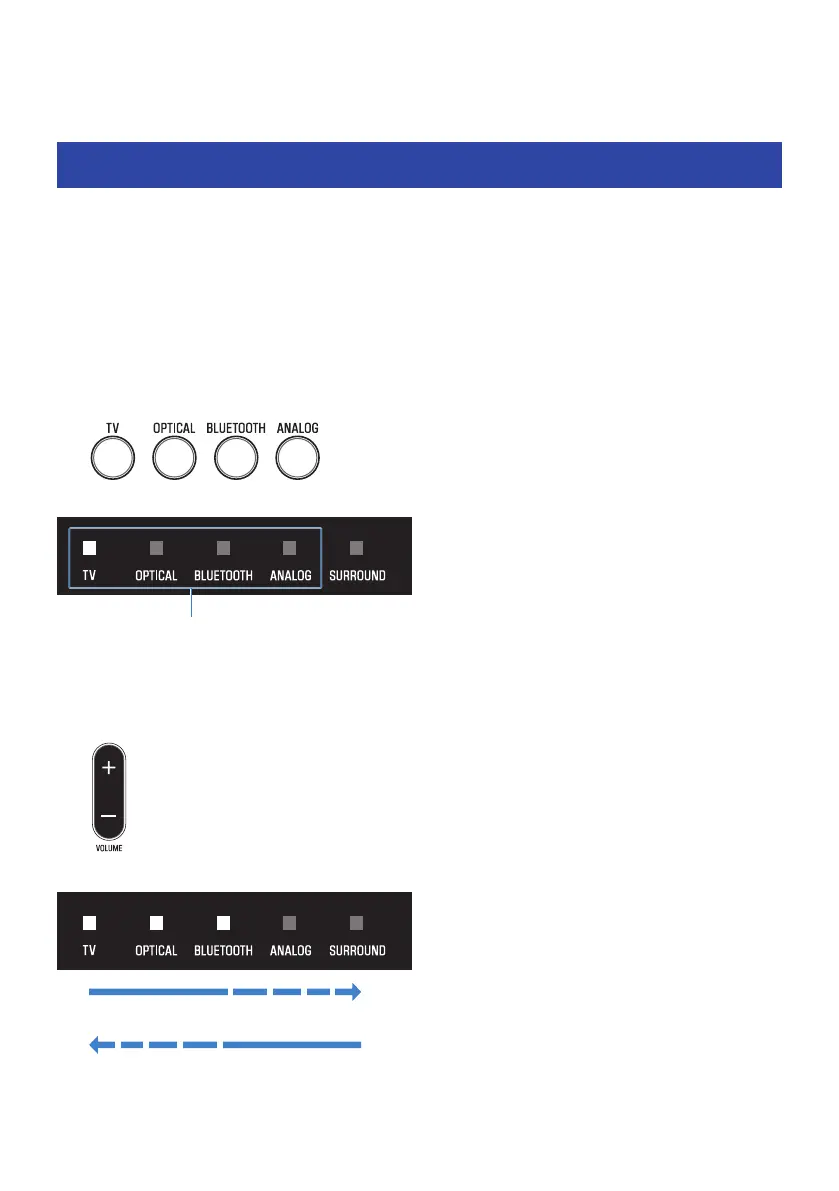
Press one of the following buttons.
(
TV button: Audio from a TV
(
OPTICAL button: Audio from a device connected to the OPTICAL input jack
(
BLUETOOTH button: Audio from a Bluetooth device
(
ANALOG button: Audio from a device connected to the ANALOG input jack
The indicator of the selected input source button glows.
One of the indicators glows
n
Adjusting volume
Press VOLUME (+/-) to adjust the volume.
The number of glowing indicators changes to show the volume level.
Volume is turned up (+)
Volume is turned down (-)
32
PLAYBACK > Basic control during playback



 To Next Page