Recording Audio with the Hard Disk Recorder
Reference
147
Tyros2 Owner’s Manual
Playlist mode
The Playlist is a convenient feature within the Hard Disk Recorder that lets you collect and orga-
nize audio files for automatic playback in “jukebox” fashion. The Playlist mode can be active in
the background (for example, when the Main display is selected), letting you play the listed files
whenever you wish during your performance.
The “Basic/Playlist” indicator at the upper left of the display shows whether the Hard Disk
Recorder is set to the Basic mode (playback of a single file) or the Playlist mode (automatic
playback of multiple files).
Creating a Playlist
Once you have a number of recorded or imported audio files on the installed hard disk drive, you
can assign those files to the Playlist. The files can be put in any order and can be entered any
number of times (in other words, a single file can have multiple instances in a Playlist). The
Playlist cannot be saved except to the installed hard disk drive, and only one Playlist can be saved
to the drive.
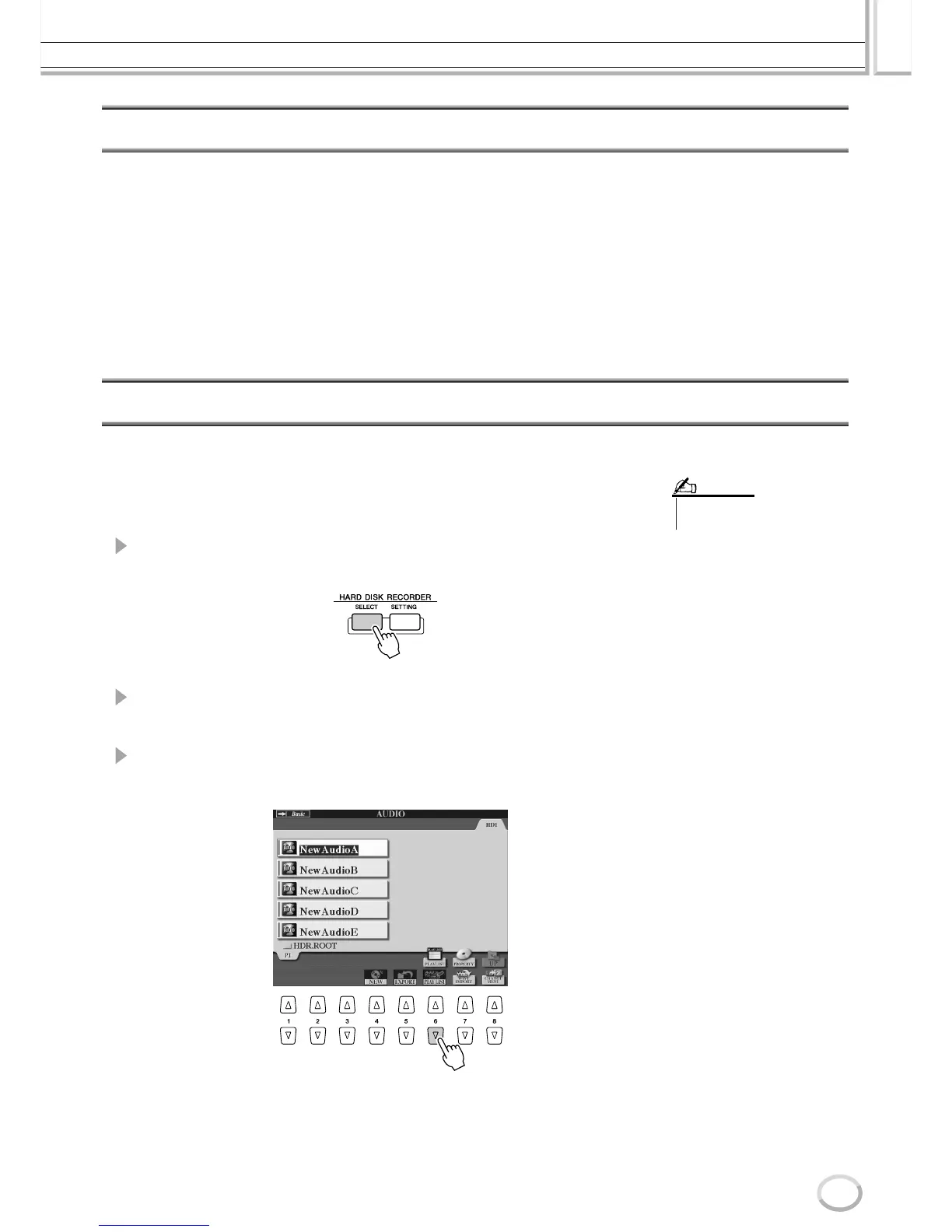
1 Press the HARD DISK RECORDER [SELECT] button to call up the
AUDIO display.
2 Select the appropriate folder containing the desired audio files by
using the LCD buttons.
3 Press the [CHANGE MENU] LCD button (lower [8] button) if neces-
sary, then press [Add to PLAYLIST] LCD button (lower [6] button).
• A Playlist can contain a maximum
of 500 audio files.
NOTE



 To Next Page