Saving and Recalling Custom Panel Setups—Registration Memory
Quick Guide
53
Tyros2 Owner’s Manual
Saving your Registration Memory to the User drive
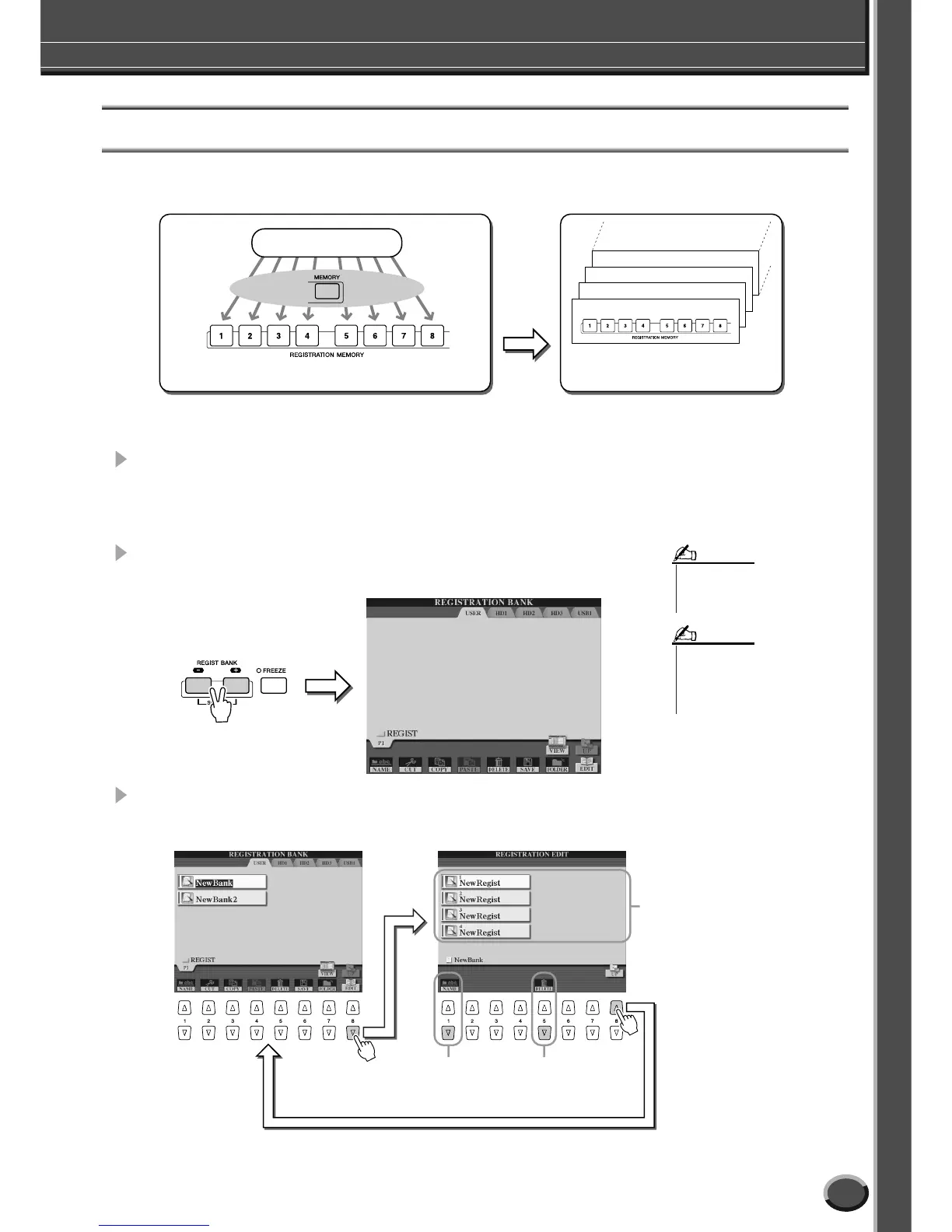
The Tyros2 allows you to save all eight memorized buttons as a single Registration Memory bank. You can save as many Regis-
tration Memory banks as you want, up to the internal memory capacity of the Tyros2.
For future recall, you’ll need to save your Registration Memory settings to the drive.
In these example instructions, we’ll save them to the User drive.
1 Memorize your custom panel settings to each of the eight Registra-
tion Memory buttons, as described on page 52.
It is not necessary to memorize settings for all eight buttons. If a button has no memo-
rized data, it is unlit.
2 Press both REGIST BANK [-] [+] buttons simultaneously to call up
the Registration Memory Bank selection (Open/Save) display.
3 If desired, call up the Registration Edit display and make other set-
tings for Registration Memory, such as naming.
Bank 04
Bank 03
Bank 01
Bank 02
Tyros2 panel settings
Memorize
User drive
USB drive (optional)
Hard disk drive (optional)
Save
Internal memory (RAM)
•You can also call up the Registra-
tion Memory Bank selection dis-
play from the Main display.
NOTE
• When you select several Registra-
tion Banks in succession, an error
message may appear. If this hap-
pens, turn the power of the instru-
ment off and on again.
NOTE
For deleting
unneeded panel
setups.
For naming the
selected panel
setup.
Indicates the names of the
eight panel setups.



 To Next Page