Display-based Controls
Basic Operations—Organizing Your Data
71
Tyros2 Owner’s Manual
■ Data files............................................................................................................................
The following types of data are handled by the Tyros2 as files. These can be viewed or selected
mainly by using the respective Open/Save display.
● Voices (of musical instruments).............................................................. pages 25, 84
● Custom Voices ................................................................................................ page 100
● Library files ..................................................................................................... page 108
● Styles ....................................................................................................... pages 31, 152
● Songs....................................................................................................... pages 43, 112
● Audio data ............................................................................................... pages 59, 135
● Multi Pad Banks ...................................................................................... pages 38, 169
● Registration Memory Banks .................................................................. pages 52, 173
● User Effects
• Vocal Harmony types* .......................................................................... pages 48, 175
• User Effects*................................................................................................. page 183
• User Master EQ* .......................................................................................... page 184
• User Master Compressor* ............................................................................ page 185
● MIDI Setup
• MIDI template ............................................................................................... page 213
● System Setup.................................................................................................. page 196
● Music Finder**................................................................................. pages 40, 171, 196
● Main Picture (displayed on the background of the Main display).............. page 195
● Text ................................................................................................................... page 115
● Lyrics/Text Background Picture.................................................................... page 114
*These data types cannot be saved to the external devices individually.
**The Music Finder feature handles all the Records including the preset and additionally created records as a single
file.
■ File groups and folders ...............................................................................................
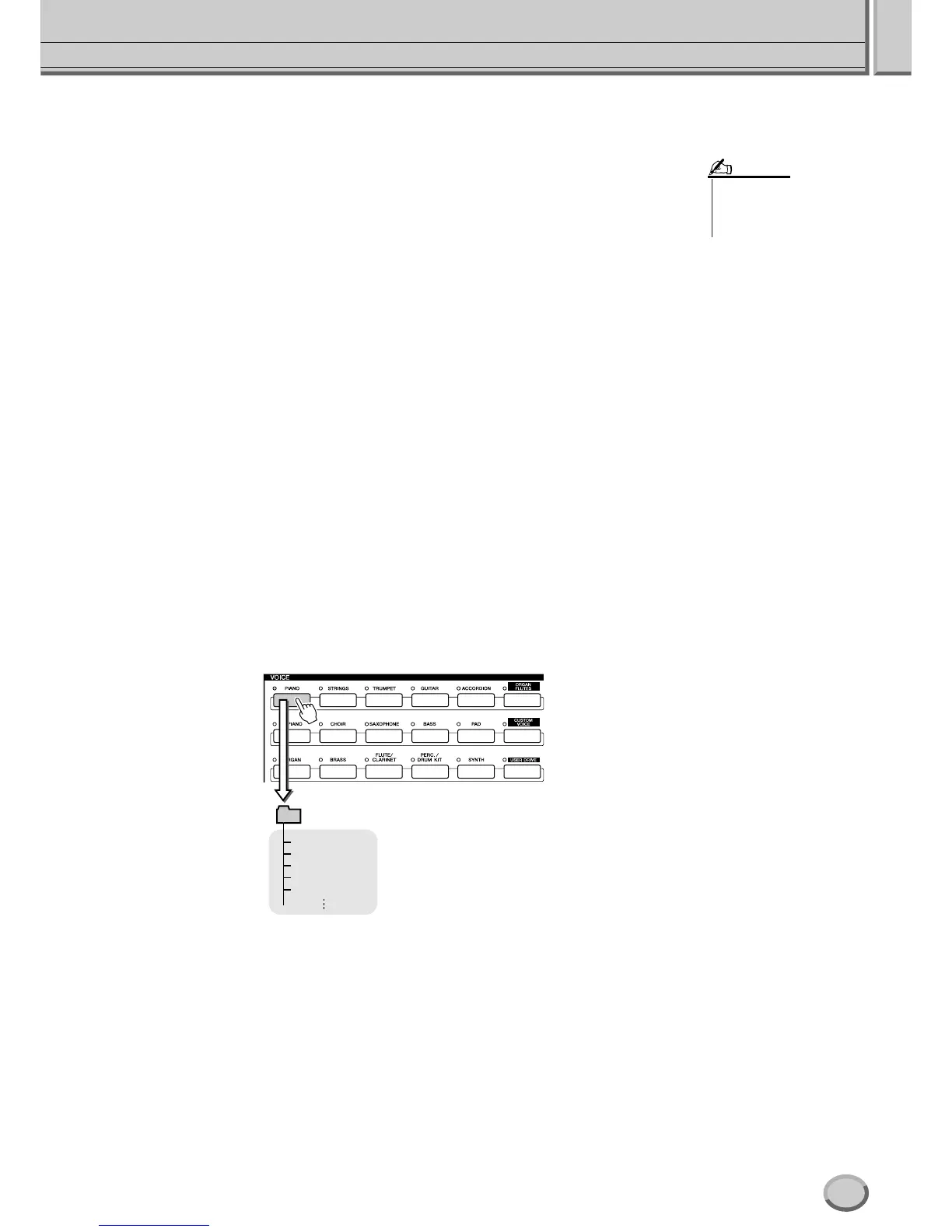
The file types described above are organized into “folders” and stored as such. In the case of
voices, the same type of instrument sounds are stored together as files in their own folders—such
as Piano, Strings, and Trumpet. The similarly organized buttons on the panel can be considered
folders as well, for the various voices and styles.
■ Memory Drives to which folders/files are saved...............................................
Folders and files described above are saved to the following memory drives.
● PRESET drive................ The files that are pre-programmed and installed internally to the Tyros2
are kept here. Preset files can be loaded (called up) but cannot be re-writ-
ten to the drive, because it uses ROM (Read Only Memory).
● USER drive..................... Files kept here are those containing your own original data, created or
edited using the various functions of the Tyros2. Since this internal drive
uses Flash ROM, the contents are maintained even when the power is
turned off.
● HD drive (optional)....... An optional hard disk drive can be installed to the Tyros2. Created data
can be saved here and recalled.
● USB drive (optional) .... Optional USB storage devices can be connected to the Tyros2. Created
data can be saved here and recalled.
• The Main Picture and the
Lyrics/Text Background
Picture cannot be created
from the Tyros2.
NOTE
GrandPiano
WarmGrand
BrightPiano
BalladStack
MidiGrand
PIANO
These voices (files)
are indicated on the
Open/Save display.



 To Next Page