Voice Editing (Voice Set)
Reference
93
Tyros2 Owner’s Manual
● EG (Envelope Generator)
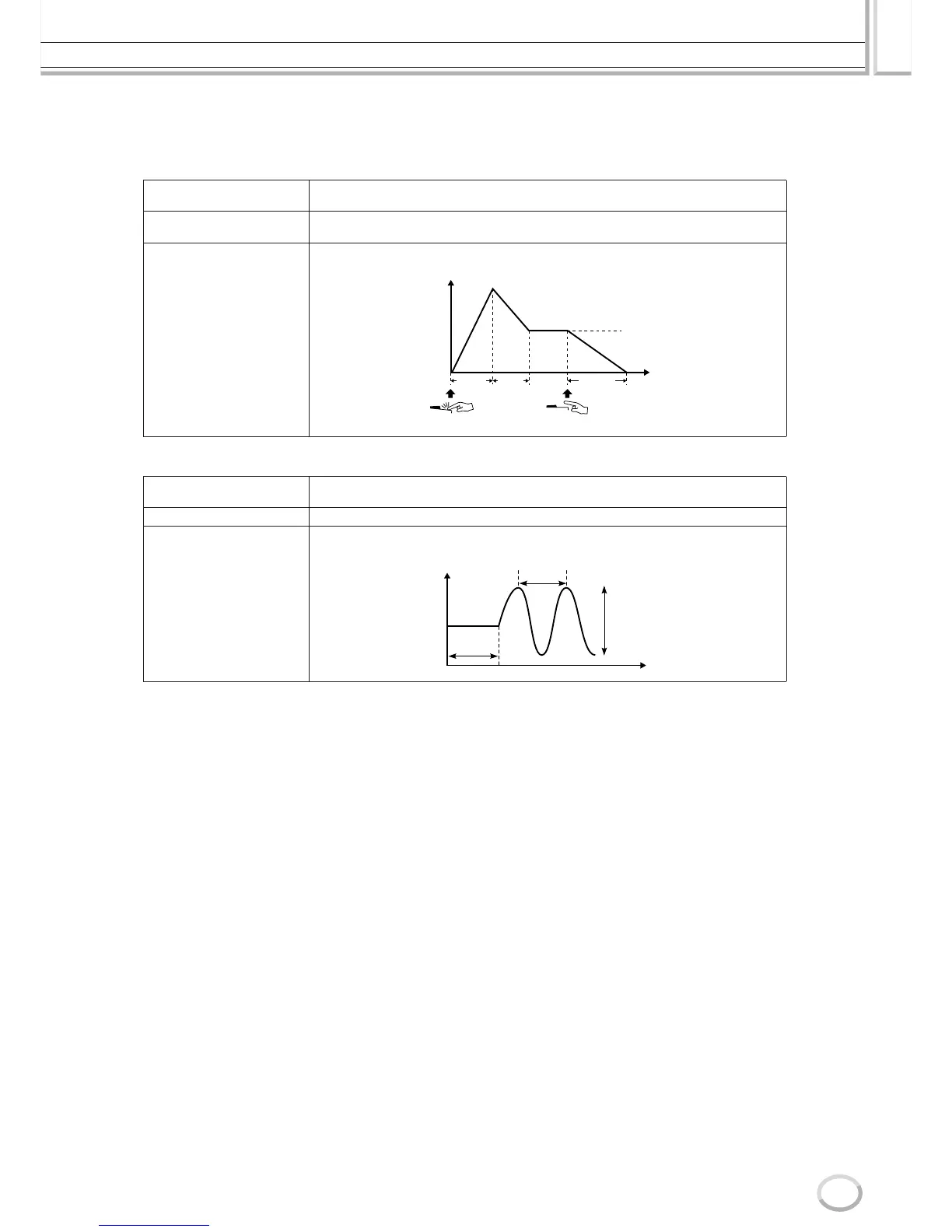
The EG (Envelope Generator) settings determine how the level of the sound changes in time. This lets you
reproduce many sound characteristics of natural acoustic instruments—such as the quick attack and decay
of percussion sounds, or the long release of a sustained piano tone.
● VIBRATO
■ EFFECT/EQ
Same as in “Organ Flutes” on page 90, with the exception of the PANEL SUSTAIN parameter, which
determines the sustain level applied to the edited voice when turning the [SUSTAIN] button in the
VOICE EFFECT section on.
■ HARMONY
Same as in the [FUNCTION] → HARMONY/ECHO display. See page 191.
ATTACK
Determines how quickly the sound reaches its maximum level after the key is played. The
higher the value, the slower the attack.
DECAY
Determines how quickly the sound reaches its sustain level (a slightly lower level than max-
imum). The higher the value, the slower the decay.
RELEASE
Determines how quickly the sound decays to silence after the key is released. The higher
the value, the slower the release.
DEPTH
Determines the intensity of the Vibrato effect (see diagram). Higher settings result in a more
pronounced Vibrato.
SPEED Determines the speed of the Vibrato effect (see diagram).
DELAY
Determines the amount of time that elapses between the playing of a key and the start of
the Vibrato effect (see diagram). Higher settings increase the delay of the Vibrato onset.
AT TA C K
RELEASE
DECAY
Time
Level
Key on Key off
Sustain Level
Level
DELAY
SPEED
DEPTH
Time


 To Next Page
 Loading...