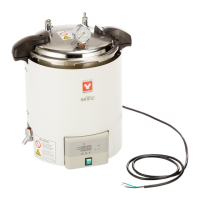
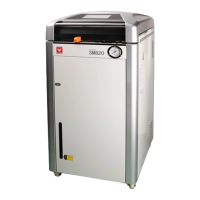
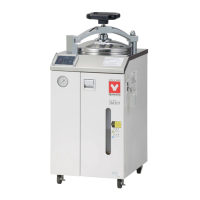
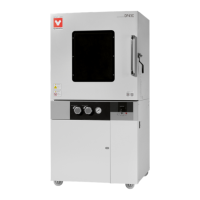
This document is an instruction manual for the Yamato Scientific Sterilizer, SK Series, covering models SK102C, SK201C, SK301C, SK112C, SK211C, and SK311C. The manual provides essential information for the safe and effective operation, maintenance, and troubleshooting of these sterilizers.
Function Description
The Yamato Scientific Sterilizer is designed for sterilization purposes, utilizing high temperature and pressure to eliminate microorganisms from various items. The device operates by heating water to generate steam, which then sterilizes the contents within its chamber. It features a control system that manages temperature, pressure, and sterilization time, ensuring precise and repeatable sterilization cycles. The sterilizer is equipped with safety devices to prevent overpressure and other hazardous conditions.
Important Technical Specifications
The SK Series sterilizers offer a range of models with varying capacities and power requirements. Key specifications include:
- Temperature Control Range: 50 to 126°C (sterilization).
- Maximum Operational Pressure: 0.142MPa.
- Operational Ambient Temperature: 5°C to 35°C.
- Heater:
- 115V / 2000W (SK102C, SK201C, SK301C)
- 220V / 2000W (SK112C, SK211C, SK311C)
- Drain Valve: Globe valve.
- Liquid Level Sensor: Float Switch.
- Temperature Control System: PID control by microcomputer.
- Setting/Display Method: Digital setting by UP/DOWN key / Digital display.
- Timer: Range: 0 to 999min.
- Operation Functions: Fixed temperature operation procedure.
- Safety Devices: Water level detection (liquid expansion method), safety valve (0.165MPa), safety interlocking interactive device, spring full lift safety valve.
- Pressure Vessel Standard: Small-sized pressure vessel (notification of installation is not required).
- Effective Dimensions of Chamber (Diameter × Depth mm):
- SK102C/112C: Φ280×H292
- SK201C/211C: Φ280×H390
- SK301C/311C: Φ280×H487
- External Dimensions (Diameter × H mm):
- SK102C/112C: W380×D380×H629mm
- SK201C/211C: W400×D410×H815mm
- SK301C/311C: W400×D410×H815mm
- Effective Capacity of Chamber:
- SK102C/112C: 18L
- SK201C/211C: 24L
- SK301C/311C: 30L
- Weight:
- SK102C/112C: 16Kg
- SK201C/211C: 26.5Kg
- SK301C/311C: 31.5Kg
- Power Supply (50/60Hz):
- AC 115V / 17A (SK102C, SK201C, SK301C)
- AC 220V-230V / 9.5-10A (SK112C, SK211C, SK311C)
- Accessories: Rack × 1 for all models.
Usage Features
The sterilizer is designed for ease of use with a clear operation panel and a structured sterilization course.
- Installation: Requires a proper place for installation, ensuring a stable, horizontal surface, away from direct sunlight, excessive humidity, dust, and vibrations. Adequate space (over 50cm) around the unit is necessary for proper ventilation and maintenance. The unit's weight (up to 31.5kg) necessitates careful handling during installation. It is crucial to connect to a correct power distribution board or receptacle that meets the unit's rated electric capacity and to always ground the unit.
- Operation Panel: Features a water level lamp, sterilize temp. setting lamp, sterilize time setting lamp, digital display area, heating lamp, interlock lamp, working lamp, Increase/Decrease keys, function setting key, RUN key, END lamp, and sterilizing lamp. These indicators and controls allow users to monitor and adjust the sterilization process.
- Sterilization Course:
- Drain Valve: Close the drain valve at the bottom on the left side face of the main unit.
- Pour Water into the Chamber: Before setting the sterile samples, pour water into the chamber to the water level gauge (notch) position. Insufficient water may cause no-load operation. Use distilled or purified water for sterilizing.
- Set the Sterile Samples: Place samples or sterilization bag into the chamber, ensuring they do not block the sensor inside the chamber, exhaust outlet, and end connection to pressure gauge.
- Close the Door: Place the sterilizing drum with properly-piled items into the pot with the positioning mark on the pot lid aligned to the center of the lower handle. Press the lid gently by hand and turn it clockwise for the upper and lower handles to close completely. The safety lock will lock the upper and lower handles automatically when the pressure in pot rises.
- Power On: Connect to external power supply, turn on the power switch. The display will show the current temperature in the cylinder.
- Set Sterilization Temperature and Time: Press the SET key to access the sterilization temperature and time settings. Use the UP/DOWN keys to adjust values.
- Start Sterilization: Press the RUN key to initiate the sterilization process. The heating lamp will illuminate, and the temperature and pressure will rise.
- Completion: The sterilization countdown will appear in the display window. Once complete, the END lamp will illuminate, and the working lamp will go out.
- Cool Down and Open: After sterilization, turn the lower exhaust valve knob to the ON position to discharge steam and relieve pressure. Once the pressure gauge returns to zero, turn the cover CCW and separate the upper and lower handles completely to open the lid and remove sterilized articles.
- Sterilizing Parameters: The unit allows for calibration offset adjustment to fine-tune temperature readings, ensuring accuracy within the whole temperature range of the unit.
Maintenance Features
Regular maintenance is crucial for the longevity and safe operation of the sterilizer.
- Daily Inspection and Maintenance:
- Disconnect the power cable from the power source when doing an inspection or maintenance unless needed.
- Perform daily inspection and maintenance after the temperature of the unit returns to its normal state.
- Do not disassemble the unit.
- Cleaning:
- Use a well-drained soft cloth to wipe dirt on the unit. Do not use benzene, thinner, or cleanser for wiping, as it may cause deformation, deterioration, or discoloration.
- Clean inside the chamber with a soft sponge to prevent damage to the surface. Remove the filter on the bottom of the chamber when cleaning.
- The heater and sensor are provided on the bottom inside the chamber; make sure not to bend or damage the filter.
- Long Storage and Disposal:
- Turn off the power and disconnect the power cord when not using the unit for a long term.
- Keep out of reach of children.
- Consult with specialized disposal services when disposing of the equipment.
- The unit is designed to be disassembled and recycled, with components made of materials like high-quality engineering plastics, stainless steel SUS304, silicon rubber, PET resin film, resin, copper, composite glass fiber, SUS pipe heater, and synthetic rubber coated wiring materials.
- After Service and Warranty:
- In case of failure, stop operation, turn off the power switch, and unplug the power plug. Contact the sales agency that sold the unit or Yamato Scientific's sales office.
- Provide the model name, production number, purchase date, and details of the trouble.
- The minimum retention period of performance parts for repair is 7 years after discontinuance of the unit. The "performance part for repair" is the part that is required to maintain this unit.
This manual emphasizes safety precautions, including warnings about high voltage, high temperature, explosive materials, electrical shock, scalds, and poisonous substances. It also provides guidance on handling flammable solvents and avoiding damage to the power cord. Users are advised to read the manual thoroughly before operating the unit and to keep it for future reference.

 Need help?
 General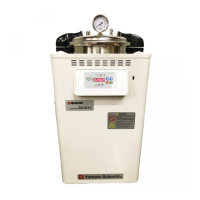

 To Next Page