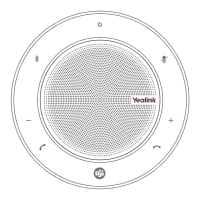
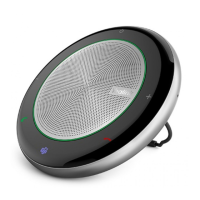
The device described in the manual is the Yealink T58A SIP Phone with CAM50 USB Camera. This is an advanced IP phone designed for business communication, offering a comprehensive suite of features including phone calls, voicemail, and integrated camera functionalities for video calls and other visual applications.
Function Description:
The Yealink T58A SIP Phone is a smart media phone that provides a rich audio and video communication experience. It functions as a primary communication device for making and receiving calls, managing voicemail, and participating in conferences. The integrated CAM50 USB camera extends its capabilities to include video calls, picture taking, video recording, and screenshot capture, making it a versatile tool for modern business environments. The phone supports both internal and external calls, intercom functions, and various call management features like transfer, hold, mute, and call park. It also integrates with business group functionalities such as hunt groups and hot desking. The touch-sensitive screen and Android-based operating system provide an intuitive user interface for navigating menus, managing contacts, and accessing various applications like email, calendar, and a web browser.
Important Technical Specifications:
- Display: Touch-sensitive screen for viewing items and navigating menus.
- Camera: CAM50 USB Camera, a two-megapixel camera providing near-site video. It connects to a dedicated USB port on the top of the phone.
- USB Ports: Two USB ports; one on the top for the optional USB camera or other USB devices, and one on the back of the phone.
- Connectivity:
- Internet Port: For connecting to the network.
- PC Port: For connecting a PC through the phone.
- Handset Port: For connecting the phone's handset.
- Headset Port: For connecting a headset.
- DC5V Port: For power supply if Power Over Ethernet (P.O.E.) is not provided by the network.
- Audio Output: Speaker for hands-free (speakerphone) audio output.
- Indicators:
- Power LED Indicator: Shows call status, message status, and phone's system status (solid red for initializing, fast-flashing red for ringing, slow-flashing red for new voicemail, solid red for .5 seconds and off for .3 seconds for power-saver mode).
- Headset Key LED: Glows green when headset mode is activated.
- Mute Key LED: Glows red when mute is activated.
- Speakerphone Key LED: Glows green when hands-free mode is activated.
- Camera LED Lens: Indicates video call status and camera status.
- Physical Features:
- Reversible Tab: Secures the handset in the cradle for vertical or wall-mounted phones.
- Hookswitch: Connects/disconnects a line when the handset is picked up/laid down.
- Privacy Shutter: Covers and uncovers the camera lens.
Usage Features:
- Call Handling:
- Placing Calls: Internal (extension number), External (1 + 10-digit number), Intercom (speaker call to business group member), Video Calls (to other T58A users with cameras in the business group).
- Answering Calls: Audio calls (lift handset, press speaker key, or tap ANSWER), Video calls (tap ANSWER, ACCEPT for video, IGNORE for audio only).
- Managing Multiple Calls: Place a second call (first call holds), answer a second call (first call holds), toggle between calls.
- Call Controls (during video call): Transfer, Hold, Conference, End Call, Full Screen.
- Transfer: Announced (wait for answer, announce, transfer) or Blind (transfer directly).
- Transfer to Voicemail: Sends a caller directly to voicemail.
- Conference: Ad-hoc multi-call conference, with tools to add parties, split calls (speak privately), and record.
- Call Park: Place a call on system hold, retrievable from any phone in the business group using a Call Park Slot Key.
- Voicemail:
- Setup: First-time setup involves dialing *99, entering subscriber number and PIN, creating a password, and recording name/greeting.
- Greeting Types: Personal, Extended Absence, System Generated, Busy, Out of Hours, Forwarded to VM.
- Access: Visual Voicemail on screen (play, mark as new/read, add to contact, delete), or from any phone (dial 315-671-0031 or *99, enter number and PIN).
- Commands: Listen, Send Message, Greetings, Mailbox Settings, Reminders, Deleted Messages, Switch Account, Help, Exit. Playback controls include Repeat, Save, Erase, Reply, Send Copy, Volume Adjust, Speed Adjust, Pause/Resume, Skip Backward/Forward.
- Directory/Contacts:
- Network Contacts: Accesses contacts programmed by administrator or user (CommPortal, Call History).
- Extensions: Lists all extensions in the business group.
- MLHGS (Multi-Line Hunt Groups): Lists extensions if a member of an MLHG.
- Programming: Add contacts with multiple numbers.
- Search: Search all directories by name.
- Edit/Delete: Modify or remove contacts.
- Convenience Features:
- Paging: Make announcements through telephone speakers or overhead.
- Group Pick Up: Answer a ringing phone in your pre-programmed group (*11).
- Directed Pick Up: Answer a specific ringing extension (*12 + extension number).
- Do Not Disturb (DND): Stops ringing and sends calls to voicemail.
- Call Forward: Forwards calls to a different number (Always, On Busy, On No Answer).
- Hot Desk: Log in/out of other telephones in the business group.
- Camera Functions:
- Taking Pictures: Launch camera, tap to take photo.
- Taking Videos: Launch camera, tap to start/stop video.
- Capturing Screenshots: Swipe down from top of screen, tap SCREENSHOT.
- Viewing: Swipe left/right to view pictures/videos, view recent screenshots via notification center.
- Settings and Features:
- Basic Settings: Language, Time & Date, Display (backlight, wallpaper, screen saver), Sound (ring tone, key tone, touch tone), Change PIN, Bluetooth, APP Accounts, Update Configuration, Reboot.
- Features: Call Forward, Call Waiting, Auto Answer, Key As Send, Hot Line, Anonymous, Auto Redial, DND, Intercom, Call Completion, Default Account, Diagnostics.
- User Interface:
- Touch Screen Gestures: Tap, Long Tap, Swipe, Drag, Pinch Open, Pinch Close for navigation.
- Idle Screens: Three idle screens (HOME, Expanded HOME, Third Idle Screen with calendar/email widgets).
- Control and Notification Center: Swipe down from top for quick access to Video, DND, Forward, Auto Answer, Silent, Bluetooth, Screenshot, USB, Settings, Backlight, and notifications.
- Applications Screen: Accesses Settings, File Manager, Message (video/voice mails), Email, Calendar, Browser, Calculator, Recorder, Gallery, User Mode, Camera.
Maintenance Features:
- Reboot: Perform a complete restart of the device through the settings menu.
- Update Configuration: Apply changes to system settings as requested by a System Admin without restarting the device.
- Email Account Management: Add email accounts (Exchange or Personal IMAP), with support for multi-factor authentication (MFA) requiring an App Password.
- Voicemail Administration: Through the Self Service CommPortal, users can set up voicemail, record/change greetings, and configure voicemail-to-email options.
- Ring Tone Programming: Ring tones can be programmed via the CommPortal User Interface.
- Busy Lamp Field (BLF) Indicators: Visual cues for the status of internal users, aiding in call management.
- Privacy Shutter: Manually cover the camera lens when not in use for privacy.

 Need help?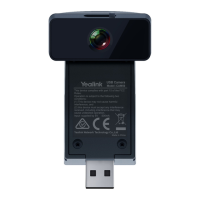

 To Next Page
 General