Need help?
Do you have a question about the Yealink W73P and is the answer not in the manual?
Details the components and setup of the W70B Base Station.
Explains the meaning of the power LED indicator on the handset.
Describes the main menu structure and navigation keys on the handset.
Illustrates and explains common icons for status, intercom, voicemail, and settings.
Guides on how to activate registration mode on the base station.
Steps to pair a W73H handset with the base station.
Instructions for registering the handset to a different base station.
Common reasons why handset registration may fail.
Procedure to remove a handset from the base station.
How to make internal calls between handsets.
Steps to initiate external calls, including redial and directory use.
How to answer, silence, or manually reject incoming calls.
Enabling DND to automatically reject all incoming calls.
How to mute or unmute the microphone during a call.
Procedure to place a call on hold and resume it.
Configuring call forwarding settings for incoming calls.
Methods for transferring calls, including blind and attended transfers.
How to initiate and manage three-way conference calls.
How to combine active and held calls into a conference.
Steps to access and play voicemail messages.
Configuring screen saver and brightness settings.
Managing keypad light, locking, and unlocking the handset.
Features for locating, renaming, and setting silent mode.
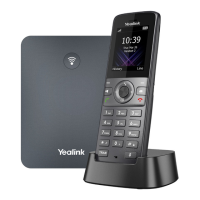
The Yealink W73P is a single-cell DECT device designed for communication, comprising a W70B base station and a W73H handset. This system allows for the registration of up to 10 W73H handsets per W70B base station, with additional handsets available for purchase. The W73P also supports "Cascade mode" and "Star Mode" when used with a RT30 Repeater, offering extended range and flexibility in deployment.
The W73P system facilitates both internal and external calls, offering a comprehensive set of telephony features. The W70B base station serves as the central hub, managing handset registration, network status, and power. It includes a Registration LED to indicate handset registration status or paging mode, a Network Status LED, and a Power LED Indicator. A Paging Key on the base station allows users to locate misplaced handsets, toggle the registration mode, or reset the base station to factory settings.
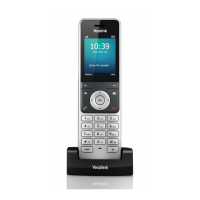
The W73H handset is the primary user interface, equipped with a receiver for audio, a Power LED Indicator for call and message status, and charging status. The phone screen displays information, while soft keys provide direct access to functions depending on the operating situation. A Message Key allows access to voicemail or missed calls. The Speakerphone Key enables switching between receiver, headset, and handsfree modes, answering incoming calls, and placing calls in handsfree mode. Navigation Keys facilitate scrolling through information and options, and an OK Key confirms actions or enters the main menu. The On-hook Key/Power Key is used to return to the previous screen, return to the idle screen, or turn the handset on/off. The keypad provides digits, letters, and special characters for data entry. A TRAN Key is dedicated to transferring calls, and a Mute Key toggles the mute feature. The handset also features a microphone, speaker, and a 3.5mm headset jack for connectivity.
The W73P offers a range of features to enhance communication.
The W73P supports the Yealink RT30 DECT Repeater to extend the DECT solution's range. This allows for wireless connection between the repeater, base station, and handset, supporting usual handset functions in the extended range. The system supports "Cascade Mode" for daisy-chaining up to 2 repeaters and "Star Mode" for up to 6 repeaters, providing flexible coverage expansion.
The W73P system is designed for straightforward use and minimal maintenance.
 General
| Handset type | Wireless handset |
|---|---|
| Product type | IP mobile phone |
| Product color | Gray |
| Keypad illumination | Yes |
| Caller ID | - |
| Lines quantity | - lines |
| Phonebook capacity | 100 entries |
| Battery voltage | 3.7 V |
| Battery capacity | 1010 mAh |
| Input current | 0.2 A |
| Input frequency | 50/60 Hz |
| AC adapter input voltage | 100 - 240 V |
| AC adapter output current | 0.6 A |
| AC adapter output voltage | 5 V |
| Storage temperature (T-T) | -30 - 70 °C |
| Operating temperature (T-T) | -10 - 50 °C |
| Operating relative humidity (H-H) | 10 - 95 % |
| Display diagonal | 1.8 \ |
| Display resolution | 128 x 160 pixels |
| Number of handles included | - pc(s) |
| Harmonized System (HS) code | 85171800 |
 Weight and Dimensions
| Package depth | 104 mm |
|---|---|
| Package width | 181 mm |
| Handset weight | 112 g |
| Package height | 90 mm |
| Package weight | 8314 g |
| Handset dimensions (WxDxH) | 144 x 48 x 21 mm |


 To Next Page