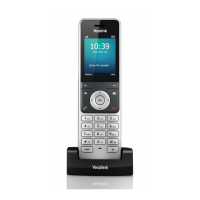
Call Hold & Resuming a call
You can place an active call on hold and resume the call when you are ready. When you place a call
on hold, the held party may hear the music set on the Horizon platform for the user.
When you are in an active call, simply press Options > Hold to place a call on hold, and then select
Resume to resume the call.
Call Forwarding
You can set your call forwarding settings from the device and these will update the Horizon platform.
The types of call forwarding available are:
- Always Forward. Incoming calls are always forwarded. There is no prompt on the phone
screen when the line receives an incoming call.
- Busy Forward. Incoming calls are forwarded when the line is busy.
- No Answer Forward. Incoming calls are forwarded if not answered after a period.
1. Go to OK > Call Features > Call Forward.
2. Select the desired line.
3. Select the desired forwarding type and enable it.
4. Enter the destination number in the Target or Forward to field.
5. If you select the No Answer (No Answer Forward), select the desired ring time to wait before
forwarding from the After Ring Time field.
6. Confirm the action.
Transfer Calls
During a call, you can transfer the call to another contact. You can use one of three ways:
- Blind Transfer: Transfer a call directly to the third party without consulting.
- Attended Transfer (Consultative Transfer): Transfer a call with prior consulting.
Blind Transfer
1. Select Options > Transfer, or press the TRAN key during a call.
2. Enter the number you want to transfer the call to or select Directory > Directory/History to
choose a contact.
3. Press TRAN or Transfer to complete the transfer.



 To Next Page
 Loading...