EasyManua.ls Logo

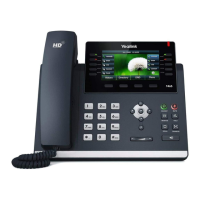
Yealink T46G - User Manual

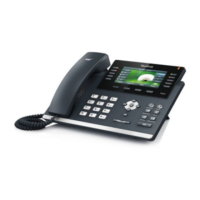
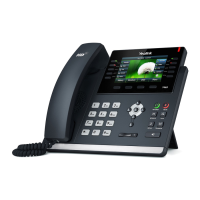
Yealink T46G
17 pages
Print Icon
To Next Page IconTo Next Page
Loading...

Other manuals for Yealink T46G

Questions and Answers

  • J
    Joe WrightAug 14, 2025
    Why is the sound quality bad on my Yealink IP Phone during calls?
    • D
      David NunezAug 14, 2025
      Poor sound quality during a call on your Yealink IP Phone can occur if users are too far or too close to the microphone. It can also be caused by network congestion leading to packet loss and jitter. Noisy equipment, such as a PC or fan, can also cause interference. A faulty line could also be the issue; try disconnecting and redialing to see if another line provides a better connection.
  • J
    John MortonAug 17, 2025
    Why is my Yealink T46G IP Phone not getting an IP address?
    • S
      Sara CraigAug 17, 2025
      If your Yealink Skype for Business phone isn't getting an IP address, make sure the Ethernet cable is properly connected to the Internet port and isn't loose or damaged. Also, verify that the IP address and network settings are correct. Finally, check that your network switch or hub is working correctly.
  • K
    Kelly HernandezAug 21, 2025
    Why is there no sound on my Yealink T46G when someone answers?
    • M
      Michelle MillerAug 21, 2025
      This issue with your Yealink IP Phone can occur because the Skype for Business phone cannot send the real-time transport protocol (RTP) streams, in which audio data is transmitted, to the connected call. Try disabling the 180 ring workaround feature.
  • O
    oliviashahAug 25, 2025
    What to do if the LCD screen is blank on my Yealink T46G?
    • F
      Fernando JohnsonAug 26, 2025
      If your Yealink Skype for Business phone LCD screen is blank, ensure it's correctly plugged into a working AC outlet or a socket controlled by a switch that is turned on. If it's plugged into a power strip, try plugging it directly into a wall outlet. If you're using PoE, make sure you have a PoE-compliant switch or hub.
  • H
    howardpatrickAug 29, 2025
    How to fix an IP conflict on a Yealink T46G?
    • D
      Dennis MooreAug 29, 2025
      To resolve an IP conflict on your Yealink Skype for Business phone, try assigning a new IP address. Alternatively, you can check the network configuration via the phone's user interface under Menu->Advanced->Network->WAN Port->IPv4 (or IPv6). If Static IP is selected, switch to DHCP.
  • D
    Diana AdamsSep 1, 2025
    Why won’t my Yealink T46G update its configuration?
    • F
      fpooleSep 2, 2025
      If your Yealink Skype for Business phone fails to update its configuration, first ensure the configuration is set correctly and is applicable to your phone model. Rebooting the phone may also help, as some settings require a restart to take effect. Keep in mind that the configuration may also depend on support from a server.
  • A
    Andrew SnyderSep 5, 2025
    Why is my Yealink T46G firmware update failing?
    • T
      Tina PerkinsSep 5, 2025
      If your Yealink Skype for Business phone isn’t upgrading firmware successfully, check that the target firmware isn't the same as the current firmware and that it's compatible with your phone model. Ensure neither firmware is protected. Verify power and network connectivity during the upgrade. Avoid closing or refreshing the web browser if upgrading via the web interface. Also, confirm the target firmware is available on the Skype for Business Server.
  • P
    Patricia BrownSep 8, 2025
    Why can't I export the system log to a syslog server from my Yealink T46G?
    • J
      joshua27Sep 9, 2025
      To export the system log to a syslog server using your Yealink Skype for Business phone, ensure that the syslog server supports saving files from the phone and that you've correctly configured the syslog server address via the phone's web user interface. Rebooting the phone may also be necessary for the settings to take effect.

Summary

Hardware Component Instructions

LCD Screen

Displays call information, messages, soft keys, time, date, and other relevant data like caller ID.

Line Keys

Used to activate up to six accounts and various features.

Hold Key

Places a call on hold or resumes a held call.

Transfer Key

Transfers a call to another party.

LED Instructions

Power Indicator LED Statuses

Describes the states of the Power Indicator LED (solid red, flashing red, off) and their meanings.

Line Key LED Statuses (Standard)

Details the states of Line key LEDs (solid green, flashing green, off) for line activity.

Line Key LED Statuses (BLF)

Explains Line key LED states when configured as a Busy Lamp Field (BLF) key.

Line Key LED Statuses (Page Switch)

Describes Line key LED states when used as a page switch key.

Basic Call Features

Placing Calls

Guides on how to initiate calls using the handset, speakerphone, or headset.

Answering Calls

Instructions on how to answer incoming calls using handset, speakerphone, or headset.

Ending Calls

Methods to terminate an active call using the handset, headset, or speakerphone.

Redialing Numbers

Procedures for redialing the last dialed number or a previously dialed number.

Call Hold;Resume

Steps to place an active call on hold and how to resume a held call.

Call Transfer

Methods for performing blind, semi-attended, and attended call transfers.

Star Codes

Yealink T46G Specifications

General IconGeneral
BacklightYes
Power requirements100-240V, DC 5V
Touchscreen-
Display diagonal4.3 \
Display resolution480 x 272 pixels
Lines quantity- lines
Phonebook capacity1000 entries
Number of VoIP accounts6
Voice codecsG.711, G.722, G.723, G.726, G.729A, G.729B
BluetoothNo
RJ-9 ports quantity2
USB 2.0 ports quantityUSB 2.0 ports have a data transmission speed of 480 Mbps, and are backwards compatible with USB 1.1 ports. You can connect all kinds of peripheral devices to them.
Ethernet LAN (RJ-45) ports1
Storage temperature (T-T)-10 - 50 °C
Operating relative humidity (H-H)10 - 95 %
Handset typeWired handset
Product typeIP Phone
Product colorBlack
Number of handles included1 pc(s)
Weight and Dimensions IconWeight and Dimensions
Depth185 mm
Width244 mm
Height213 mm

Related product manuals