EasyManua.ls Logo

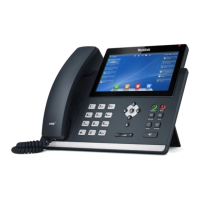
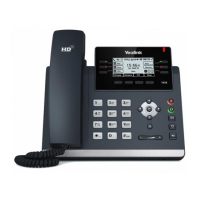
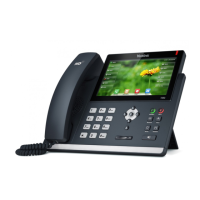
Yealink SIP-T48G - User Manual

Yealink SIP-T48G
270 pages
Print Icon
To Next Page IconTo Next Page
Loading...
rgf

Table of Contents

Other manuals for Yealink SIP-T48G

Questions and Answers

  • T
    tdaughertyAug 13, 2025
    What to do if my Yealink SIP-T48G IP Phone has no network connection?
    • A
      Alexander RobertsAug 13, 2025
      If your Yealink IP phone isn't connecting to the network, make sure the Ethernet cable is securely plugged into the Internet port on the phone and that the cable isn't damaged. Also, verify that the IP address and related network parameters are correctly configured. Finally, ensure that your network switch or hub is working properly.
  • K
    Karen JohnsonAug 17, 2025
    What to do if my Yealink SIP-T48G does not power on?
    • Z
      zavalamarciaAug 17, 2025
      If your Yealink IP phone is not powering on, check that it is properly plugged into a working AC outlet and that the outlet is controlled by a switch that is turned on. If it’s plugged into a power strip, try plugging it directly into a wall outlet. If your phone uses PoE, confirm that you are using a PoE-compliant switch or hub.
  • T
    Tammy YoungAug 21, 2025
    How to fix a firmware upgrade failure on a Yealink SIP-T48G?
    • E
      evansjustinAug 21, 2025
      If the firmware upgrade fails on your Yealink IP phone, ensure that the target firmware is different from the current firmware and is compatible with your IP phone model. Also, make sure that neither the current nor the target firmware is protected. Verify that the power is on and the network is available during the upgrade. Avoid closing or refreshing the web browser if upgrading via the web user interface. If using a Lync server, confirm the target firmware is available on it.
  • N
    Nathan Riley MDAug 25, 2025
    What causes configuration issues on a Yealink IP Phone?
    • S
      sarakramerAug 25, 2025
      If you're experiencing configuration issues with your Yealink IP phone, ensure that the configuration is set correctly and is applicable to your phone model. Rebooting the phone may be necessary for some configurations to take effect. Also, be aware that the configuration may depend on support from a server.
  • J
    jasonprinceAug 28, 2025
    When is a factory reset required for a Yealink SIP-T48G?
    • H
      haley28Aug 29, 2025
      If you've exhausted all other troubleshooting steps without resolving the issue, reset your Yealink IP phone to its factory configurations.
  • D
    Daniel PattersonSep 1, 2025
    Why does my Yealink SIP-T48G IP Phone have poor sound quality?
    • A
      Allison MendozaSep 1, 2025
      If your Yealink IP phone experiences poor sound quality, several factors could be at play. Users may be too far from the microphone or too close, causing echo. Network congestion and jitter can lead to intermittent voice issues. Noisy equipment like computers or fans can interfere with voice quality; try turning them off. Additionally, line issues could be the culprit; try disconnecting and redialing to see if another line provides a better connection.
  • T
    toddoliverSep 5, 2025
    How to capture packets for troubleshooting a Yealink IP Phone?
    • M
      Mrs. Gloria Murphy DDSSep 5, 2025
      To troubleshoot issues with your Yealink IP phone, you can capture packets via the web user interface, ensuring you configure the settings as required. You can then use software like Sniffer, Ethereal, or Wireshark to analyze the signal traffic.
  • M
    Mary WheelerSep 8, 2025
    How to fix time and date issues on a Yealink IP Phone?
    • T
      Tanner PierceSep 9, 2025
      If you're encountering time and date issues with your Yealink IP phone, check if it's set to automatically obtain the time and date from an NTP server. If it cannot access the NTP server, manually configure the time and date.

Yealink SIP-T48G Specifications

General IconGeneral
Expansion module supportYes
Handset typeWired handset
Product typeIP Phone
Product colorBlack
Volume control-
Display diagonal7 \
Display resolution800 x 480 pixels
Lines quantity- lines
Phonebook capacity1000 entries
Number of VoIP accounts6
AC adapter input voltage100 - 240 V
Number of handles included1 pc(s)
Weight and Dimensions IconWeight and Dimensions
Width266 mm
Height185 mm

Related product manuals