EasyManua.ls Logo

Yealink T48s - Provisioning the Phone; Automatic Provisioning Process

Yealink T48s
17 pages
Print Icon
To Next Page IconTo Next Page
To Previous Page IconTo Previous Page
Loading...
Provisioning
Your Yealink SIP-T48S IP Phone will be pre-loaded with all the information it needs to automatically provision
the Hosted Voice service once all the connections have been made.
1. Once connected to the network port that is providing network access the phone will do a series of
firmware updates (please allow the phone time to complete).
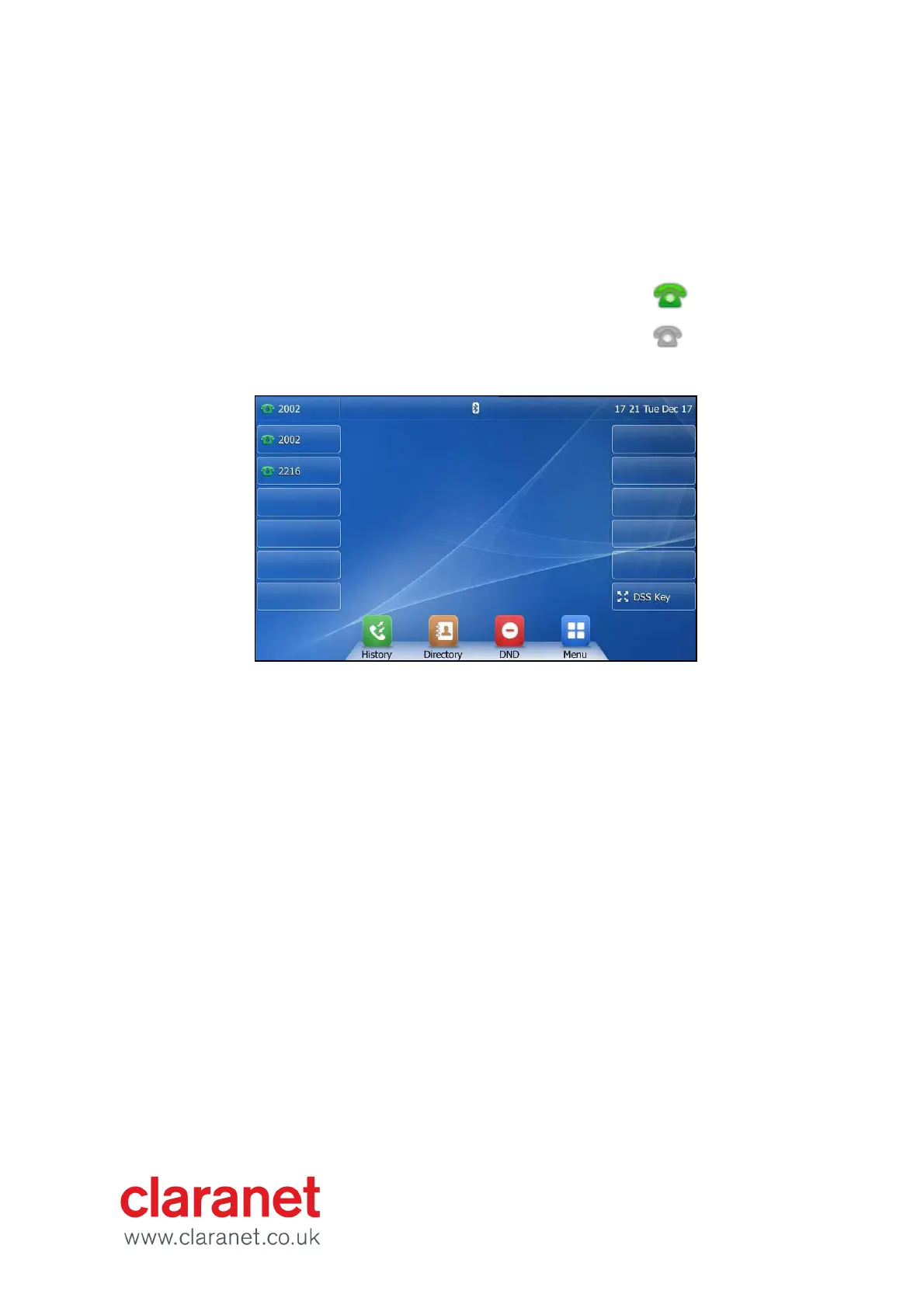
3. Your phone has provisioned correctly if this symbol is
showing against the phones line key
4. Your phone has not provisioned correctly if this symbol
is showing against the phones line key
2. Once complete the phone will now show the line number against a line key.
Note: If the handset fails to provision please contact your Service Provider.

Other manuals for Yealink T48s

Related product manuals