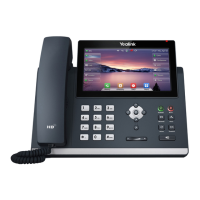
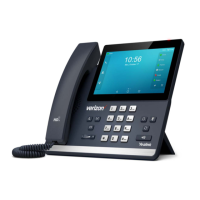
Getting to know your phone
Hardware Component Instructions
The main hardware components of the SIP-T48S IP phone are the LCD screen and the keypad.
Indicates phone power and some feature statuses.
The screen is touch-sensitive. Tap to select and highlight
screen items.
Shows information about calls, messages, soft keys, time, date
and other relevant data:
• Call information—caller ID, call duration
• Icons (for example, )
• Missed call text or second incoming caller information
• Prompt text (for example, “Saving config file!”)
• Time and date
Toggles and indicates the headset mode.
Toggles and indicates mute feature.
Places a call on hold or resumes a held call.
Transfers a call to another party.
Toggles the hands-free speakerphone mode.
Redials a previously dialed number.
Position the cursor within text you’re updating.
Enable or disable fields.
Turn pages or scroll through values for a field.
Scroll through items.
Access to History and Directory respectively.
Confirms actions or answers incoming calls.



 To Next Page
 Loading...