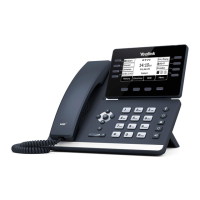
TRANSFER allows you to connect your call to someone else.
Announced: With a call on the line, press the TRANSFER fixed key or tap MORE and then tap TRANSFER.
(Attended) The current call is automatically placed on hold and the above screen is displayed.
Enter the Number you are transferring to
Tap ATTENDED TRANSFER
Wait for the person to answer, announce the call.
+ TO COMPLETE TRANSFER: Tap TRANSFER, call is connected, hang up.
+ TO RETURN TO HELD CALL: Tap CANCEL then tap RESUME.
Blind Transfer: With a call on the line, press the TRANSFER fixed key or Tap MORE and then tap TRANSFER.
The current call is automatically placed on hold and the above screen is displayed.
Enter the Number and tap BLIND TRANSFER.
OR Press DSSkey to view Line, Feature and Autodial keys.
Press a Busy Lamp Field (Enhanced Monitor Extension) Key. The call is automatically transferred.
TRANSFER FROM DIRECTORY: With a call on the line, press the TRANSFER fixed key or Tap MORE and then tap TRANSFER.
The current call is automatically placed on hold and the above screen is displayed.
Tap the applicable PHONE BOOK List on the left.
Tap the Search icon to display the keypad and enter search details.
Tap the applicable contact.
Tap AUDIO CALL.
Blind Transfer: Tap B TRANSFER (blind transfer) , the call is transferred.
Announced Transfer: Tap ATTENDED TRANSFER. Wait for the person to answer, announce the call.
Tap TRANSFER, call is connected, hang up.
TRANSFER TO VOICEMAIL: Sends a caller directly to voicemail without ringing the phone
+ Tap TRANSFER, call automatically held
+ Press *55 and enter EXTENSION Number
+ Tap BLIND TRANSFER
CALL TRANSFER
CALL TRANSFER SCREEN
Attended Transfer
Blind Transfer
Keypad
Need support? Connect with us at www.northland.net/get-support or
Dial 4357 (HELP) or 315-671-6262 to speak to a Northland Representative
Page 9



 To Next Page
 Loading...