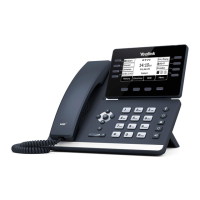
SCREENS + ICONS
The phone has two HOME screens by default, the HOME Screen which is condensed when the phone is idle and an EXPANDED HOME
screen. You can see additional buttons on the HOME Screen by tapping the EXPAND Icon. You can see additional IDLE screens by
swiping left.
HOME SCREEN
No.
Name Description
1 Status Bar
Displays the phone’s default subscriber account information, icons and time.
Default Account
The default account subscriber number is displayed on the left of the status
bar. If there is no account registered on the IP phone, this field will display NO
SERVICE.
Icons
Status Icons are displayed in the middle of the status bar. These indicate missed
calls, voicemails, DND status, etc.
Time
The phone’s time is displayed in the center of the display.
2 Application Functions
Directory
Accesses the local and remote directories as well as the blocklist
History
Displays call history - incoming, outgoing, missed and forwarded calls.
DND Places the phone in Do Not Disturb mode.
Menu
Accesses the Settings menu.
3 Phone Dialer Tap to view the active dial pad.
4 Directory Accesses the local and remote directories as well as the blocklist
5 History Displays call history - incoming, outgoing, missed and forwarded calls.
6 Expand All Tap to view the Expanded Screen
7
Park 1Monitor
Optional keys to Monitor the availability of Park Slots.
8 Page Accesses telephone and/or overhead speakers to make a page/announcement.
9 Intercom Place a speaker call to another user in your business.
10 Line Keys Lines that are used to make and receive calls.
Need support? Connect with us at www.northland.net/support or
Dial 4357 (HELP) or 315-671-6262 to speak to a Northland Representative
Page 3
1
3 4 5
6
7
10
8
9
NOTE: Your telephone key layout may vary depending on the options chosen by your company.



 To Next Page
 Loading...