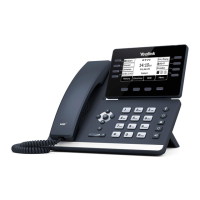
HANDSET: Plug your handset
into this port.
PC: Plug your
PC into this port if
your PC is connecting through your
phone.
INTERNET: Plug into this
port to connect to your
network.
DC5V: If your network does not
provide Power Over Ethernet
(P.O.E.), a separate power supply
will accompany your phone.
KEY:
HEADSET: Plug your head-
set into this port.
INSTALLING YOUR YEALINK T58W PHONE
BACK OF THE PHONE
USB Ports: Two USB ports, one on
the top of the phone for optional
USB camera or other USB devices
and one on the back of the phone.
Need support? Connect with us at www.northland.net/get-support or
Dial 4357 (HELP) or 315-671-6262 to speak to a Northland Representative
Page 1



 To Next Page
 Loading...